
By cloudfoodmanager February 20, 2026
Food waste is rarely a “kitchen problem.” It’s an operations system problem that shows up in the kitchen—through over-ordering, missed expirations, inconsistent portioning, production misfires, and messy purchasing handoffs.
This guide explains how real-time food inventory tracking reduces waste in a practical, step-by-step way you can implement without turning your operation upside down.
You’ll learn what “real-time” actually means in 2026, how it replaces spreadsheets and weekly counts, and how to use reducing food waste with inventory tracking software as a daily management habit—not a quarterly project.
Real-time inventory isn’t about tracking everything immediately. It’s about creating a trustworthy “on-hand” number for the items that drive your food cost and your waste, then building workflows (receiving, depletion, waste logging, cycle counts) that keep that number accurate enough to run the business.
Real-time food inventory tracking (and what it replaces)
Real-time inventory tracking means your inventory system updates as key events happen, instead of waiting for a weekly count or a manager’s spreadsheet cleanup. In practice, “real-time” is not a magical live camera pointed at your walk-in. It’s a perpetual inventory system that stays current because your operation consistently records four things:
- Receiving (what came in, how much, at what cost, from which vendor)
- Depletion (what should have been used based on sales and recipes, plus production transfers)
- Waste (what was thrown away, returned, comped, spilled, overcooked, or expired—with a reason)
- Verification (cycle counts and audits that correct drift and expose process issues)
When your POS-to-inventory integration is set up correctly, the system reduces inventory when items sell—but only if recipes are mapped accurately and portions are controlled. When you add scanning at receiving and quick mobile counts, you replace “inventory guesswork” with a daily operating rhythm.
What it replaces is the old pattern most food businesses still struggle with:
- Spreadsheets that are updated inconsistently (or only when someone has time)
- Weekly counts that arrive too late to prevent expiration and over-ordering
- Purchasing decisions made from “feel,” last week’s sales, or vendor pressure
- Mystery inventory variance that gets blamed on staff, when the real cause is missing process steps
Real-time food inventory tracking benefits show up fastest when you treat inventory like a living system: every delivery, prep shift, and service period creates information. The system’s job is to capture that information with as little friction as possible.
Pro Tip: Don’t define “real-time” as “perfect.” Define it as “accurate enough to make tomorrow’s order with confidence”—and build your workflow to get there.
Where Food Waste Really Comes from (root causes you can actually control)

Waste is usually the symptom. The cause is a breakdown in planning, execution, or accountability. To reduce waste, you need to separate spoilage vs prep waste, and then dig into the behaviors that create each.
Over-ordering and “safety stock” habits
Over-ordering is the most common waste driver because it happens quietly. It often starts as a well-intentioned attempt to avoid stockouts—especially during busy weeks, events, or staffing shortages. But when ordering is based on intuition instead of inventory forecasting, you buy insurance you don’t need.
Over-ordering also hides problems:
- You don’t notice slow-moving items
- You don’t notice that recipe portions are drifting
- You don’t notice that a menu item lost popularity
- You don’t notice that your par levels and reorder points are outdated
With real-time tracking, over-ordering is harder to justify because you can see on-hand levels, projected usage, and what’s already on order. That visibility makes ordering decisions calmer and less reactive.
Spoilage, expiration, and poor rotation
Spoilage happens when inventory stays in your building longer than its useful life. That’s not just “bad luck.” It’s typically caused by:
- Receiving without date labeling
- Storage areas without clear FIFO food rotation routines
- Prep batches that are too large for demand
- Unclear ownership of “use-first” items
- Menu changes that strand ingredients
Expiration date tracking and simple FIFO prompts—especially when tied to reorder decisions—are some of the fastest wins you’ll get from inventory software.
Inaccurate portioning and inconsistent execution
Portion creep is expensive because it doesn’t look like waste. It looks like “generosity,” “inconsistency,” or “new staff learning.” But it pushes food cost up and also increases back-of-house production, which increases prep loss.
This is where recipe costing and portion control is not an accounting exercise—it’s operational control. If the system expects one portion size but the line produces another, your depletion math becomes unreliable, and variance rises.
Prep waste, misfires, and production planning gaps
Prep waste includes trim loss, overcooked batches, dropped product, and made-wrong items that can’t be served. Some of this is normal, but a lot of it is preventable with:
- Better catering production planning and event forecasting
- Strong station prep sheets tied to actual demand
- Clear batch sizes and hold times
- Training that connects waste reasons to behaviors
Tracking these events with a waste log and waste reason codes turns “we waste a lot” into “we waste a lot of this for these reasons.”
Theft, comping, void abuse (handle tactfully)
Every operation has occasional exceptions—mistakes, comps, and voids. Problems arise when exceptions become patterns. You don’t need a culture of suspicion. You need a culture of clean data and consistent approvals.
Real-time systems can help by:
- Flagging unusual void/comp patterns
- Highlighting variance on high-value items
- Requiring reason codes and manager approval for certain actions
The goal is not blame—it’s identifying weak points in controls so you can fix them without drama.
Waste types, root causes, and how real-time tracking helps (quick diagnostic table)
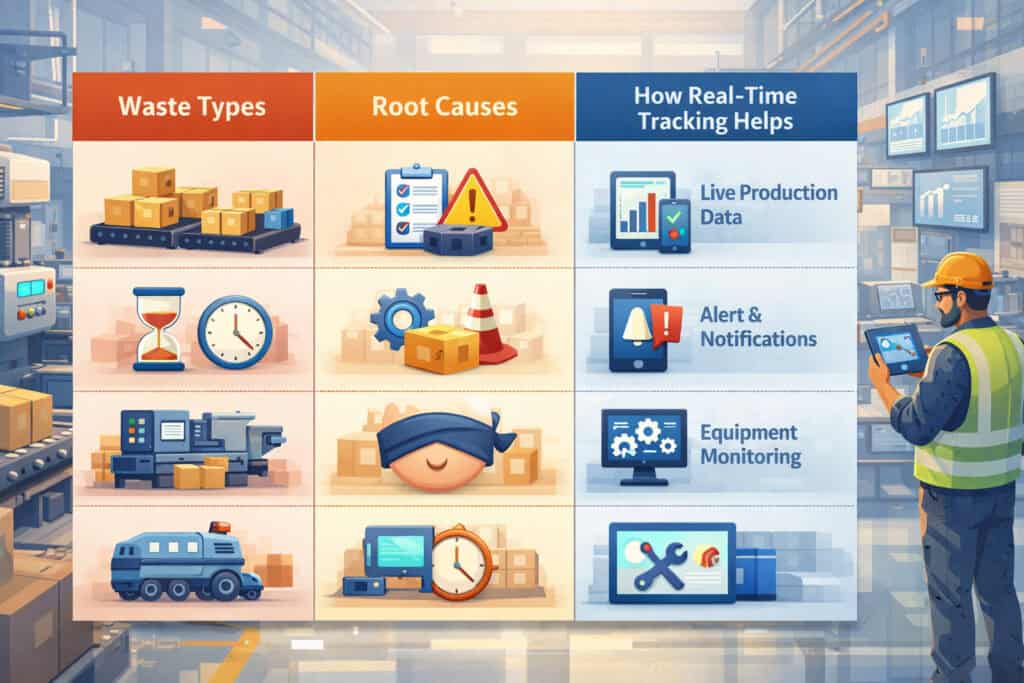
Below is a practical way to categorize waste, identify the most likely root cause, and match it to what inventory software can actually do about it.
| Waste type | What it looks like in operations | Common root causes | How real-time tracking helps |
|---|---|---|---|
| Spoilage / expiration | Items past date, slimy produce, dairy dumped | Over-ordering, poor FIFO, missing date labels, menu shifts | Expiration date tracking, FIFO prompts, “use-first” lists, tighter par levels |
| Prep waste | Trim, cook loss, over-prep, batch burn | Poor yield assumptions, wrong batch size, weak production planning | Yield management (trim and cook loss) tracking, prep-to-demand adjustments |
| Plate waste / returns | Send-backs, comps for quality | Execution inconsistency, timing, training gaps | Waste reason codes tied to station/shift; training feedback loops |
| Over-portioning | Higher food cost without obvious trash | No portion tools, rushed line, unclear specs | Recipe depletion checks, portion standards, over-portioning prevention audits |
| Misfires / wrong items | Incorrect mods, wrong tickets, remake | Communication breakdown, POS errors, training | POS-to-inventory integration + reason-coded waste logging to spot patterns |
| Stockouts + emergency buys | Running out, paying premium, substitutions | Bad ordering, poor forecasting, inaccurate on-hand | Accurate on-hand counts, reorder points, alerts, vendor lead-time planning |
| Unexplained variance | Inventory doesn’t match what “should” be there | Missing receiving steps, recipe mapping gaps, unlogged waste, control issues | Variance detection, cycle counts, receiving controls, investigation workflow |
Pro Tip: Don’t try to solve every waste type at once. Pick the top two categories by cost impact (often spoilage + over-portioning) and build tight process there first.
Food waste reduction through inventory software: the mechanisms that actually work
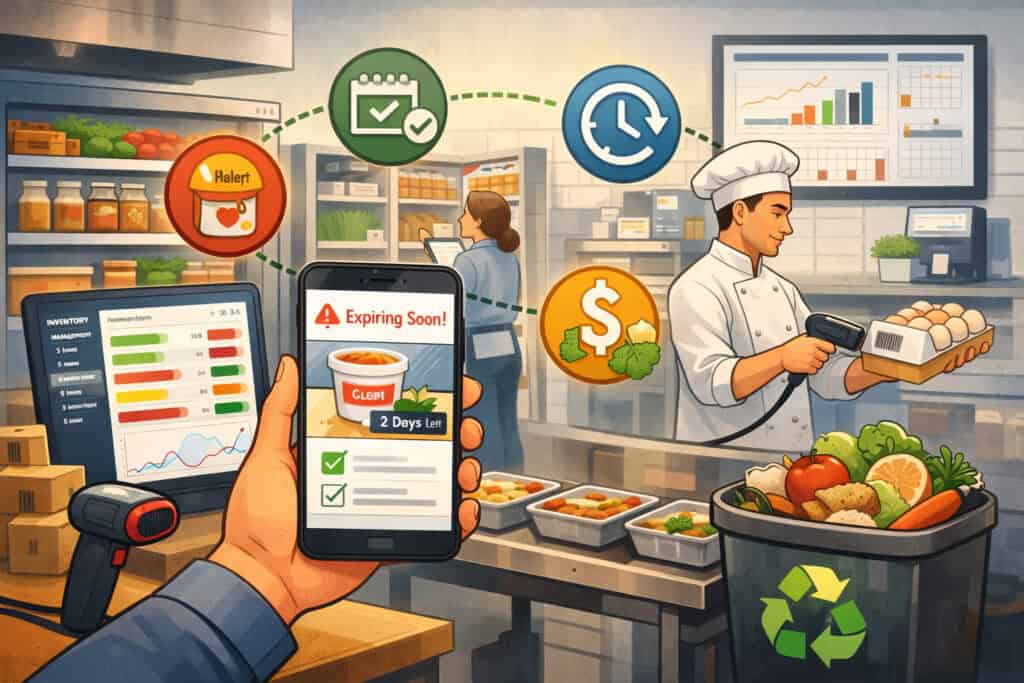
Real-time tracking reduces waste through a handful of practical mechanisms. The best systems don’t just “report”; they change behavior by making the right action easier than the wrong one.
Accurate on-hand counts you can trust
Waste reduction starts with trust. If managers don’t believe the on-hand number, they will order “just in case,” and the cycle continues.
Accurate on-hand comes from combining:
- Clean receiving (quantities and units correct)
- Reliable depletion (recipes mapped, portions correct)
- Waste logged (not “hidden” in comps or trash)
- Regular verification via inventory audits and cycle counts
The goal is not perfection. It’s reducing the gap between “system says” and “shelf reality” enough that purchasing becomes disciplined.
Expiry alerts + FIFO prompts
Most kitchens have FIFO in theory and chaos in practice. A good system turns FIFO into a daily checklist:
- What expires soon by storage location
- What should be prepped first
- What should be featured, repurposed, or donated per policy
This is where donation and repurposing policies can become a planned action instead of a last-minute scramble. When expiry is visible, you can make decisions earlier when product still has value.
Tighter par levels and reorder points
Par levels are not static. They change with:
- seasonality
- menu changes
- vendor lead times
- catering volume
- staffing capacity
Real-time tracking helps you move from “par is a guess” to par levels and reorder points that are grounded in usage. When you can see average daily usage and days of supply on hand, you can order smaller, more frequently, and reduce the risk of expiration.
Variance detection and fast investigation
Variance is not just a monthly accounting concern. Operationally, variance is a smoke alarm. It tells you:
- receiving errors (wrong counts, wrong units, missing invoices)
- recipe mapping issues (missing ingredients, wrong yields)
- waste not logged
- portion drift
- control gaps
A system that highlights inventory variance by item, location, and shift makes it possible to investigate quickly—while the team still remembers what happened.
Linking recipes to depletion (and fixing what breaks)
Recipe mapping is the bridge between sales and inventory. If the bridge is weak, your data collapses. Strong recipe mapping:
- connects each sold menu item to ingredient depletion
- accounts for yields and prep batches
- keeps portion sizes consistent across shifts
This is also where menu engineering and inventory come together. If a menu item drives complex inventory, spoilage risk, or hard-to-control prep, the system will surface it through variance and waste patterns.
Waste reason tracking + training feedback loops
Waste logging only works when it’s easy and useful. A structured waste log and waste reason codes system makes waste actionable:
- “Expired in walk-in” → ordering or rotation issue
- “Overcooked batch” → batch size or training issue
- “Wrong mod” → ticket reading or expo issue
- “Trim loss high” → yield assumption or vendor quality issue
When you review waste by reason weekly, training becomes specific. You’re not telling people to “waste less.” You’re teaching them the 2–3 behaviors that drive the most loss.
The end-to-end operational workflow (from item setup to reporting)
To get the full value of real-time tracking, you need a complete operational loop. Missing steps create drift, and drift leads to mistrust.
Item setup and standards (the foundation)
Start by defining items consistently:
- purchase unit (case, bag, each)
- storage unit (each, pound, liter)
- recipe unit (ounce, gram, each)
- vendor pack size and SKU
- acceptable substitutes (if any)
- shelf life and storage location
This is where you prevent future confusion. If “tomatoes” is sometimes a case, sometimes pounds, and sometimes “each,” your on-hand will always be wrong.
Pro Tip: Standardize naming. If you have multiple locations, enforce the same item dictionary everywhere or you’ll never get clean multi-unit reporting.
Recipe mapping and yield management
Recipe mapping should include:
- ingredient quantities per portion
- batch recipes for prep items (sauces, proteins, doughs)
- yield assumptions for trim and cook loss
- portion sizes tied to tools (scoops, ladles, scales)
This is yield management (trim and cook loss) in practice. If you buy raw product but sell cooked portions, your system needs a conversion factor you believe. You can refine it over time using actual yield checks.
Receiving and storage with FIFO discipline
Receiving is where most inventory systems fail—not because people don’t care, but because it’s busy. A strong receiving workflow includes:
- scan or quick entry of delivered quantities
- verification against purchase order
- immediate date labeling
- correct storage assignment
- flagging exceptions (shorts, subs, damage)
FIFO becomes easier when receiving is clean. The system can then support “use-first” lists and expiration alerts by location.
Production, transfers, and sales depletion
Your system needs to reflect reality:
- prep production (what was made, moved, or portioned)
- transfers between storage locations and stations
- depletion based on POS sales and recipe mapping
If you run catering or commissary production, tracking production and transfers matters even more, because inventory moves between teams and locations.
Waste logging and reason codes
Waste should be logged close to the moment it happens. The longer you wait, the less accurate the reason becomes. Your workflow should define:
- who logs (station lead, prep cook, manager)
- what gets logged (thresholds and categories)
- which reason codes are used
- when manager approval is required
If staff see that waste logs are reviewed and used to improve the operation, compliance rises.
Reorder and reporting
Ordering should be the output of the system:
- suggested order based on par, on-hand, and forecast
- adjustments for events and lead times
- vendor catalog selection and price checks
- final approval by a manager
Reporting then closes the loop with:
- food cost percentage and COGS tracking
- waste by category and reason
- variance by item
- stockouts and emergency buys
- inventory turnover and expiring inventory
Key features to look for in inventory tracking software (2026-ready checklist)
Not all inventory tools support real-time operations equally. The best choice depends on your complexity (single-unit vs multi-unit, catering volume, production kitchen, etc.), but the features below are the ones that most directly support waste reduction.
POS-to-inventory integration (non-negotiable for real-time)
POS integration should:
- pull sales automatically and apply recipe depletion
- handle modifiers in a sensible way (especially for proteins and add-ons)
- separate comps/voids with reason codes
- support multiple revenue centers if needed (dine-in, delivery, catering)
If integration is fragile, you’ll spend time troubleshooting instead of reducing waste.
Barcode/scan receiving and mobile counts
Look for tools that make compliance easy:
- mobile receiving with scanning or quick entry
- pack-size conversion support
- photo attachments for damaged goods
- fast mobile cycle counts without printing sheets
Speed matters. If it takes too long, people will skip it.
Expiry tracking and FIFO support
Strong expiration workflows include:
- shelf life rules by item
- receiving date capture
- “expiring soon” reports by location
- FIFO prompts and use-first lists
- options for repurposing or donation tracking when applicable
This is a direct lever for reducing spoilage.
Recipe costing, yields, and portion tools
You want software that supports:
- recipe costing and portion control
- yield conversions for proteins and produce
- batch recipes and prep items
- portion standards tied to tools and training references
Without yield and batch support, variance becomes noisy and hard to trust.
Vendor catalog, purchasing, and PO management
Purchasing and vendor management should include:
- vendor catalogs and item mapping
- purchase orders with approvals
- lead time tracking and delivery schedules
- price history (so you can spot changes)
- suggested ordering based on par and forecast
This is how you prevent both stockouts and over-ordering.
Multi-location controls (for multi-unit and commissary)
If you operate multiple locations or a commissary:
- standardized item dictionary across locations
- location-specific par levels
- transfer workflows with approvals
- consolidated reporting and drill-down by unit
- permissions and audit logs
Multi-unit waste often hides in transfers and inconsistent processes, so controls matter.
Metrics that prove waste reduction (what to track, how often, and what “good” looks like)
Waste reduction is measurable when you track the right KPIs consistently. You don’t need dozens. You need a small dashboard that connects actions to outcomes.
KPI dashboard table (practical cadence for busy operators)
| KPI | What it tells you | How often to review | Target direction |
|---|---|---|---|
| Food cost percentage | Overall performance vs sales | Weekly | Down / stable |
| COGS tracking | True cost of goods used in the period | Weekly / period close | Down / stable |
| Waste % (by category) | Spoilage vs prep waste vs misfires | Weekly | Down |
| Inventory variance (top items) | Process gaps, mapping issues, control risks | Weekly | Down |
| Expiring inventory value | What’s at risk in the next few days | Daily/2–3x weekly | Down |
| Inventory turnover | Are you holding too much stock | Monthly | Up (without stockouts) |
| Stockouts and emergency buys | Ordering accuracy and lead-time planning | Weekly | Down |
| Purchase price changes | Vendor trends and negotiation needs | Monthly | Stabilize / reduce |
| Portion compliance checks | Over-portioning prevention | Weekly | Up (compliance) |
| Cycle count accuracy | Health of your perpetual inventory system | Weekly | Up |
Pro Tip: Track fewer KPIs at first, but review them on schedule. A simple dashboard reviewed weekly beats a complex dashboard reviewed “when we have time.”
How to interpret results without chasing noise
Not every change is meaningful. Look for:
- repeat patterns (same items, same reasons, same shifts)
- correlation with events (menu changes, promotions, staffing changes)
- process misses (receiving skipped, counts missed, waste not logged)
Use KPIs to ask better questions, not to punish people.
Step-by-step implementation guide (small-team friendly, waste-first approach)
This section is your practical playbook for reducing food waste with inventory tracking software without overwhelming your team. The fastest path is to start narrow, build trust, then expand.
Step 1: Start with your top 20 ingredients (the “high-impact list”)
Choose the 20 ingredients that most affect:
- food cost percentage
- spoilage risk
- variance (the items you always argue about)
- menu availability (items that cause stockouts)
This is where real-time food inventory tracking benefits show up quickly because you’re focusing on the items that matter.
Create clean item records:
- consistent units
- vendor pack sizes
- storage locations
- shelf life rules
- substitution rules
Don’t add low-cost, low-risk items yet. Complexity kills adoption.
Step 2: Map recipes for the items you sell most
Recipe mapping is not a one-time setup—it’s a controlled process. Start with:
- top-selling menu items
- items with expensive proteins or high variance
- catering packages with consistent portions
Include yield assumptions where needed. For proteins, do a quick yield check:
- weigh raw product
- trim and cook as you normally do
- weigh cooked usable portions
- record the yield percentage for the system
This is practical yield management (trim and cook loss). You can refine later, but you need an initial number you can defend.
Step 3: Set par levels and reorder points (then revise them)
Par levels should reflect:
- average daily usage
- delivery schedule and lead time
- storage constraints
- forecasted demand changes
A simple formula to start:
- Par level = (average daily usage × lead-time days) + safety buffer
- Reorder point = par level − on-hand (adjusted for on-order)
Then revise after 2–4 weeks of data. The goal is to reduce over-ordering without creating stockouts.
Step 4: Train receiving like it’s a revenue-protection task
Receiving is your control gate. Your training should be short and specific:
- verify quantities and units
- record substitutions and shorts
- date label immediately
- store in correct location
- log exceptions with a note or photo
Make receiving fast by giving staff the right tools (mobile device, scanner if used, clear PO process).
Pro Tip: Put one person “on point” for receiving each shift. Shared ownership often means no ownership.
Step 5: Launch a simple waste log with reason codes people will actually use
Start with 8–12 reason codes max. Keep them operational:
- expired
- over-prep
- overcooked/burned
- dropped/spilled
- wrong order/misfire
- returned quality issue
- trim loss high
- prep error
- damaged on delivery (vendor issue)
Make logging easy: quick entry, minimal typing, and a clear expectation of when to log.
Step 6: Run cycle counts (don’t wait for the “big inventory”)
Cycle counts keep your perpetual inventory system honest. Start with:
- 5–10 items, 2–3 times per week
- count the same items for the first two weeks
- investigate variance immediately
Cycle counting is where you discover:
- units are wrong
- recipes are missing ingredients
- receiving errors happen on certain shifts
- waste isn’t being logged
Step 7: Review a weekly KPI dashboard and take 1–2 actions
Your weekly rhythm should be:
- review KPIs (food cost %, waste %, variance, expiring inventory, stockouts)
- pick 1–2 root causes to address
- assign one owner and a due date
- follow up next week
This is how systems become habits.
Implementation checklist (printable, manager-friendly)
Use this as your step-by-step checklist for launch and stabilization.
- Define scope
- Select top 20 high-impact ingredients
- Confirm units, pack sizes, and storage locations
- Set shelf life rules for those items
- System setup
- Item setup complete and standardized
- Vendor catalog mapping complete for selected items
- POS-to-inventory integration connected and tested
- Recipe mapping completed for top-selling items
- Operational workflows
- Receiving process documented (who, when, how)
- Date labeling + FIFO process defined by storage location
- Waste log enabled with 8–12 reason codes
- Cycle count schedule created (items + days)
- Training
- Receiving training done (15–20 minutes practical demo)
- Waste logging training done (what counts as waste + how to log)
- Portion standards reinforced (tools, photos, line checks)
- Management cadence
- Weekly KPI dashboard scheduled (same day/time each week)
- Variance investigation workflow defined (who checks what)
- Par levels reviewed after 2–4 weeks of data
Pro Tip: If you can’t do the full checklist in one week, do it in two. Speed matters, but consistency matters more.
Real-world examples (no hype, just realistic operational wins)
Below are three realistic scenarios showing how tracking changes day-to-day decisions. These are not “miracle savings” stories—they’re examples of how better visibility reduces preventable loss.
Example 1: QSR — controlling portioning and misfires during peak hours
A quick-service operation struggles with rising food cost despite stable sales. Managers suspect portion creep and frequent misfires during rush periods.
They implement real-time tracking for their top proteins, cheese, sauces, and high-cost packaging. Recipes are mapped carefully, and a simple portion audit is added twice a week using scales and portion tools.
Within a few weeks, the team sees:
- frequent variance on one protein that correlates with certain shifts
- high waste log entries tagged “misfire” during peak hours
- inconsistent modifier handling at the POS for add-ons
They respond operationally:
- tighten the build cards and station setup
- fix POS modifier mapping so depletion matches reality
- retrain on portion tools and implement a quick line lead check during rush
The result is not a “magic number.” It’s fewer misfires, cleaner execution, and a food cost that stops drifting upward.
Example 2: Full-service — managing perishables and menu changes
A full-service restaurant rotates specials and seasonal items. They often end up with stranded produce, dairy, and specialty ingredients after a menu change.
They enable expiration tracking and create a “use-first” report reviewed three times a week. Par levels for perishables are tightened, and purchasing shifts from large orders to smaller, more frequent orders.
They also connect inventory to menu engineering:
- when a special underperforms, they see which ingredients are at risk
- the kitchen plans repurposing (soup base, staff meal, limited-time add-on) earlier
- donation and repurposing policies become planned actions rather than panic moves
Waste decreases because the team is making earlier decisions with clearer information—especially around menu transitions.
Example 3: Catering — forecasting and prep planning across events
A catering operator faces two common problems: over-prep “just in case” and under-prep that causes emergency buys and last-minute substitutions.
They implement demand planning for restaurants by building forecasting routines:
- each event’s expected portions are entered
- production recipes are mapped with realistic yields
- prep sheets are generated from forecasted demand
- transfers from commissary to event kits are tracked
They also start logging waste by reason after events:
- over-prep by menu package
- spoilage of items staged too early
- trim loss on certain proteins
Within a few cycles, planning becomes more consistent. Over-prep drops, emergency buys become rarer, and purchasing becomes calmer because it’s tied to a visible production plan.
Common mistakes to avoid (and how to fix them fast)
Most “inventory software failures” are not software failures. They’re scope and process failures. Here are the most common ones—plus practical fixes.
Trying to track every item on day one
Tracking every spice, garnish, and napkin immediately creates data overload and staff resistance.
Fix: Start with high-impact ingredients. Expand only after cycle count accuracy stabilizes and ordering decisions start relying on the system.
Poor recipe mapping (the silent killer)
If recipes are incomplete or wrong, depletion becomes fiction. Then variance becomes noise, and managers stop trusting the system.
Fix: Prioritize mapping for top-selling items. Run a weekly “recipe integrity” review: missing ingredients, incorrect units, and modifier issues.
Ignoring yield loss
If you buy raw product and sell cooked portions without yield assumptions, your variance will always look bad.
Fix: Do quick yield tests for key proteins and high-trim produce. Update yields quarterly or when vendors change.
Not enforcing receiving procedures
One skipped receiving step can ruin on-hand accuracy and trigger over-ordering.
Fix: Make receiving a controlled process with clear ownership, mobile tools, and accountability for exceptions.
Not using waste reasons (or having too many)
If waste reason codes are too vague (“waste”) or too complex (40 codes), logging becomes useless.
Fix: Use 8–12 clear codes tied to actions. Review weekly and adjust only when you know why.
Treating variance as blame instead of signal
Variance is a process diagnostic, not a personality test.
Fix: Investigate variance like an operations problem: units, recipes, receiving, waste logging, portioning, controls.
30/60/90-day waste-reduction plan (2026-ready, operational cadence)
This plan assumes you’re starting from a typical baseline: some inventory counting exists, but it’s inconsistent; ordering is partly intuition; waste is acknowledged but not well measured.
Days 1–30: Setup + baseline measurement (build trust first)
Your focus is system foundation and basic compliance.
- Scope and setup
- Select top 20 ingredients
- Clean item setup and units
- Set shelf life rules and storage locations
- Connect POS and test depletion on a few items
- Operational rollout
- Implement receiving workflow
- Launch waste log with reason codes
- Begin FIFO routines and date labeling discipline
- Start cycle counts (5–10 items, 2–3 times per week)
- Baseline KPIs
- Capture food cost % weekly
- Track waste % by category
- Track variance for top items
- Track expiring inventory value 2–3x per week
Pro Tip: Month 1 success is not “big savings.” It’s trust: managers believe on-hand numbers enough to order differently.
Days 31–60: Tighten ordering + FIFO + training loops
Now you start changing purchasing behavior and station execution.
- Ordering improvements
- Set initial par levels and reorder points
- Review suggested orders vs actual orders weekly
- Reduce “just in case” ordering using on-hand and forecast logic
- Improve purchasing and vendor management (POs, lead times, catalogs)
- FIFO and expiration control
- Use expiring inventory reports regularly
- Implement “use-first” prep planning
- Create repurposing and donation decision rules
- Training loops
- Review waste by reason weekly
- Pick one station behavior to improve each week
- Add a simple portion compliance check
Days 61–90: Optimize recipes, menu, and vendor purchasing
Once the system is stable, you use data to improve structure.
- Recipe and yield optimization
- Refine yields for top proteins and high-trim items
- Fix recipe mapping gaps exposed by variance
- Improve portion standards and tools
- Menu engineering and inventory alignment
- Identify low-performing items that strand ingredients
- Adjust prep batch sizes based on demand patterns
- Simplify inventory complexity where it reduces waste
- Vendor strategy
- Review price history and pack sizes
- Improve order frequency and minimums
- Adjust product specs to reduce trim loss or spoilage risk
By day 90, you should have a working cadence: clean receiving, reliable cycle counts, consistent waste logging, and purchasing decisions grounded in real on-hand.
FAQs
Q1) What is real-time food inventory tracking?
Answer: Real-time food inventory tracking is a system that updates your on-hand inventory as key events happen: receiving deliveries, selling items through the POS, recording waste, and completing cycle counts. It’s “real-time” because your numbers stay current enough to support daily decisions—not because it tracks every movement automatically.
Q2) Does inventory software really reduce waste?
Answer: Yes, when the software is paired with consistent workflows. Software alone doesn’t reduce waste; it enables visibility and discipline. Waste reduction happens when you use the system to tighten ordering, improve FIFO rotation, enforce portion standards, and respond to variance quickly.
Q3) How does POS integration work for inventory?
Answer: POS integration pulls sales data from your POS and applies recipe-based depletion to inventory. If a menu item sells, the system reduces the mapped ingredients accordingly. This requires accurate recipe mapping, correct modifier handling, and periodic verification with cycle counts.
Q4) What’s the difference between a perpetual inventory system and weekly counts?
Answer: Weekly counts tell you what you had at one point in time—usually after the problems already occurred. A perpetual inventory system updates continuously through receiving, depletion, waste logs, and verification. Weekly counts can still exist, but they become a validation tool rather than your primary inventory method.
Q5) What KPIs should I track to reduce food waste?
Answer: Start with food cost percentage, waste % (by category), expiring inventory value, variance on top items, and stockouts/emergency buys. Review weekly, and add inventory turnover monthly once your system stabilizes.
Q6) How do I set par levels and reorder points?
Answer: Base them on average daily usage, vendor lead times, and delivery schedules. Start with conservative buffers, then revise after 2–4 weeks of real usage data. Par levels should change with menu shifts, seasonality, and catering volume.
Q7) Can inventory tracking help with portion control?
Answer: Yes. When recipes are mapped and the system expects a specific portion, you can compare “theoretical usage” to actual counts. If variance consistently shows overuse, it often points to over-portioning or inconsistent execution, which you can address with tools and line checks.
Q8) How long does it take to implement inventory software?
Answer: A focused implementation (top 20 items, clean receiving, basic recipe mapping, cycle counts) can be operational within a few weeks. Reaching stable accuracy and a reliable weekly cadence often takes 60–90 days, depending on complexity and team consistency.
Q9) Is it worth it for a single-location restaurant?
Answer: Often yes—especially if you have high perishables, multiple vendors, frequent specials, or inconsistent portioning. The biggest benefit is operational clarity: better ordering, fewer expirations, fewer emergency buys, and fewer surprises during period close.
Q10) How do I get staff to log waste consistently?
Answer: Make logging fast, define what “counts as waste,” and show that the data is used. Keep reason codes simple, review results weekly, and tie improvements to station routines (batch size, FIFO, portion tools) rather than blame.
Q11) What should I track first if I’m overwhelmed?
Answer: Track the items that hurt you most: top proteins, dairy, and high-spoilage produce. Combine that with a simple waste log and a cycle count schedule. You’ll get more value from a small accurate system than a large inaccurate one.
Q12) How do I handle spoilage vs prep waste in reporting?
Answer: Separate them. Spoilage is typically an ordering/rotation issue. Prep waste is often yield, batch sizing, or training. If you mix them, you’ll apply the wrong fixes and frustrate the team.
Q13) Will real-time tracking prevent stockouts?
Answer: It reduces stockouts when your on-hand numbers are reliable and reorder points reflect lead times. It won’t prevent stockouts caused by vendor shortages or sudden demand spikes unless you incorporate demand planning and event forecasting into your ordering process.
Q14) What’s the most common reason real-time tracking fails?
Answer: Inconsistent receiving and incomplete recipe mapping. If deliveries aren’t recorded correctly and recipes don’t reflect reality, on-hand accuracy collapses and managers stop trusting the system.
Q15) How often should I do inventory audits and cycle counts?
Answer: Cycle count a small group of high-impact items multiple times per week. Do broader inventory audits monthly or at period close, depending on your accounting needs. The more consistent your cycle counts, the less painful full counts become.
Conclusion
Real-time inventory is not a technology upgrade—it’s an operating model. If you want to cut waste, improve margins, and streamline purchasing, the winning formula is simple:
- keep on-hand accurate enough to order confidently
- rotate inventory with FIFO and expiration visibility
- map recipes and yields so depletion makes sense
- log waste with reasons so training becomes targeted
- review a small KPI dashboard weekly and take action
That’s the practical answer to how real-time food inventory tracking reduces waste: it replaces late, manual, and unreliable information with a living system that guides daily decisions.