By cloudfoodmanager February 10, 2026
Running multiple virtual brands from one kitchen can be wildly profitable—until inventory turns into chaos. One brand sells spicy chicken bowls, another sells tacos, a third sells smoothies, and suddenly you’re juggling overlapping ingredients, different portion sizes, multiple menus, multiple delivery channels, and constant supplier price changes.
That’s exactly where cloud kitchen software for multi-brand inventory management becomes the operating system for your entire back-of-house.
In this guide, I’m going to walk you through how to set up and use cloud kitchen software to control stock across brands, reduce food waste, protect margins, and stay audit-ready.
You’ll also see real-world examples, the industry terminology operators use, and the compliance angles (food safety, traceability, and data security) that matter when you’re scaling.
What Multi-Brand Inventory Management Really Means in a Cloud Kitchen
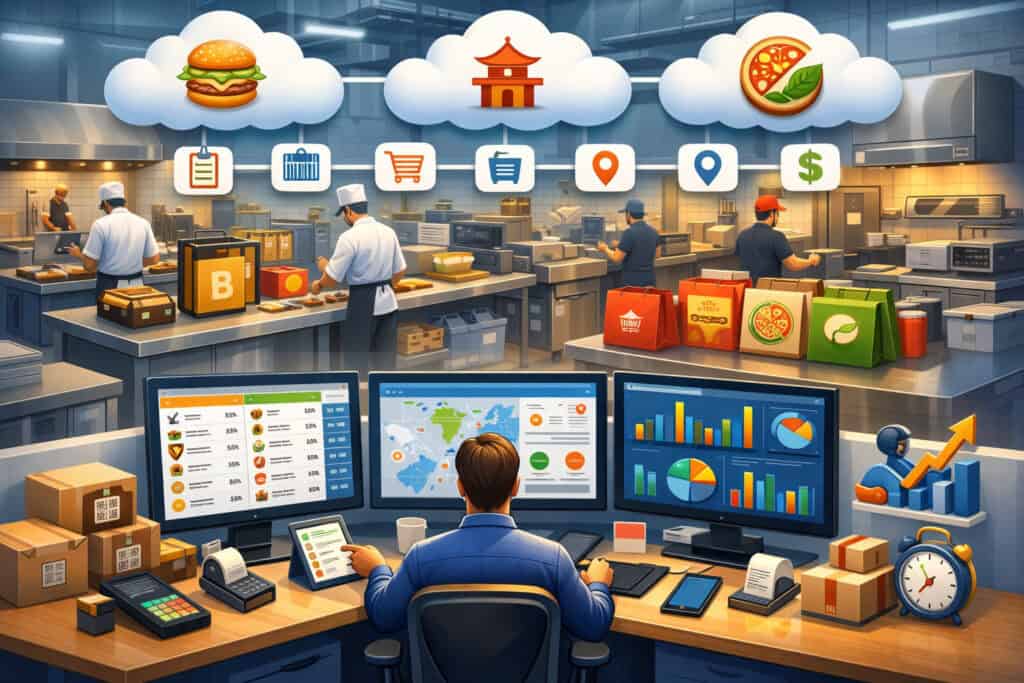
Multi-brand inventory management is not “tracking ingredients.” It’s the discipline of controlling shared stock and brand-specific usage in a way that stays accurate even when order volume spikes, menus change, or suppliers substitute products. In a cloud kitchen, you’re effectively running multiple restaurants inside one facility.
That means your inventory system has to do three jobs at once: (1) treat the kitchen like one physical storeroom and set of prep stations, (2) allocate consumption and cost correctly to each brand, and (3) update availability across ordering channels in real time.
This is why cloud kitchen software for multi-brand inventory management must support core restaurant inventory concepts like recipe-level depletion, yield and trim factors, UOM conversions (unit of measure conversions like lb → oz → portion), and theoretical vs. actual usage.
Without those, you end up with the classic ghost kitchen failure pattern: “sales look great, but cash disappears.”
A proper multi-brand setup also depends on how your menu is engineered. If Brand A and Brand B share chicken thighs but use different portion sizes and marinades, your system needs to understand those relationships through item mapping and recipe linking—not manual spreadsheets.
When the software is configured correctly, you stop guessing. You can see which brand is driving depletion, where variance is happening, and what to reorder before stockouts force you to pause delivery apps.
Choose Cloud Kitchen Software That’s Built for Inventory, Not Just Orders
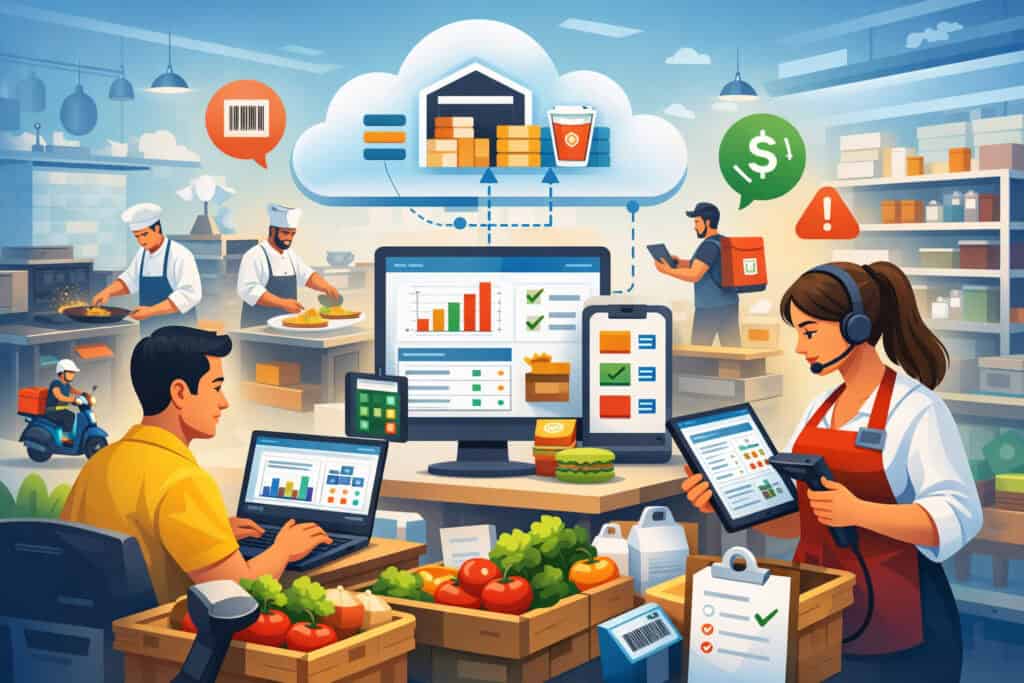
A lot of platforms claim they “support inventory,” but what they really mean is they let you enter counts. Multi-brand operators need deeper capabilities: purchase-to-pay workflows, invoice matching, recipe costing, par levels, vendor catalogs, and real-time integrations with POS and order aggregators.
Industry groups note that modern inventory tools are typically cloud-based subscriptions and become far more powerful when integrated with POS to produce food cost and food-use reports.
When evaluating cloud kitchen software for multi-brand inventory management, think like an operator, not a software shopper. Inventory features should not live in a silo.
You want a platform where menu items, recipes, purchasing, receiving, and reporting share one data model. If your delivery channels update availability but your inventory doesn’t update depletion automatically, you’ll still get cancellations and refunds.
Also evaluate whether the software supports multi-location growth and multilocation purchasing rules. Even if you have one kitchen today, most successful virtual brand operators add a second site, a commissary, or a co-manufacturing partner.
Inventory systems that can’t handle inter-unit transfers, centralized purchasing, or location-specific par levels will force you into workarounds that destroy accuracy.
Finally, consider the ecosystem: platforms commonly used in restaurant operations and inventory management include systems that emphasize multilocation controls and integration flexibility.
The best pick is the one that matches your real workflow—especially receiving, prep, and counting—because those are the points where inventory data becomes either trustworthy or useless.
Set Up Your Inventory Foundation for Multi-Brand Accuracy

Before you touch recipes, you need a clean inventory foundation. This is where most cloud kitchens either win or lose. The goal is to build one master inventory catalog that reflects what you actually buy, store, and consume—then connect that catalog to each brand’s menu.
Create a Master Ingredient Catalog With Standard Units and SKUs
Start by building a master catalog of every ingredient and packaging component you use: proteins, produce, dry goods, sauces, disposables, labels, containers, drink cups—everything.
Every item needs a consistent naming structure, vendor SKU (or internal SKU), storage location, and base unit of measure. If your chicken is sometimes “Boneless Thigh 10 lb case” and sometimes “Chicken Thighs (bulk),” your counts will never reconcile.
In cloud kitchen software for multi-brand inventory management, the catalog becomes the “single source of truth.” You should standardize units (case, lb, oz, each) and define conversions.
This matters because one brand may consume “2 oz sauce per bowl,” while purchasing happens in gallons. Without UOM conversions, theoretical usage is fantasy.
Also define shelf-life and handling notes—especially for high-risk items like cooked rice, cut leafy greens, dairy, and ready-to-eat proteins.
While specific rules are enforced locally, many kitchens align their internal SOPs with widely adopted food safety guidance frameworks, including the FDA Food Code updates and recommendations that inform many health departments.
Structure Storage Locations to Match Real Kitchen Flow
Inventory accuracy improves when software mirrors reality. Break your storage into logical “zones” like dry storage, walk-in cooler, walk-in freezer, sauce station, prep line, and packaging shelf. Then assign ingredients to their primary zone. This allows faster cycle counts and makes variance investigation practical.
For multi-brand operations, location structure also prevents “hidden shrink.” If packaging items are stored near dispatch, they disappear quickly—especially when staff are moving fast. Tracking packaging as real inventory is a major profit lever because a few cents per order becomes thousands per month at scale.
Finally, decide whether you’ll count by full inventory weekly and run cycle counts daily, or do partial counts across zones. The software should support both. The practical rule: count the items that drive 80% of your spend and variance more often than low-risk items.
Build Brand-Level Recipes That Deplete Shared Inventory Automatically
The heart of multi-brand inventory control is recipe modeling. If recipes are wrong, everything downstream—food cost, reorder points, variance, menu profitability—will be wrong too.
Map Every Menu Item to a Recipe With Yield and Portion Controls
In cloud kitchen software for multi-brand inventory management, a menu item should link to a recipe with exact ingredient quantities, including prep yields. Example: you buy 50 lb of onions, but after peel and trim you may only get 42 lb usable yield. The software should let you set a yield factor so your theoretical usage matches reality.
Portion controls must match your line build. If Brand A uses a #12 scoop and Brand B uses a ladle, define those measures in ounces or grams and convert consistently. This is where high-performing cloud kitchens standardize tools—scales, portion cups, scoops—because software can only enforce what the line can execute.
You should also model “modifier recipes.” If customers can add extra chicken or swap sides, those modifiers must also deplete inventory. Otherwise, you’ll see inventory “mysteriously” running out while theoretical usage looks fine.
Manage Shared Ingredients Across Brands Without Double-Counting
Shared ingredients are where multi-brand kitchens get burned. The software should treat inventory as one pool, but allow reporting by brand consumption. That means both Brand A and Brand B deplete from the same chicken SKU, but consumption is allocated back to each brand’s P&L.
A real-world example: You run three brands that share fries and chicken tenders. Brand 1 sells tenders and fries as a combo, Brand 2 sells loaded fries, Brand 3 sells kids tenders.
If your recipes are mapped, the software can show that Brand 2 is driving fry depletion and Brand 1 is driving tender depletion. That clarity is how you adjust par levels and purchasing without guessing.
This is also where menu engineering becomes data-driven. If Brand 2’s loaded fries look profitable on paper but create massive waste due to inconsistent demand, your inventory analytics will reveal it. That’s the kind of operational truth multi-brand operators need to scale responsibly.
Use Real-Time Stock, Pars, and Auto-Reorder to Prevent Stockouts
Once recipes are connected, you can move from reactive inventory to proactive inventory. This section is where cloud kitchen software for multi-brand inventory management pays for itself.
Set Par Levels by Ingredient, Not Just by Brand
Par levels should be based on ingredient demand across all brands combined. The right setup is: set minimum and maximum on the shared ingredient SKU, then allow brand-level demand forecasting to influence reorder quantities.
If one brand goes viral on a delivery platform, you don’t want to “run out for Brand A” while Brand B has stock—because physically it’s the same stock.
Parks should also be seasonal and daypart-aware. Demand shifts on weekends, during local events, and during major sports nights. The best operators revise parts weekly, using sell-through reports and lead-time data.
If your supplier delivers produce 5 days a week but proteins 2 days a week, your reorder logic must match those rhythms.
Your software should also allow safety stock buffers for high-risk items with long lead times. That buffer is not waste—it’s protection against cancellations, refunds, and negative ratings that damage ranking on delivery apps.
Trigger Low-Stock Alerts That Actually Reflect Real Depletion
Low-stock alerts are only useful when depletion is accurate. If you’re not fully recipe-mapped, alerts will trigger too late or too early. With correct mapping, alerts can be tied to predicted depletion based on current order velocity.
Here’s a practical workflow: your kitchen sees chicken stock projected to hit the minimum by 6 p.m. based on current order pace across all brands.
The system flags it early enough to throttle a few high-chicken items or mark certain modifiers as unavailable before you start canceling orders. This connects inventory to menu availability management, which is a massive lever for customer experience and platform performance.
Good cloud kitchen software also logs who changed availability and why. That audit trail matters when you’re diagnosing performance or training new managers.
Connect Purchasing, Receiving, and Invoice Costing to Protect Margins
Inventory isn’t just “what you have.” It’s also “what you paid,” “what you received,” and “what your true food cost is right now.” Multi-brand operations must be especially disciplined here because margin dilution hides easily when volume rises.
Automate Purchasing With Vendor Catalogs and Approved Substitutions
In cloud kitchen software for multi-brand inventory management, purchasing should start inside the system, not in texts and emails. You want vendor catalogs with current pricing, preferred pack sizes, and approved substitutes.
When a supplier is out of a key item, the substitute must map back to the same inventory category (and ideally the same recipe usage) so costing stays realistic.
Operators often build an “approved substitution list” for every top 50 ingredient. Example: if Vendor A runs out of 6-inch tortillas, you allow Vendor B’s equivalent SKU, but you prevent random substitutions that break portion sizes or allergen controls.
This also reduces training friction. New purchasing staff can reorder correctly without tribal knowledge. And when you scale to multiple kitchens, centralized purchasing rules ensure consistency across sites.
Receive Inventory in the System and Match Invoices to Orders
Receiving is where inventory accuracy is won. Every delivery should be received in the software: quantities, pack size, temperature checks (if you track them), and substitutions. If the invoice shows 12 cases but you received 10, you want that discrepancy documented immediately.
Invoice costing is the margin protection layer. When prices change—especially proteins and produce—your recipe costs must update. Otherwise, your menu pricing becomes outdated and you lose profit silently.
Many inventory systems help generate food cost reports and identify waste or theft when connected to POS and purchasing workflows.
A real example: A cloud kitchen selling wings across two brands experiences a 12% supplier price jump. If your software updates invoice costs and rolls those into recipe costing, you can react quickly: adjust menu pricing, reduce portion size slightly, or promote alternative items until cost stabilizes. Without that visibility, volume grows while margins collapse.
Run Cycle Counts and Variance Reports That Pinpoint Multi-Brand Problems
Even with perfect setup, physical reality will drift. Portions get heavy, prep yields vary, and mistakes happen during rush hours. The point isn’t to be perfect—it’s to detect variance early and fix root causes.
Use Theoretical vs. Actual to Identify Waste, Overportioning, and Shrink
Theoretical usage is what the system expects you to have used based on recipes and sales. Actual usage is what your counts show. The gap is variance. In cloud kitchen software for multi-brand inventory management, variance reporting should be available by ingredient, by category, and crucially—by brand attribution.
If chicken variance spikes, the next question is: which brand drove the variance? Is it a modifier that wasn’t mapped? Is one brand’s staff portioning heavy? Did you mis-receive inventory? Variance reporting gives you a short list of likely causes instead of a guessing game.
High-performing operators treat variance like a weekly KPI. They also set acceptable thresholds. For example, you may tolerate 2–3% variance in produce, but only 1% in proteins. The software should allow you to flag exceptions automatically and require manager notes.
Schedule Smart Cycle Counts Based on Risk and Spend
You don’t need to count everything daily. You need to count what moves fast, costs a lot, or has high variance. That typically means proteins, cooking oils, cheese, premium sauces, and high-volume packaging.
Cycle counts also work better when assigned by station. For example, assign the sauce station count to the prep lead who owns that station. Ownership improves accuracy. Then audit with random spot checks.
Most importantly, close the loop: when variance happens, update training, adjust recipes, fix receiving processes, or recalibrate yield factors. Inventory software is not a scoreboard—it’s a feedback system.
Tie Inventory to Menu Engineering and Brand Profitability Decisions
Multi-brand kitchens live and die by item-level profitability. Inventory data makes menu engineering measurable, not opinion-based.
Use Recipe Costing to Set Guardrails for Each Brand
Each brand should have target food cost ranges by category (bowls, sandwiches, drinks). Your software should calculate recipe cost per item and margin contribution after fees. When you run cloud kitchen software for multi-brand inventory management, the best practice is to set alerts when a key item drifts outside a cost threshold.
Example: Brand A’s signature bowl has a target food cost of $3.10. Supplier price changes push it to $3.70. The system should flag this before it becomes a month-long bleed. Then you can adjust: renegotiate vendor pricing, tweak the recipe, or increase price slightly.
This is also how you prevent “menu bloat.” Too many SKUs across brands increases complexity and waste. Inventory analytics help you identify ingredients that only support one slow-moving item and should be removed.
Plan Cross-Brand Promotions That Reduce Waste Instead of Creating It
Promotions can either fix waste or cause waste. When you have excess inventory—like produce nearing end-of-life—you can run limited-time items across multiple brands that use the same ingredients. But you should do it intentionally, based on inventory age and sell-through projections.
This is a mature use case for cloud kitchen software for multi-brand inventory management: combining inventory age data, demand forecasting, and menu controls to move product before it spoils. You also avoid pushing an item that requires new SKUs or slow-moving add-ons.
A good operator mindset is: promotions are inventory strategies, not just marketing strategies.
Stay Compliant: Food Safety, Traceability, and Data Security in Inventory Workflows
Inventory systems aren’t just for cost—they’re also part of risk management. Multi-brand kitchens face food safety scrutiny, allergen risks, and increasing traceability expectations.
Align Internal SOPs With Food Safety Guidance Used by Health Departments
Many kitchens base SOPs on widely adopted standards like the FDA Food Code, which is updated periodically and used as a reference for many local regulations and inspection criteria.
Your cloud kitchen software can support compliance by tracking receiving temps, holding logs, cleaning schedules, and expiration dates tied to inventory lots.
Even if your software doesn’t replace your food safety program, it can reinforce it. For example, linking lot numbers and expiration dates to ingredients helps prevent using expired items across multiple brands.
That matters more in a multi-brand kitchen because one contaminated batch can impact several menus and many orders quickly.
Also consider allergen controls: recipes and substitutions must carry allergen tags so that brand-specific menus remain accurate when staff substitute ingredients during shortages.
Prepare for Traceability Recordkeeping and Lot-Level Tracking
Traceability requirements for certain foods have been expanding, and there has been ongoing movement around compliance timelines and enforcement expectations. FDA information indicates the Food Traceability Rule’s original compliance date was January 20, 2026, with actions to delay enforcement to July 20, 2028.
For cloud kitchens, the practical takeaway is: even if enforcement timing shifts, implementing lot-level receiving, supplier documentation capture, and traceability logs inside your inventory workflow is a future-proof move.
If you can trace “which lots went into which prep batches” and “which batches went into which orders,” you can respond faster to supplier recalls and reduce operational downtime.
Protect Sensitive Business Data and Payment-Adjacent Systems
Inventory data reveals pricing, margins, supplier terms, and operational volumes—highly sensitive information. Choose systems with role-based access controls, audit logs, and secure integrations.
If your stack touches POS and online ordering, you should also be mindful of security standards that apply to payment environments (even if inventory isn’t directly processing transactions).
The best operators treat software access the way they treat cash drawers: least privilege, strong passwords, and regular access reviews.
Train Teams and Standardize Execution Across Brands
Software only works when the kitchen uses it consistently. Multi-brand environments amplify training challenges because staff are switching between brands, builds, and packaging rules.
Create Role-Based Workflows for Counting, Receiving, and Prep
Define who owns which actions: receiving lead, inventory manager, prep lead, and shift manager. Then configure the software so each role sees what they need—not everything. This reduces mistakes and speeds up training.
A practical approach: the receiving lead logs deliveries and substitutions; the prep lead logs batch production (like sauces and marinated proteins); the shift manager confirms item availability and handles low-stock menu throttling.
When you use cloud kitchen software for multi-brand inventory management this way, inventory becomes part of daily operations, not a weekly chore.
Also train teams on why accuracy matters. Tie it to fewer 86’d items, fewer refunds, smoother service, and better scheduling.
Use Checklists, Photos, and Standards to Reduce Human Variation
The strongest multi-brand kitchens standardize everything: container sizes, label templates, batch sheets, and portion tools. Many software systems support attaching photos and SOP notes to recipes and prep tasks. That’s valuable because consistency is what allows inventory depletion logic to match reality.
Example: if Brand B’s sauce is supposed to be 1.5 oz but staff free-pour it, your variance will spike. Add a portion cup standard, embed it in the SOP, and audit during rush periods. Over time, your variance shrinks and your theoretical becomes trustworthy.
Advanced Tactics: Forecasting, Kitting, and Multi-Location Scaling
Once your basics are solid, you can use cloud kitchen software as a scaling engine—not just a tracking tool.
Demand Forecasting That Uses Real Signals (Not Guesswork)
Forecasting should pull from historical sales, daypart patterns, promotions, and delivery platform trends. This is especially important in multi-brand kitchens where demand can swing sharply based on app ranking, reviews, or influencer spikes.
With cloud kitchen software for multi-brand inventory management, forecasting should drive smarter purchasing and prep plans. You prep what you’ll sell, not what you hope to sell. This reduces waste and avoids “prep debt” where you overproduce and then discount or discard.
Forecasting also supports labor planning. If your software can predict volume, you can schedule prep and line staffing accordingly, which indirectly improves portioning consistency and inventory accuracy.
Ingredient Kitting and Prep Batching for Multi-Brand Efficiency
Kitting means grouping ingredients and packaging into “build-ready” sets. For example, for a bowl brand you kit labels, containers, and utensils together with high-volume toppings. This reduces dispatch errors and speeds production.
Batching means producing sauces, marinades, or pre-portioned proteins in standardized quantities and tracking them as internal “prep items.” Your software should support a bill of materials (BOM) approach, where prep items consume raw inventory and then become their own tracked stock.
This is critical for multi-brand operations because the same sauce may be used across multiple brands. When sauce becomes its own tracked item, you can count it, forecast it, and control it like any other SKU.
Multi-Location Scaling With Centralized Purchasing and Transfers
When you expand to a second kitchen, inventory complexity doubles. Centralized purchasing can reduce cost, but only if your software supports location-level pars, supplier routing, and transfers. Transfers must be tracked like receiving—otherwise one location shows shrink and the other shows “free inventory.”
This is where mature operators create a commissary model: central kitchen preps core items and ships to satellite kitchens. Your inventory system should support production, transfers, and reconciliation. If it can’t, you’ll end up with parallel spreadsheets that break at scale.
Future Predictions: Where Multi-Brand Inventory Tech Is Headed Next
The next wave of cloud kitchen software for multi-brand inventory management is moving toward automation, better visibility, and tighter integration with demand signals.
First, expect more AI-driven purchasing recommendations. Not “AI” as a buzzword, but real systems that learn your lead times, supplier fill rates, weather impacts, and app-based demand spikes.
Second, expect computer vision to reduce counting friction—using cameras and scale data to estimate depletion and spot anomalies faster (especially for high-volume packaging and proteins).
Third, traceability will become more normal, not just “compliance.” Lot-level receiving, batch tracking, and recall response will increasingly be built into inventory tools, especially as expectations evolve around traceability recordkeeping timelines and enforcement.
Finally, multi-brand operators will lean into dynamic menu control: inventory-aware menus that automatically throttle items when stock gets tight, and promote alternatives when certain ingredients are overstocked.
That’s the intersection of inventory, revenue management, and customer experience—and it’s where the most profitable cloud kitchens will differentiate.
FAQs
Q1) How do I manage shared ingredients across multiple virtual brands without confusion?
Answer: The key is treating inventory as one physical pool while allocating consumption back to brands through recipe mapping. In cloud kitchen software for multi-brand inventory management, you should link each menu item (and modifier) to a recipe that depletes specific SKUs.
When two brands share chicken, both recipes deplete the same chicken SKU, but reporting attributes the usage to each brand based on sales.
Operationally, you also need standard portion tools and consistent prep yields, because shared inventory breaks down when staff “eyeball” portions differently across brands.
If you see frequent variance, look for missing modifier mapping, incorrect yield factors, or receiving errors. The best practice is to do cycle counts on high-cost shared items multiple times per week and use variance reports to identify which brand is creating the drift.
Q2) What is the most common reason multi-brand cloud kitchen inventory systems fail?
Answer: The most common failure is incomplete recipe mapping. Operators set up counts and purchasing but skip detailed recipe depletion and modifier tracking. The result is that theoretical inventory never matches actual, low-stock alerts become unreliable, and staff stop trusting the system.
A close second is inconsistent units of measure—buying in cases but using in ounces without conversions—leading to distorted costing and reorder quantities.
To prevent this, treat setup like a launch project: standardize SKUs, units, yields, and recipes first, then turn on automation (pars, alerts, auto-reorder). Inventory software becomes accurate when it matches how the kitchen truly portions, preps, and receives product.
Q3) Can cloud kitchen software automatically stop orders when inventory runs out?
Answer: Many systems can support inventory-based menu availability, but only if depletion is accurate and integrated with ordering channels.
When configured well, cloud kitchen software for multi-brand inventory management can trigger alerts, throttle items, or mark items unavailable before cancellations happen. Some stacks do this through POS integrations; others use an order manager or aggregator layer.
However, you should still build a human control process: a shift manager verifies alerts during rush periods and makes availability decisions based on what’s physically on hand. The strongest approach is “inventory-aware menus” combined with real-time operational oversight.
Q4) What compliance features should I look for in inventory tools?
Answer: Focus on traceability support, audit logs, and food safety documentation. For food safety alignment, many kitchens build SOPs based on widely used food code guidance that informs local inspections.
For traceability, lot-level receiving, supplier document capture, and batch tracking are increasingly valuable—especially as compliance and enforcement timelines evolve for traceability recordkeeping in certain categories.
Also look for role-based permissions, because inventory data includes supplier pricing and margin-sensitive information. Secure access controls are part of operational governance.
Q5) How do I keep keyword-heavy SEO content readable while still being useful?
Answer: If you’re publishing this guide or building a landing page, the trick is to repeat the core phrase—cloud kitchen software for multi-brand inventory management—in natural contexts: setup, recipes, purchasing, variance, compliance, scaling.
Keep paragraphs short, define terms, and use real scenarios (like shared chicken or packaging shrink) so the content reads like expert guidance, not keyword stuffing.
Search engines reward helpfulness and clarity. Operators reward content that gives steps they can execute tomorrow. When you align those two, you get both ranking potential and user trust.
Conclusion
Multi-brand cloud kitchens don’t lose money because they lack demand. They lose money because inventory becomes invisible across brands—shared ingredients get misallocated, recipes drift, receiving errors pile up, and profitability gets masked by volume.
The solution isn’t “count more.” The solution is implementing cloud kitchen software for multi-brand inventory management in a way that connects recipes, purchasing, receiving, counts, and reporting into one operational loop.
If you build a clean master catalog, map every menu item and modifier to real recipes, set ingredient-based pars, and enforce receiving discipline, your system becomes trustworthy. Then you can use variance reports to fix root causes, menu engineering to protect margins, and inventory-aware availability controls to reduce cancellations and refunds.
Add compliance-ready habits—like lot-level receiving and audit trails—and you’re also future-proofing the operation as traceability expectations evolve.