
By cloudfoodmanager February 20, 2026
Paper logs have been the default in kitchens for decades: clipboards on coolers, binders by the pass, and handwritten checklists that “prove” things were done. In 2026, more operators are digitalizing your kitchen to reduce missed entries, tighten consistency, and keep teams aligned—without turning the kitchen into an IT project.
This practical guide is built for restaurant owners, kitchen managers, chefs, catering teams, and food service operators who want to digitize kitchen logs and records in a way that works during real service.
You’ll learn how digital kitchen management systems support food safety, prep and inventory discipline, equipment care, and daily execution—while creating audit-ready records you can actually trust.
The goal isn’t “going paperless” for the sake of it. The goal is fewer gaps, clearer ownership, faster corrections when something’s off, and a calmer, more consistent kitchen.
Why Kitchens Move Away from Paper Logs in 2026
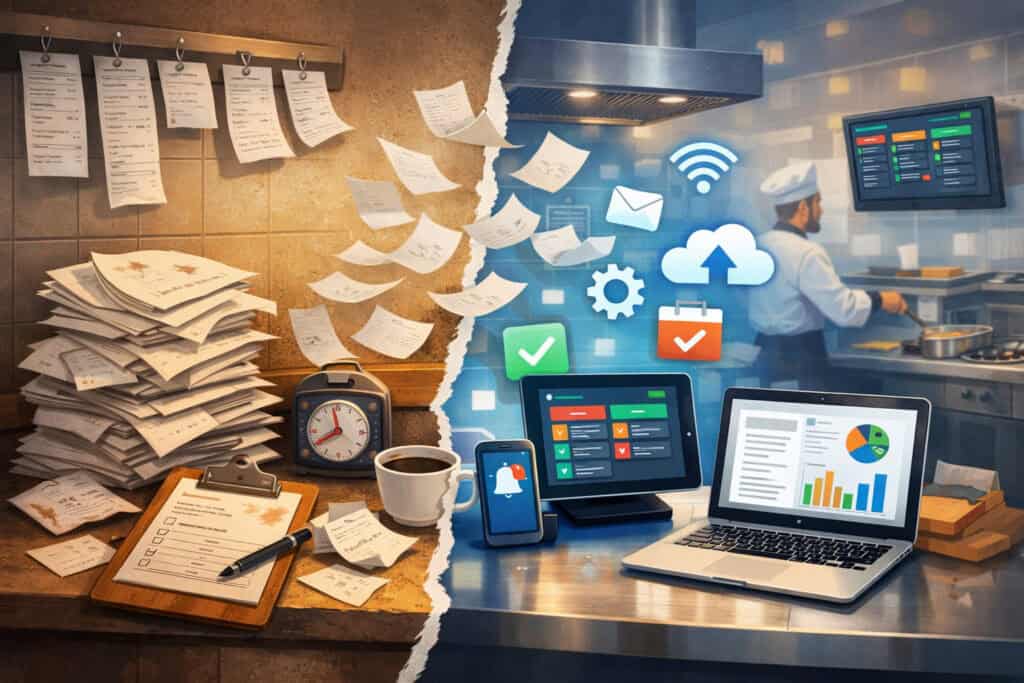
Paper fails in predictable ways—and kitchens are too busy for “predictable failures.” The most common issues I see aren’t about effort; they’re about friction. A line cook in the middle of a rush doesn’t have time to hunt for a binder, find a pen, and write neatly.
A closing manager is tired and racing the clock. A clipboard disappears when someone “borrows it for a minute.”
Here’s what typically pushes kitchens to move away from paper:
- Missed entries: Logs get skipped during peaks, then backfilled later (or not at all).
- Illegible handwriting: Even a well-meaning entry can be unreadable on inspection day.
- Lost binders and broken chains: Pages go missing, binders get wet, clipboards vanish.
- Inconsistent compliance: Different shifts interpret the same checklist differently.
- No real-time correction: If a cooler temp is out of range, you find out hours later.
- Weak accountability: It’s hard to confirm who did what and when.
Digital systems don’t magically fix culture. But they reduce the “paper friction” that creates gaps in the first place. With mobile kitchen checklists, guided prompts, and time-stamped submissions, you make the right action the easiest action.
Pro Tip: Don’t sell the change as “new tech.” Sell it as “less chasing, less guessing, fewer re-dos.”
What “digital kitchen management” actually includes
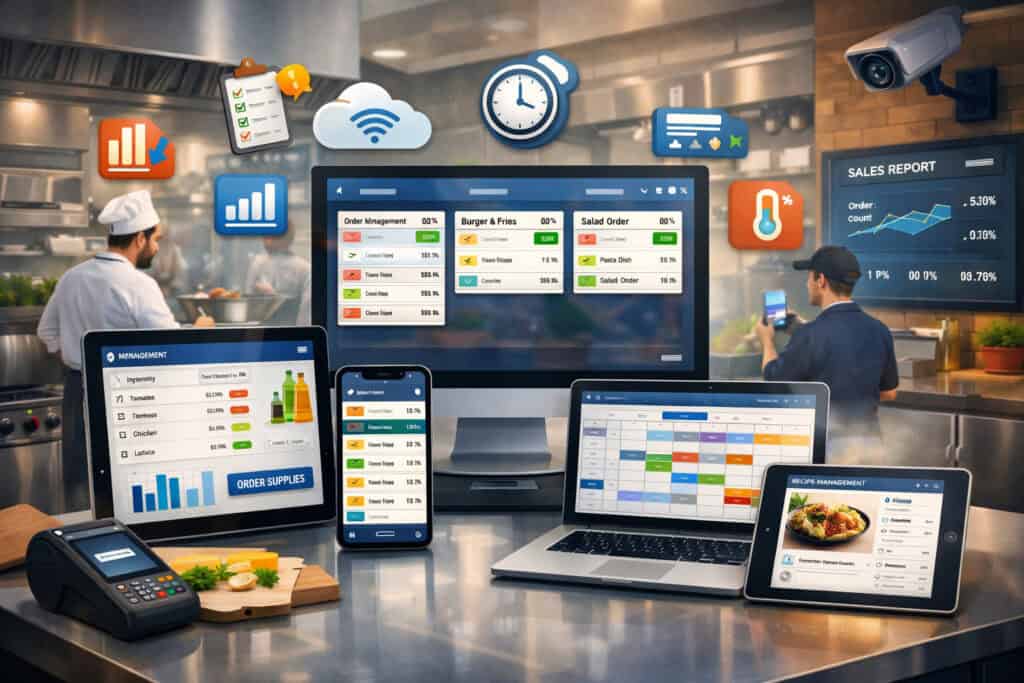
When people hear “digital,” they often think only about digital HACCP logs or temperature monitoring logs. In reality, modern digital kitchen management spans multiple operational layers. If you scope it correctly, you can replace paper while also tightening daily execution.
A practical definition:
- Food safety & compliance: Temps, receiving, labeling, allergens, corrective actions, inspections.
- Operations execution: Opening/closing routines, digital line checks, station setup, shift handoffs.
- Cleaning and sanitation: cleaning and sanitation checklists, periodic deep cleans, chemical checks, verification steps.
- Inventory and prep discipline: inventory and prep logs, par levels, batch records, prep completion.
- SOPs and training: kitchen SOPs and standardized recipes, photo standards, portion guides, critical control points.
- Equipment care: Preventive maintenance, calibration, filter changes, breakdown logs, service tracking.
- Task coordination: A kitchen task management app approach for recurring tasks, role assignment, and completion visibility.
In 2026, the key shift is that documentation isn’t a pile of forms—it’s a workflow. A good system prompts the right action at the right time, captures proof when needed, and routes exceptions to the right person fast. That’s where kitchen workflow automation and automated alerts and reminders matter.
Pro Tip: Think in “workflows,” not “forms.” Start with how the kitchen runs, then match tools to that reality.
The most common paper logs to digitize first (and why)
When you start digitalizing your kitchen, your first wins should come from the logs that are: (1) high-risk if missed, (2) frequent, and (3) easy to standardize. Digitizing everything at once usually creates pushback and messy data.
Start with these categories:
Temperature logs: coolers, freezers, hot holding, and prep temps
Temperature logging is the highest-value early move because it’s frequent and compliance-sensitive. Digital tools can require entries at defined windows and make out-of-range temps impossible to ignore.
A solid temperature workflow includes:
- Unit list (by name and location)
- Prompted frequency by shift and daypart
- Clear acceptable ranges (per unit type)
- A required corrective action when out of range
- Optional photo proof for re-check or thermometer reading
This is where temperature monitoring logs shine digitally—especially if your team struggles with consistency on paper. If you later add sensors, you’ll already have unit naming and ownership standardized.
Pro Tip: Rename every cold unit clearly (e.g., “Prep Cooler 1 – Left of Salad”) so logs are unambiguous across shifts.
Receiving logs and vendor checks
Receiving is a common paper weak spot: drivers are waiting, managers are busy, and details get skipped. Digitizing receiving logs helps teams capture:
- Delivery time and receiving person
- Product temps (where applicable)
- Packaging condition and date codes
- Rejections with reasons and photos
Digital receiving also supports traceability during product issues and helps normalize standards across managers.
Cleaning schedules and sanitation verification
Paper cleaning charts look complete until you inspect closely. Digital cleaning and sanitation checklists can:
- Assign tasks by role and shift
- Require periodic verification checks
- Capture chemical concentration checks or “completed + verified” steps
- Provide escalation when tasks are missed
Start with daily and weekly schedules before moving to monthly deep-clean programs.
Line checks and opening/closing checklists
Digital line checks are perfect for early digitization because they shape service readiness. A good digital line check can enforce:
- Station readiness standards (with photos for “what good looks like”)
- Time-stamped completion by role
- Shift handoff notes (e.g., “low on aioli, batch started 3:40”)
Opening/closing checklists reduce “tribal knowledge” and protect consistency across managers.
Equipment maintenance logs and QR-based checks
Equipment logs on paper are often scattered and incomplete. Digitizing with QR code equipment logs lets staff scan a code on the unit and record:
- Daily/weekly checks (filters, temps, noises, leaks)
- Cleanings (ice machine, condenser coils)
- Calibration checks (where relevant)
- “Issue found” tickets routed to a manager
This keeps equipment history tied to the asset—less detective work.
Allergen tracking and labeling logs
Allergens are where small errors can become serious. Digital allergen tracking and labeling tools can help by:
- Standardizing label fields
- Enforcing expiry logic
- Linking recipes to allergen flags
- Capturing changes and approvals
Pro Tip: If you digitize labels, keep the workflow “one tap to print” or staff will revert to handwriting.
Paper logs vs digital logs: pros, cons, risks, best use
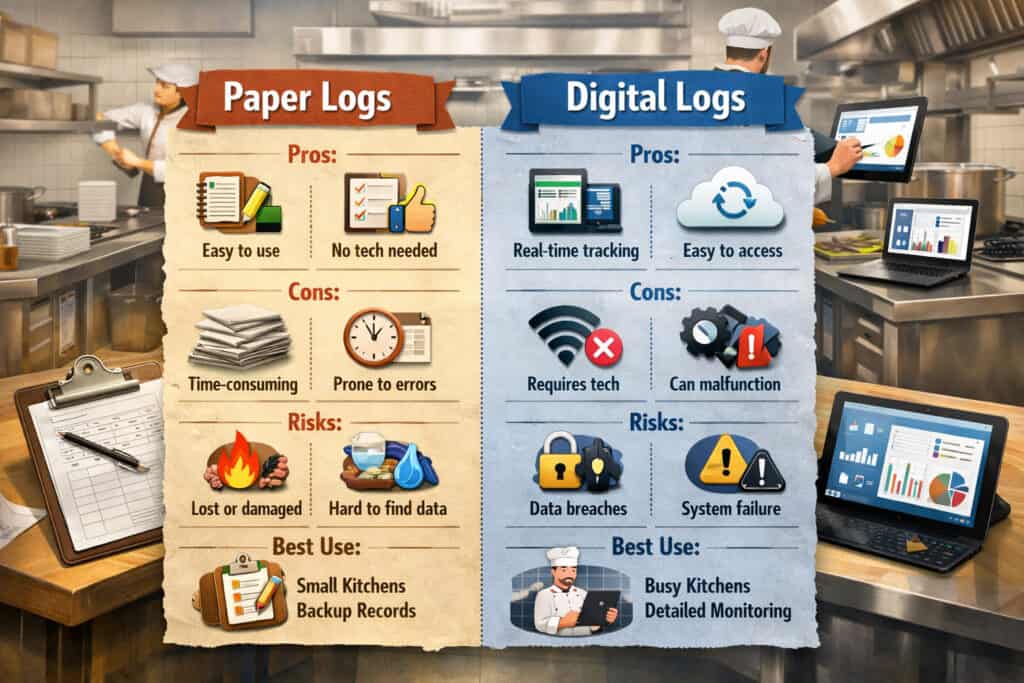
Below is a clear comparison you can use in planning and staff conversations.
| Category | Paper logs (pros) | Paper logs (cons) | Digital logs (pros) | Digital logs (cons) | Key risks | Best use case |
|---|---|---|---|---|---|---|
| Speed in the moment | No login, no device required | Clipboards disappear; entries skipped | Fast prompts; one-tap completion | Device access can bottleneck | Missed/late records | Paper only as emergency backup |
| Legibility & clarity | Familiar format | Illegible handwriting; inconsistent terms | Standard fields; consistent naming | Requires setup | Confusion during audits | Digital as the source of truth |
| Accountability | Signature lines | Easy to “fill later” | Time-stamps; user identity; role permissions | Needs staff accounts | Weak ownership on paper | Digital for recurring tasks |
| Corrective actions | Can write notes | Often skipped or vague | Required corrective actions; photo proof | Overly strict forms can frustrate | Unaddressed out-of-range temps | Digital with smart exceptions |
| Storage & retrieval | Binders can be kept on-site | Lost binders; hard to search | Searchable, audit-ready records | Needs retention settings | Missing history | Digital with retention rules |
| Multi-site visibility | Not practical | No centralized view | Cloud dashboards across locations | Requires consistent setup | Inconsistent compliance | Digital for multi-unit ops |
| Resilience | Works without Wi-Fi | Still can be lost/damaged | Offline mode (if supported) | Some tools require connectivity | Data gaps during outages | Hybrid with offline backup plan |
Pro Tip: Keep one “emergency binder” for rare outages, but make it clear that digital is the daily system.
How digital kitchen management systems work in practice
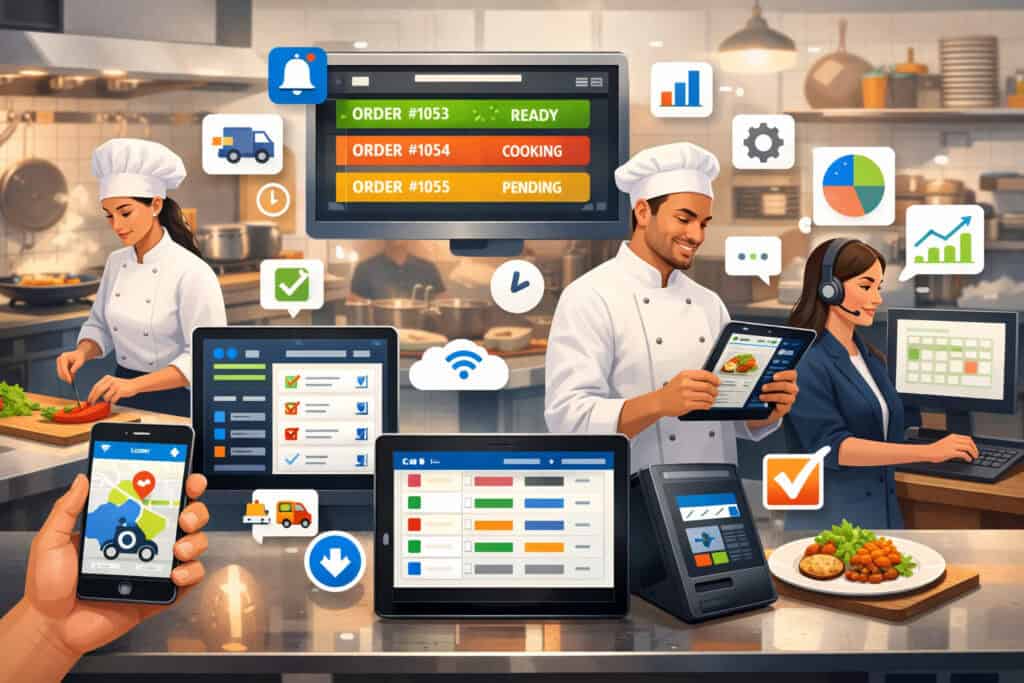
A good digital system doesn’t just store forms. It guides the team through the shift. Most setups include mobile access, centralized oversight, and structured documentation that can stand up to review.
Here’s the practical flow:
Mobile devices + cloud dashboards
Staff complete tasks on a phone or shared tablet at the station. Managers view a dashboard that shows what’s done, overdue, and flagged. This is the core of cloud-based kitchen management: records are not trapped in a binder—they’re visible.
In a working kitchen, the critical success factors are:
- A device is always within reach
- The checklist is short and relevant
- Entries take seconds, not minutes
- Exceptions are routed immediately
If devices are inconvenient, adoption collapses. Device placement matters as much as software.
Prompts, reminders, and photo proof
Digital systems support automated alerts and reminders. That can look like:
- A prompt at 10:00 and 14:00 for cooler temps
- A reminder if the line check isn’t completed by a set time
- An alert when a reading is out of range
Photo proof is useful when it’s purposeful:
- Receiving: damaged packaging photo
- Closing: “floor drains cleaned” verification
- Maintenance: issue documentation for service calls
Don’t require photos for everything. Use photos to reduce disputes and speed correction.
Role-based permissions and staff accountability
Digital tools can set staff accountability and role permissions:
- Prep cook can complete prep logs but not edit SOPs
- Manager can approve corrective actions
- Maintenance lead can close equipment tasks
This prevents “anyone can write anything” and strengthens kitchen compliance documentation.
Audit trails and reporting
The biggest operational benefit is not “reports.” It’s the audit trail:
- Who completed the task
- When it was done
- What exceptions occurred
- What corrective actions were taken
This creates audit-ready records that reduce scramble and rebuild trust in your logs.
Pro Tip: Build dashboards around exceptions (what’s wrong) more than completion (what’s done). Managers need signal, not noise.
Step-by-step plan to digitize kitchen logs and records (without chaos)
This is the implementation approach that works in real kitchens: reduce complexity, standardize first, pilot small, then scale.
Step 1: Audit your current logs and choose “first wave” candidates
Gather every paper log used across shifts:
- Temps
- Receiving
- Cleaning schedules
- Line checks
- Equipment logs
- Label/allergen logs
- Prep/inventory sheets
Then rate each one:
- Risk if missed (low/medium/high)
- Frequency (daily/weekly/monthly)
- Ease to standardize (easy/medium/hard)
Pick the first three logs that are high-risk, high-frequency, easy-to-standardize. Most kitchens start with:
- Temps
- Opening/closing or line checks
- Cleaning schedule
Pro Tip: If you start with “inventory counts,” you’ll often hit resistance. Start with safety and daily routines.
Step 2: Standardize SOPs before digitizing
Digitizing messy processes just creates digital mess. Before you build forms, tighten the standards:
- Define “what good looks like” for each check
- Align acceptable ranges and corrective steps
- Reduce duplicate checks
- Clarify who owns each task by role and shift
This is where kitchen SOPs and standardized recipes matter beyond food quality—they anchor consistent execution.
Step 3: Pick tools: forms, platforms, sensors, and QR workflows
Choose based on your kitchen’s reality:
- Simple form-based tools can work for early pilots
- Dedicated platforms may fit multi-unit operations or compliance-heavy kitchens
- Sensors can reduce manual workload for cold holding
- QR code equipment logs can simplify maintenance reporting
You don’t need everything on day one. Choose what your team can actually run.
Step 4: Build templates and assign owners
Every log must have:
- A clear “owner” role (not a person’s name)
- A required completion window
- Defined escalation if not completed
- A manager review cadence (weekly is a good start)
Ownership removes the “someone should do it” problem.
Step 5: Train staff with hands-on station walkthroughs
Training works best when it’s:
- 10–15 minutes at the station
- Demonstration + one practice submission
- Clear “why” connected to their work
- A simple cheat sheet (QR or laminated)
Avoid classroom-style training unless necessary.
Step 6: Start with a pilot station, then expand
Pilot on one station or one shift:
- Cold holding + line check for morning shift
- Or receiving + labels for the prep team
Measure:
- Completion rate
- Time to complete
- Number of exceptions caught
- Staff feedback on friction points
Then adjust fields and prompts before scaling.
Step 7: Review weekly, coach, and simplify
Your first version won’t be perfect. Weekly review should focus on:
- Overdue tasks
- Repeated exceptions
- Fields staff are skipping
- Where device access is slowing work
Make it easier every week. That’s how adoption becomes permanent.
Pro Tip: If a log takes more than 60 seconds to complete, it’s too long for peak service.
Digital log templates: example fields you can copy (text-only)
Below are practical templates for common logs. Keep fields tight. Capture what matters, and make corrective actions clear.
1) Digital HACCP / temperature monitoring log fields
- Date (auto)
- Time (auto)
- Location / Unit (dropdown)
- Product (optional dropdown for prep temps)
- Temp reading (required numeric)
- Acceptable range displayed (read-only)
- Status (auto: in range / out of range)
- Corrective action (required if out of range; dropdown + notes)
- Re-check temp (required if out of range)
- Photo proof (optional; required only for repeat exceptions)
- Submitted by (auto user)
- Manager review (checkbox + notes)
2) Receiving log fields
- Vendor name (dropdown)
- Invoice / delivery reference (text)
- Delivery time (auto)
- Received by (auto user)
- Product category (dropdown: dairy, proteins, produce, dry goods, frozen)
- Product name (text or dropdown)
- Temp (required when applicable)
- Packaging condition (pass/fail + notes)
- Date codes / expiry (optional)
- Accepted / rejected (required)
- Rejection reason (required if rejected; dropdown)
- Photo (required if rejected)
- Stored in (dropdown: walk-in, freezer, dry storage)
- Manager notified (checkbox for exceptions)
3) Cleaning and sanitation checklist fields
- Area/station (dropdown)
- Task list (checklist)
- Chemical used (dropdown)
- Concentration check (optional numeric)
- Completed by (auto)
- Completed time (auto)
- Verification (manager/lead checkbox)
- Photo verification (optional for weekly/monthly tasks)
- Notes / issues found (text)
- Follow-up task created (checkbox)
4) Digital line check / opening checklist fields
- Shift (AM/PM)
- Station (dropdown)
- Readiness items (checklist)
- Hold times confirmed (checkbox)
- Labels present and correct (checkbox)
- Allergen tools separated (checkbox)
- Critical items in stock (dropdown + low/ok)
- Photos (optional for standard plating/setup)
- Notes for next shift (text)
- Completed by (auto) + time stamp
5) Equipment maintenance log fields (with QR code equipment logs)
- Equipment asset (auto via QR)
- Check type (daily/weekly/monthly)
- Condition (ok / needs attention)
- Issue category (dropdown: noise, temp, leak, performance, safety)
- Notes (text)
- Photo/video (optional; required if needs attention)
- Urgency (low/medium/high)
- Assigned to (role or person)
- Status (open/in progress/closed)
- Closure notes (required when closed)
6) Allergen tracking and labeling fields
- Item name (dropdown)
- Batch time/date (auto + editable)
- Prepared by (auto)
- Use-by / discard time (required)
- Allergen flags (checkbox list)
- Storage location (dropdown)
- Label printed (yes/no)
- Manager approval (required for recipe changes)
- Notes (text)
Pro Tip: If staff complain, the form is too long—or the device is too far away. Fix friction first.
Tech options in 2026: choose what fits (without brand hype)
You can accomplish a lot with simple tools, but complexity creeps in when you add too many systems. Choose based on your operational maturity and your staff’s comfort.
Form-based tools vs dedicated kitchen platforms
Form-based tools are flexible and often quick to launch. They work well for:
- A single location
- Basic food safety checklists
- Simple inventory and prep logs
- Early-stage digitization
Dedicated digital kitchen management systems often add:
- Role permissions and approvals
- Automated escalation paths
- Better audit trails
- Built-in analytics and scheduling
- Multi-unit standardization
The tradeoff is setup and governance. The more powerful the system, the more important your standards become.
Pro Tip: If your kitchen doesn’t have standardized names for stations and equipment, fix that before adopting a complex platform.
Temperature sensors vs manual entry
Sensors can reduce manual workload, especially for cold holding. They can also trigger alerts faster. But they don’t replace everything. You still may need:
- Product temps (cooked/cooling/reheating)
- Hot holding spot checks
- Receiving temps
- Corrective action documentation
A good approach is hybrid:
- Sensors for walk-ins and critical cold units
- Manual logs for prep temps, hot holding, and receiving
Sensors are worth considering if:
- You have frequent out-of-range issues
- Staff consistency is a challenge
- You want faster alerts
QR-coded station checklists and equipment logs
QR code equipment logs and station QR codes are underrated. They reduce navigation and training burden. Staff scan and the right checklist opens:
- “Dish area closing checklist”
- “Ice machine weekly cleaning”
- “Line station deep-clean checklist”
This is one of the easiest forms of kitchen workflow automation because it meets staff where they are.
Offline mode and connectivity planning
In many operations, connectivity is the hidden adoption killer. If Wi-Fi is unreliable:
- Choose tools that support offline capture
- Place a backup hotspot or secondary network option
- Keep a minimal paper fallback procedure for rare outages
Your team must know what to do when the system is temporarily unavailable.
Pro Tip: If you rely on a shared tablet, mount it and keep it charged. “Where’s the tablet?” is the enemy of compliance.
Digital log types: what to track, how often, who owns it (table)
Use this table to define ownership and frequency before you build anything.
| Digital log type | What to track | How often | Who owns it |
|---|---|---|---|
| Digital HACCP logs | CCP checks, limits, corrective actions, re-checks | Per shift / per process | Shift lead / manager |
| Temperature monitoring logs | Walk-ins, reach-ins, freezers, hot holding, cooling | 2–4 times daily (or as needed) | Station lead / manager |
| Receiving logs | Temps, packaging, date codes, rejections, photos | Every delivery | Manager on duty / receiver |
| Food safety checklists | Handwashing setup, sanitizer checks, cross-contamination controls | Daily / per shift | Shift lead |
| Digital line checks | Station readiness, labels, stock, quality standards | Every shift | Chef/manager + station lead |
| Cleaning and sanitation checklists | Daily cleans, weekly deep cleans, chemical checks | Daily/weekly/monthly | Closing lead + assigned roles |
| Inventory and prep logs | Prep completion, batch tracking, par checks, waste notes | Daily / prep windows | Prep lead / sous chef |
| Allergen tracking and labeling | Allergen flags, label accuracy, expiry logic, change approvals | Every batch / label event | Prep lead + manager approval |
| Kitchen SOP execution checks | Critical steps, photo standards, portion checks | As needed / weekly audits | Chef/manager |
| Equipment maintenance logs | PM tasks, issues, service history, QR scans | Daily/weekly/monthly | Maintenance lead / manager |
Pro Tip: “Who owns it” should be a role, not a person. People change; roles persist.
Data and compliance benefits: what improves when you go digital
The best benefits are operational—not marketing. When you digitize kitchen logs and records, you reduce ambiguity and shorten the time between “problem happens” and “problem fixed.”
More consistent records and fewer gaps
Digital systems:
- Require completion within defined windows
- Reduce backfilling
- Standardize unit names and task steps
- Prevent illegible entries
This matters because consistency is what makes records usable. It’s hard to trust paper logs that look “complete” but don’t reflect reality.
Faster audits and easier record retrieval
If you’ve ever spent an hour flipping through binders to find “that one week,” you know the pain. Digital records are searchable by:
- Date range
- Unit/station
- Task type
- Exception type
- User
That’s what creates audit-ready records—not perfection, but accessibility and credibility.
Alerts for out-of-range temperatures and missed tasks
With automated alerts and reminders, you can:
- Catch out-of-range temps before product is compromised
- Follow up on missed checks the same day
- Create a consistent corrective action trail
This is the difference between documentation and control. Paper documents; digital can control, if configured well.
Stronger staff accountability without creating a “policing” culture
Time stamps and user attribution support accountability, but they should be used for coaching:
- “We’re missing temps between 2–4 pm—what’s happening then?”
- “This station struggles with closing tasks—do we need a better setup?”
When staff see that data is used to make work easier (not punish), adoption rises.
Pro Tip: Celebrate consistent completion publicly. Coach exceptions privately.
Change management: getting buy-in and making it stick
Technology is the easy part. Behavior change is the real project. The good news: kitchens are already systems-driven. You just need to align digital tools with kitchen reality.
Lead with “less friction” and “clearer expectations”
Staff don’t want extra work. Position the change as:
- One place to find what needs to be done
- Less end-of-shift scrambling
- Fewer last-minute “who did this?” conversations
Make it about clarity and fairness. Consistent systems protect good staff from blame.
Make it easy: device placement, short forms, and smart timing
Adoption collapses when:
- The device is locked in the office
- The checklist is too long
- Prompts pop up during peak rush
Do this instead:
- Place tablets where tasks happen
- Keep each submission under a minute
- Schedule prompts around calm moments (pre-open, mid-afternoon, pre-close)
Use role permissions to reduce confusion
If everyone sees everything, no one owns anything. Use staff accountability and role permissions to:
- Show each role only their tasks
- Require approvals only where needed
- Escalate exceptions to leaders
Coach for two weeks, then enforce
For the first 1–2 weeks:
- Coach actively
- Fix friction points immediately
- Give quick shout-outs for compliance
After that:
- Set a standard: “If it’s not logged, it’s not done.”
- Review weekly completion and exceptions
Pro Tip: Assign one “digital champion” per shift—someone who helps others and reports friction.
Common mistakes to avoid when digitalizing your kitchen
Most failures come from rushing the setup or copying paper into a digital format without improving the process.
Mistake 1: Digitizing messy processes without simplification
If paper logs are inconsistent, digitizing them will produce clean-looking but unreliable data. Simplify first:
- Remove duplicate checks
- Clarify ranges and standards
- Define corrective actions clearly
Mistake 2: Too many required fields
Required fields slow staff down. Use required fields only for:
- Critical safety measurements
- Exception documentation
- Owner attribution (usually automatic)
Everything else should be optional or simplified to dropdowns.
Mistake 3: Poor device placement and charging
If the tablet is always dead or missing, staff will abandon the system. Fix the basics:
- Mount devices where needed
- Use charging docks
- Assign responsibility for charging at close
Mistake 4: No weekly review cadence
Without review, the system becomes “busywork.” A weekly review should answer:
- What was missed?
- What exceptions repeated?
- What changes would reduce friction?
Mistake 5: Treating digital like surveillance
If staff feel watched, they’ll resist. Use digital data for:
- Coaching
- Process fixes
- Staffing and scheduling alignment
Not for public shaming.
Pro Tip: If adoption is low, don’t blame staff first. Audit friction: form length, timing, device access.
Real-world examples of kitchen digitization (three scenarios)
These examples reflect how different operations can phase in digital tools while keeping service stable.
Example 1: Single-location restaurant (one kitchen, tight team)
A single location often wins by focusing on consistency and time savings from less chasing.
Approach:
- Week 1–2: Digitize temps + opening/closing + daily cleaning
- Use one mounted tablet near expo and one near dish
- Set reminders for non-peak windows
What changes operationally:
- Closing becomes more consistent because tasks are visible and time-stamped
- Managers spend less time hunting binders and more time coaching issues
- Out-of-range temps trigger same-day corrective action instead of next-day surprises
A realistic workflow example:
- AM lead completes opening checklist on the mounted tablet
- Line cook enters cooler temps at set times
- Closing lead completes sanitation checklist with a quick verification step
Pro Tip: In a single location, the fastest win is “one shared system everyone uses,” not multiple tools.
Example 2: Multi-unit operation (standardization and visibility)
Multi-unit operators need standardization, training clarity, and comparable reporting.
Approach:
- Standardize station names, unit names, and SOPs first
- Roll out digital line checks and temps in one “pilot store”
- After two weeks of adjustments, replicate templates across units
What changes operationally:
- Regional leaders can spot trends (e.g., repeated cooling issues)
- Training improves because SOPs and checklists are consistent
- New managers rely less on memory and more on the system
A realistic workflow example:
- Each unit completes the same line check format
- Exceptions route to the unit manager and are visible for leadership review
- Weekly compliance review is based on exceptions, not binder audits
Pro Tip: Multi-unit success depends on governance: one owner for templates, not one owner per store.
Example 3: Catering commissary (batching, labeling, and traceability)
Commissaries live and die by prep discipline, labeling, and storage control.
Approach:
- Start with allergen labeling + batch logs + receiving
- Add inventory and prep logs in month 2
- Add maintenance and calibration logs in month 3
What changes operationally:
- Batch production records become consistent
- Label accuracy improves with standardized fields and expiry logic
- Receiving becomes more controlled, reducing quality drift
A realistic workflow example:
- Prep lead logs batches with allergen flags and use-by times
- Receiving checks capture temps and acceptance/rejection with photos
- Staff scan QR codes on equipment for cleaning and maintenance logs
Pro Tip: In commissaries, labels and batch tracking are often the biggest risk reducers—digitize them early.
30/60/90-day digitization plan (practical rollout)
This plan assumes you’re starting from paper and want stable adoption. Adjust the pacing to your staffing and complexity, but keep the sequence.
Days 1–30: Digitize the top 3 logs (stability first)
Primary goals:
- Establish devices and habits
- Prove completion and accountability
- Catch obvious exceptions fast
Implement:
- Temperature monitoring logs (cold + hot holding as needed)
- Opening/closing or digital line checks
- Daily cleaning and sanitation checklists
Actions:
- Audit paper logs and remove duplicates
- Standardize unit and station naming
- Build lean templates (under 60 seconds per submission)
- Assign owners by role and shift
- Train at stations with hands-on practice
- Start with one shift or one station pilot for one week
Weekly review focus:
- Missed submissions
- Top 3 repeated exceptions
- Friction points (device access, form length, timing)
Pro Tip: If you can’t get these three stable, don’t add more. Fix adoption first.
Days 31–60: Add inventory/prep logs and maintenance (control the back-of-house)
Primary goals:
- Tighten prep discipline and reduce “we ran out” surprises
- Create a usable maintenance trail
Implement:
- Inventory and prep logs (par checks, batch completion, waste notes)
- Equipment maintenance logs using QR codes
- Receiving logs (if not already included)
Actions:
- Define prep ownership and cut-off times
- Add minimal required fields (avoid “essay” entries)
- Build QR code equipment logs for top 10 critical assets first
- Create an exception workflow: issue found → assigned → closed with notes
Weekly review focus:
- Prep completion and missed windows
- Repeated maintenance issues
- Receiving rejections and recurring vendor problems
Pro Tip: Start maintenance with critical assets only (walk-in, dishwasher, ice machine, hot holding, hood/filters). Expand later.
Days 61–90: Add dashboards, alerts, and audit routines (make it manager-friendly)
Primary goals:
- Shift managers from “chasing tasks” to “managing exceptions”
- Make audits faster and more credible
Implement:
- Dashboards for completion + exceptions
- Automated alerts for out-of-range temps and missed tasks
- Monthly audit routines using digital reports
- Allergen tracking and labeling refinements (if applicable)
Actions:
- Define escalation rules (who gets alerted for what)
- Create a weekly “compliance huddle” (10 minutes)
- Build a simple audit pack: last 30 days, top exceptions, corrective actions
Weekly review focus:
- Alerts that are ignored (adjust thresholds or routing)
- Managers’ response times to exceptions
- Template tweaks to reduce friction
Pro Tip: Too many alerts become noise. Alert only on what requires action.
FAQs
Q1) What kitchen logs should I digitize first?
Answer: Start with high-risk, high-frequency logs that are easiest to standardize: temperature monitoring logs, digital line checks (or opening/closing), and cleaning and sanitation checklists. These create quick stability and visible operational wins. Once these are consistent, add receiving, maintenance, and prep/inventory.
Q2) Do digital kitchen logs help with inspections?
Answer: Yes, when configured correctly. Digital logs improve legibility, time-stamps, and retrieval, which supports audit-ready records. The real benefit is that exceptions and corrective actions are easier to document consistently, which strengthens your kitchen compliance documentation.
Q3) How do I get staff to actually use digital logs?
Answer: Make it easier than paper. Put devices where work happens, keep submissions under a minute, and schedule prompts outside peak rush. Assign owners by role, not by “whoever remembers,” and coach daily for two weeks. If compliance is low, fix friction before blaming behavior.
Q4) What devices do I need: tablet or phone?
Answer: Many kitchens use both. Phones work well for managers and mobile tasks; shared tablets work best for stations and recurring checks. If you rely on tablets, mount them and keep them charged. The best device is the one the staff can reach in seconds.
Q5) Can digital logs replace HACCP paperwork?
Answer: In many cases, digital logs can serve the same documentation function as paper digital HACCP logs, as long as they capture required fields, corrective actions, and an audit trail. Keep a clear retention policy and ensure managers review exceptions. If you have specific regulatory requirements, align your digital fields to those requirements.
Q6) What if Wi-Fi goes down?
Answer: Choose tools that support offline capture if possible, and keep a minimal paper fallback procedure for rare outages. Train staff on “downtime mode” so they don’t freeze when connectivity drops. When Wi-Fi returns, confirm that entries sync correctly.
Q7) Are digital temperature sensors worth it?
Answer: They can be—especially for walk-ins and critical cold units—because they reduce manual workload and can trigger faster alerts. But they don’t replace all checks (receiving, hot holding, cooking/cooling temps). Many operators start with manual digital entry, then add sensors once templates and ownership are stable.
Q8) How do I organize digital cleaning checklists?
Answer: Organize by station and frequency:
- Daily close tasks by area
- Weekly deep-clean tasks by zone
- Monthly tasks by equipment/asset
Assign ownership and include a verification step for higher-risk items. Keep tasks short and specific to avoid “checkmark fatigue.”
Q9) How secure is cloud-based kitchen data?
Answer: Security depends on the tool’s controls, but operationally you should insist on strong access management: unique logins, role-based permissions, and clear staff offboarding. Use cloud-based kitchen management only if you can manage accounts properly and maintain retention settings.
Q10) How long does it take to go paperless?
Answer: Most kitchens can stabilize core logs in 30–60 days and expand to broader workflows by 90 days, assuming devices are placed well and templates are kept lean. “Paperless” isn’t a single date—it’s a gradual shift as habits stick and logs become trustworthy.
Q11) Should we digitize inventory right away?
Answer: Usually not first. Inventory and prep logs can be more complex and more sensitive to workflow changes. Start with food safety and daily routines, then add inventory and prep logs in month two once staff is comfortable.
Q12) How do I avoid turning digital logs into busywork?
Answer: Design for action, not documentation. Require fields only when they matter, use dropdowns, and build exception-driven workflows. Managers should review exceptions weekly and remove fields that don’t lead to better decisions.
Q13) Can digital systems help with staff accountability without hurting morale?
Answer: Yes—if you use the data to coach and improve systems rather than punish. Use staff accountability and role permissions to clarify ownership, and keep feedback focused on process improvements and support.
Q14) What does “audit trail” really mean in a kitchen context?
Answer: It means you can reliably show who completed a task, when it happened, what the result was, and what corrective actions were taken when something was off. That’s the backbone of credible kitchen compliance documentation.
Q15) How do QR code equipment logs work day-to-day?
Answer: You place a QR code on each critical asset. Staff scan it to open the correct checklist or issue form. This reduces searching and ensures the record is tied to the right equipment. It’s especially useful for preventive maintenance and recurring cleaning tasks.
Conclusion
Moving away from paper isn’t about chasing technology. It’s about building a kitchen that runs with clearer standards, fewer missed steps, and better follow-through when something goes wrong.
When you digitize kitchen logs and records thoughtfully—starting with the highest-impact logs, simplifying before digitizing, and coaching adoption—you end up with a calmer operation and audit-ready records that reflect reality.
The best digital kitchen management systems support the way kitchens actually work: fast, hands-on, and time-sensitive. Keep templates lean, make devices accessible, and focus dashboards on exceptions. Within 90 days, most teams can move from “paper compliance” to real operational control.