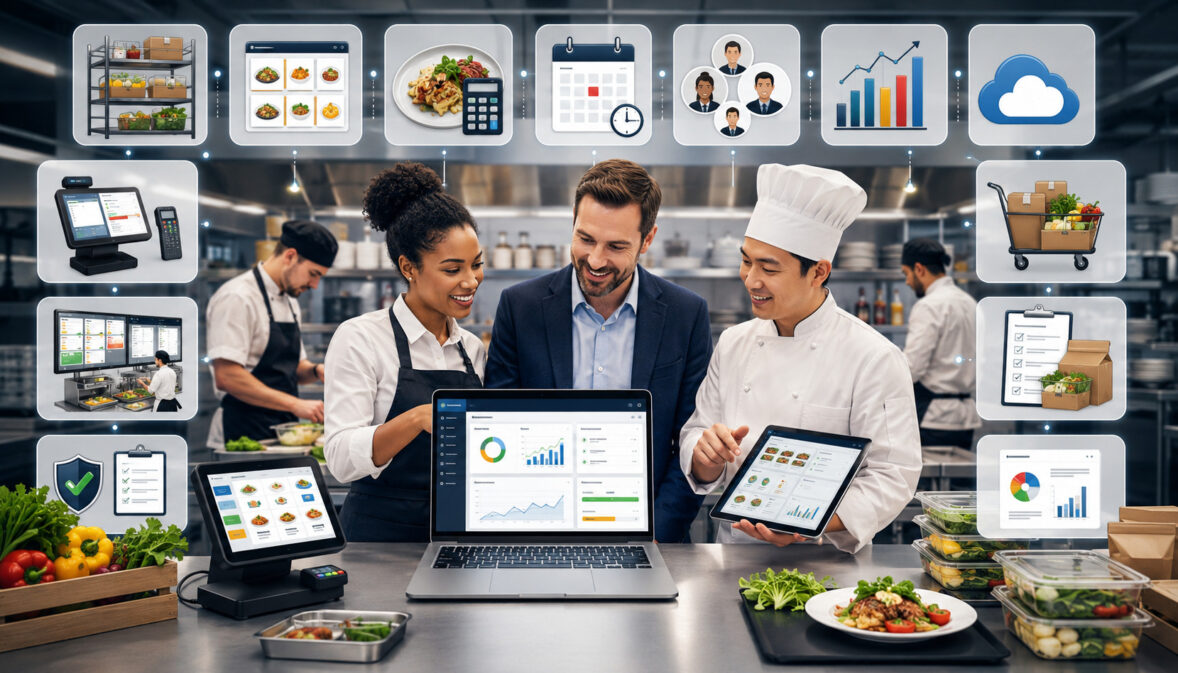
Food service businesses coordinate many moving parts every day. Ingredients arrive from different suppliers, recipes must remain consistent, staff need clear prep instructions, inventory levels change throughout each shift, and customer demand can rise or fall with little warning.
These challenges affect restaurants, cafés, catering companies, cafeterias, commissary kitchens, cloud kitchens, and multi-brand operations.
Even a small operation may need to manage inventory counts, vendor pricing, purchase orders, recipe costing, menu changes, food safety records, waste logs, production schedules, and performance reports at the same time.
Food service management software brings these activities into a connected digital system. Instead of relying on separate spreadsheets, handwritten notes, text messages, and staff memory, operators can organize important information in one place.
However, not every business needs every available function. The most valuable Features of Food Service Management Software are the ones that solve real operational problems, fit existing kitchen workflows, and provide information that managers can confidently use.
This guide explains the most important features, what they help manage, and how food service operators can evaluate them before choosing a system.
What Is Food Service Management Software?
Food service management software is a digital system used to organize back-of-house and operational activities. Depending on the platform, it may support inventory, purchasing, recipes, food costs, menu planning, production, supplier management, safety records, staff tasks, and reporting.
The software acts as a shared operational workspace. Managers can use it to review stock levels, create purchase orders, update ingredient prices, calculate recipe costs, assign prep tasks, document waste, and generate reports.
Some systems concentrate on one area, such as food inventory management software or recipe management software. Others combine several functions into a broader food service operations software platform.
The right approach depends on the size and complexity of the operation. A café with a limited menu may primarily need inventory tracking and recipe costing, while a commissary kitchen may require batch production, lot tracking, transfers, purchasing controls, and multi-location reporting.
What Food Service Management Software Helps Manage
A food service management system can help organize the information and tasks that connect purchasing, storage, preparation, service, and reporting.
Typical areas include:
- Ingredient records and storage locations
- Stock levels and inventory counts
- Par levels and low-stock alerts
- Recipes, portions, yields, and substitutions
- Vendor profiles and pricing
- Purchase orders and receiving
- Recipe costing and menu costing
- Waste, spoilage, and expiration dates
- Production schedules and prep lists
- Temperature logs and safety checklists
- Menu availability and modifiers
- Sales, cost, and inventory reporting
The strongest food service management system features connect these areas rather than treating them as isolated records. For example, an updated supplier price can change an ingredient cost, which can then update recipe costs and menu margin reports.
This connection reduces duplicate data entry and gives managers a clearer view of how one operational change affects the rest of the business.
How It Differs From Basic Spreadsheets
Spreadsheets can be useful when an operation has a short menu, one storage area, a small team, and only a few suppliers. They are flexible, familiar, and inexpensive to start using.
Problems often appear as the business grows. Different staff members may save separate versions, use inconsistent units, overwrite formulas, or forget to update vendor prices. Inventory records can quickly become outdated when purchasing, receiving, waste, and sales are recorded in different places.
Software provides more structure. It can standardize units of measure, restrict editing permissions, create an order history, connect recipes to inventory, and generate reports from the same underlying records.
Software does not automatically create accurate information. Teams still need consistent procedures, complete setup, and regular data entry. Its advantage is that it provides a repeatable framework that becomes easier to manage as locations, menus, suppliers, and order volume increase.
Why Food Service Software Features Matter
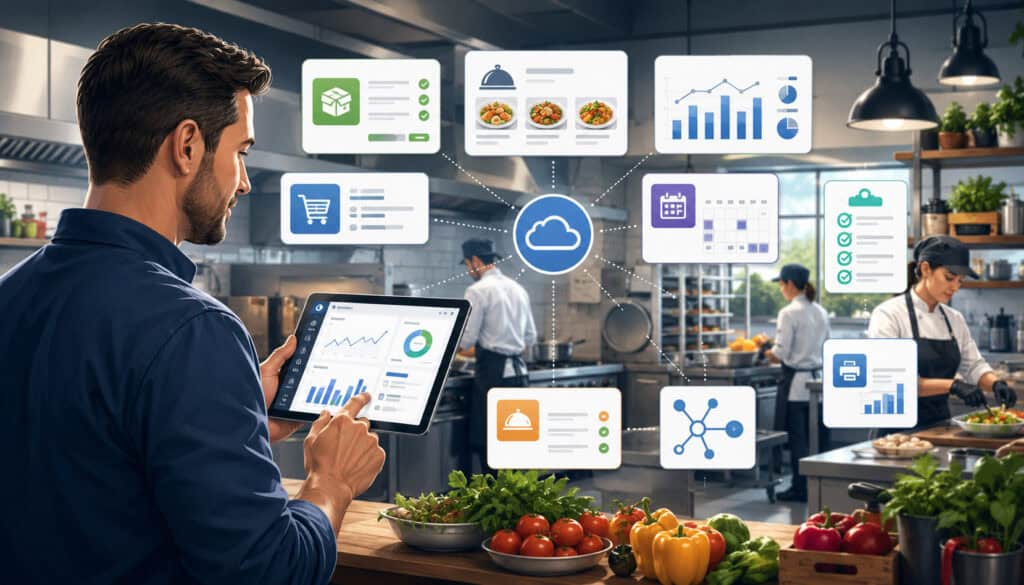
Choosing food service software is not simply a matter of finding the platform with the longest feature list. A feature is valuable only when employees can use it consistently and managers can act on the information it produces.
For example, detailed food cost tracking is useful when ingredient prices, recipes, yields, and inventory counts are accurate. Without those records, an advanced reporting dashboard may display precise-looking but unreliable numbers.
Feature selection also affects staff training. A complicated system may offer extensive customization but require too many steps for routine tasks. If cooks, receivers, and managers avoid the software, inventory and production records will become incomplete.
The best food service management software features support the operation’s actual workflow. They reduce repeated work, improve visibility, and help teams maintain consistent procedures across shifts and locations.
Better Visibility Across Operations
Connected software gives managers a broader view of what is happening throughout the operation. They can review current inventory, outstanding purchase orders, recent waste, recipe cost changes, production requirements, and sales trends without searching through unrelated files.
This visibility is especially important when one ingredient affects several menu items. A shortage of chicken, cooking oil, or packaging may influence multiple brands, stations, or upcoming catering orders.
A central dashboard can also reveal issues that are difficult to identify through individual records. Managers may notice that one location repeatedly runs below par, one supplier frequently substitutes products, or one menu category produces unusually high waste.
Visibility does not mean watching every metric continuously. It means giving the appropriate people access to the information they need when they are making operational decisions.
Better Decisions With Organized Data
Organized records allow operators to compare expectations with actual results. They can evaluate whether purchasing matched demand, whether recipes used the expected quantities, and whether waste or price increases affected food cost percentage.
Accurate data can support decisions such as:
- Adjusting par levels
- Changing order quantities
- Updating recipe yields
- Reviewing portion control
- Comparing vendor pricing
- Revising prep schedules
- Removing poorly performing menu items
- Investigating inventory variances
Historical data is also helpful for demand forecasting. A kitchen can review sales and usage patterns by daypart, location, event type, menu category, or delivery channel.
These insights should support professional judgment rather than replace it. Local events, weather, supplier disruptions, staffing changes, and menu promotions may still affect actual demand.
Food Service Management Software Features Compared
The following table provides a practical overview of common food service management software features.
| Feature | What It Helps Manage | Why It Matters | Best Use Case |
| Inventory tracking | Stock levels, locations, and counts | Helps prevent shortages and excess ordering | Daily kitchen control |
| Recipe management | Ingredients, yields, and portions | Supports consistent preparation | Menu standardization |
| Food cost tracking | Ingredient and recipe costs | Improves cost visibility | Cost and margin review |
| Purchase orders | Ordering, approvals, and receiving | Organizes supplier purchases | Purchasing control |
| Vendor pricing | Supplier costs and price changes | Supports informed buying decisions | Vendor management |
| Waste tracking | Spoilage, mistakes, and overproduction | Reveals avoidable losses | Kitchen efficiency |
| Menu management | Items, categories, modifiers, and availability | Keeps menus organized | Restaurants and cloud kitchens |
| Production planning | Prep quantities, batches, and tasks | Improves kitchen workflow | Catering and commissary kitchens |
| Compliance records | Logs, checklists, and documentation | Supports safer, consistent procedures | Routine food service operations |
| Reporting dashboard | Costs, usage, variance, and trends | Helps managers prioritize action | Owner and manager review |
How to Use the Table
Begin by identifying the operational problems that create the most disruption. A kitchen that frequently runs out of ingredients may prioritize real-time inventory, par levels, and purchasing. A catering operation may place greater importance on batch recipes, production sheets, event timelines, and delivery scheduling.
Consider menu complexity as well. A small menu using distinct ingredients may require less sophisticated recipe mapping than a multi-brand kitchen where many menu items share proteins, sauces, packaging, and prepared components.
Staff size and responsibility also matter. Determine who will count inventory, approve orders, receive deliveries, update recipes, and review reports. A feature that does not have a clear owner is unlikely to produce reliable information.
Finally, think about future growth. The software should support realistic expansion without forcing the team to manage unnecessary complexity today.
Why Feature Fit Matters More Than Feature Count
A large feature list may look impressive during a demonstration, but unused functions do not create operational value. They may instead make navigation, training, setup, and reporting more difficult.
Feature fit means that the software supports the way ingredients, information, and responsibilities move through the business. For example, a catering company should test whether event quantities can flow into production sheets and purchasing requirements. A multi-location operator should test transfers, permissions, and location-level reporting.
During software evaluation, ask vendors to demonstrate a complete workflow rather than individual screens. Follow an ingredient from purchasing through receiving, storage, recipe use, waste, and reporting.
This practical review reveals whether the system is truly connected and whether staff can complete routine tasks without unnecessary steps.
Inventory Management Features
Inventory management is one of the most important components of food service operations software. It helps teams document what they have, where it is stored, what has been used, and what needs to be ordered.
Useful inventory features include ingredient categories, storage locations, units of measure, par levels, low-stock alerts, inventory counts, receiving, transfers, adjustments, and inventory valuation.
A restaurant inventory management software system should also support different purchasing and usage units. An item may be ordered by the case, stored by the pound, and used by the ounce. Accurate conversions are essential for recipe costing and theoretical usage.
Operators exploring food inventory management software should evaluate how easily employees can record routine movements, not merely how many inventory fields the system provides.
Real-Time Inventory Tracking
Real-time inventory tracking estimates current stock by updating quantities as purchasing, receiving, recipe usage, transfers, sales, and waste are recorded.
The word “real-time” should be understood carefully. Software cannot know that an ingredient was spilled, over-portioned, or taken from storage unless the event is recorded or captured through an integrated process.
Reliable tracking depends on several data sources:
- Accurate receiving quantities
- Recipes connected to menu items
- Sales or production records
- Waste and spoilage entries
- Regular physical inventory counts
- Correct unit conversions
When these records are maintained, managers can see which products are available, which are approaching minimum levels, and which may be accumulating too quickly.
Physical counts remain important. They verify the digital balance and reveal variance caused by measurement differences, unrecorded waste, incorrect portions, theft, or data-entry errors.
Par Levels and Low-Stock Alerts
A par level is the quantity an operation aims to keep available under normal conditions. It should reflect expected usage, supplier lead time, delivery frequency, storage capacity, shelf life, and an appropriate buffer.
Low-stock alerts can notify managers when an ingredient falls below its selected threshold. This reduces dependence on memory and may prevent urgent purchases during service.
Par levels should not remain unchanged indefinitely. Seasonal demand, menu updates, supplier schedules, and storage limitations can affect the right quantity.
Setting pars too high can increase spoilage and tie up cash in slow-moving inventory. Setting them too low can cause stockouts, menu interruptions, and costly emergency orders.
Review high-value and highly perishable items more frequently than stable supplies. The objective is not to maintain the largest inventory possible, but to keep enough stock to support expected demand with manageable risk.
Recipe Management Features
Recipe management software creates structured records for dishes, beverages, sauces, doughs, marinades, prep items, and production batches. A recipe record may include ingredients, units, quantities, yields, portions, instructions, preparation loss, substitutions, allergens, and nutrition information.
Recipes connect inventory to production and sales. Without accurate recipes, software cannot reliably calculate expected ingredient usage or menu cost.
Recipe versions are especially useful when ingredients, portions, suppliers, or preparation methods change. Instead of overwriting important history, teams can document when a revised recipe became active.
Standardized Recipes
A standardized recipe defines how a product should be prepared and portioned. It gives staff a consistent reference across different shifts, locations, and experience levels.
Strong recipe records include more than a list of ingredients. They should explain:
- Purchase and usage units
- Preparation quantities
- Expected yield
- Portion size
- Cooking or processing loss
- Assembly instructions
- Approved substitutions
- Storage and holding notes
- Ingredient or allergen references
Consistency supports both product quality and cost control. When one cook serves six ounces and another serves eight ounces, customer experience and theoretical inventory usage will differ.
Standardized recipes also improve comparisons across locations. If each kitchen uses the same recipe definitions and units, managers can investigate whether differences in food costs come from pricing, waste, portioning, or local demand rather than inconsistent documentation.
Batch Recipes and Prep Planning
Many kitchens prepare components in batches instead of making every item from raw ingredients at the time of sale. Examples include sauces, soups, dough, dressings, roasted proteins, cooked grains, and chopped vegetables.
Batch recipe features help teams calculate how much raw material is required for a target output. They may also account for trim, cooking loss, or processing yield.
This is particularly helpful for catering management software, cloud kitchen management software, and commissary kitchen workflows. One central kitchen may produce large batches that are divided among events, brands, or satellite locations.
Batch records can improve traceability by documenting when a batch was made, which ingredients or lots were used, how much it produced, and where it was transferred.
Food Cost Tracking Features
Food cost tracking software helps operators understand how ingredient purchases and usage affect the cost of menu items. It may calculate ingredient cost, recipe cost, portion cost, menu cost percentage, cost of goods sold, and inventory variance.
Food cost information depends on the quality of purchasing, inventory, and recipe data. A missing invoice or outdated yield can distort several reports at once.
Operators can learn more about the underlying workflow through this overview of food cost tracking software.
Recipe Costing and Menu Profitability
Recipe costing adds the cost of each ingredient quantity used in a recipe. The total can then be divided by the expected yield to calculate a cost per batch, portion, or menu item.
For example, if a sauce recipe produces forty portions, the software can allocate the cost of the complete batch across those portions. The sauce cost can then flow into every menu item that uses it.
Recipe costing helps managers see the effect of:
- Vendor price changes
- Portion-size changes
- Ingredient substitutions
- Yield loss
- Packaging costs
- Modifier choices
- Recipe updates
Menu profitability analysis can combine recipe cost with selling information to provide a clearer view of contribution by item or category. These reports should be interpreted carefully because labor, occupancy, delivery fees, and other operating expenses may not be included in recipe cost.
Actual vs. Theoretical Food Cost
Theoretical food cost estimates what ingredients should have cost based on recipes and recorded sales or production. Actual food cost is derived from inventory, purchases, transfers, and related records.
A common actual COGS calculation begins with opening inventory, adds purchases, adjusts for transfers when applicable, and subtracts closing inventory.
The difference between actual and theoretical cost is often called variance. Variance may result from:
- Over-portioning
- Unrecorded waste
- Incorrect receiving
- Recipe errors
- Missing invoices
- Substitutions
- Theft
- Inaccurate inventory counts
Variance is a starting point for investigation, not proof of a specific problem. Managers should review the underlying records and kitchen practices before reaching conclusions.
Vendor and Supplier Management Features
Vendor management software organizes supplier profiles, contacts, product catalogs, delivery schedules, order minimums, payment terms, pricing history, and purchase activity.
Centralized vendor information reduces dependence on personal inboxes and handwritten notes. It also helps another manager continue purchasing when the usual buyer is unavailable.
Supplier management should support both cost and service evaluation. The lowest listed price may not create the lowest total operational cost when fill rates, delivery accuracy, quality, lead time, and product consistency are considered.
Tracking Supplier Prices
Ingredient prices can change frequently. Vendor pricing tools help managers record current costs and compare them with previous purchases.
Price-history reports can identify gradual increases that may be difficult to notice invoice by invoice. They can also show whether a recipe cost changed because of one supplier item or a broader group of ingredients.
Useful features include:
- Effective dates
- Pack-size comparisons
- Contract and spot pricing
- Substitute products
- Price-change alerts
- Last-purchase cost
- Average purchase cost
Pack sizes and specifications must be standardized before prices are compared. A lower case price may not be less expensive when the case contains fewer units or has a lower usable yield.
Comparing Vendors Responsibly
A responsible vendor comparison considers more than price. Food service operators often depend on suppliers for predictable quality, accurate delivery, safe handling, and timely communication.
Useful comparison criteria include:
- Product quality and consistency
- Pack size and usable yield
- Delivery accuracy
- Fill rate
- Lead time
- Substitution practices
- Minimum order requirements
- Responsiveness
- Documentation availability
- Pricing stability
Software can organize these observations through order history, receiving discrepancies, notes, and reports. Managers can then evaluate patterns instead of relying on memory.
Vendor decisions may involve contracts, local rules, or business risks that require professional review. Software records can support that review, but they should not be treated as legal, financial, or regulatory advice.
Purchase Order and Receiving Features
Purchase order management software helps teams create, review, approve, send, receive, and retain supplier orders. It replaces informal buying through phone calls, messages, and unstructured lists.
A purchase order normally identifies the vendor, products, pack sizes, quantities, expected prices, delivery location, and requested date. Approval rules may be added for large orders, specific categories, or certain staff roles.
Connected purchasing improves inventory and cost records because ordered and received items can flow directly into the system.
Digital Purchase Orders
Digital purchase orders provide a shared record of what the business intended to buy. Managers can review open orders, duplicate purchases, delivery dates, and expected spending before products arrive.
They also create clearer communication between kitchen teams, buyers, and receivers. The receiver can compare the delivery with an approved order rather than relying on a verbal explanation.
Useful functions may include:
- Order templates
- Suggested quantities
- Approval routing
- Vendor-specific catalogs
- Order status
- Partial-order tracking
- Recurring orders
- Purchase history
Suggested orders should remain reviewable. An automated recommendation may not know about an upcoming event, temporary menu change, supplier issue, or unusual inventory condition.
Receiving and Invoice Matching
Receiving is the point at which physical inventory and financial records begin to meet. Staff should document what arrived, what was missing, what was substituted, and what was rejected.
Invoice matching compares the purchase order, received quantity, and supplier invoice. It can reveal price differences, duplicate charges, missing products, incorrect quantities, and unapproved substitutions.
Partial deliveries should remain open until they are completed or formally closed. Otherwise, managers may assume that products arrived when they did not.
Receiving teams also need a process for product quality, condition, and temperature checks where applicable. Specific requirements vary, so operators should consult qualified food safety and regulatory professionals for guidance relevant to their operation.
Menu Management Features
Menu management software organizes menu items, categories, descriptions, prices, modifiers, availability, seasonal offers, and brand assignments.
When connected to recipe management, menu records can map each sale or production unit to the ingredients it is expected to consume. This connection supports theoretical inventory and food cost reporting.
For multi-brand operations, menu management should distinguish shared ingredients and recipes from brand-specific items without duplicating unnecessary records.
Menu Item Organization
Organized menu categories improve reporting and kitchen communication. Items can be grouped by brand, meal period, station, product type, event package, or sales channel.
Modifiers should also connect to inventory when they meaningfully change ingredient usage. Adding cheese, replacing a side, or selecting a larger portion may affect theoretical consumption.
Clear item organization helps operators:
- Compare category sales
- Assign production stations
- Map recipes
- Manage availability
- Review modifier usage
- Analyze menu costs
- Coordinate online menus
A consistent naming convention is important. If the same item appears under several slightly different names across systems, integrations and reports may create duplicate or incomplete records.
Menu Cost Review
Menu management becomes more useful when it is connected to food cost tracking. Managers can review how ingredient prices and recipe changes influence the cost of each item.
A menu cost report may display selling price, recipe cost, food cost percentage, contribution amount, and sales volume. No single metric tells the complete story.
A low-percentage item may sell infrequently, while a higher-cost item may attract repeat business or use ingredients that would otherwise be wasted. Menu decisions should consider customer demand, operational complexity, preparation time, and brand positioning alongside cost.
Pricing decisions may have accounting, tax, contractual, or financial implications. Operators should use qualified professionals for guidance specific to their circumstances.
Food Service Software Features for Cloud Kitchens
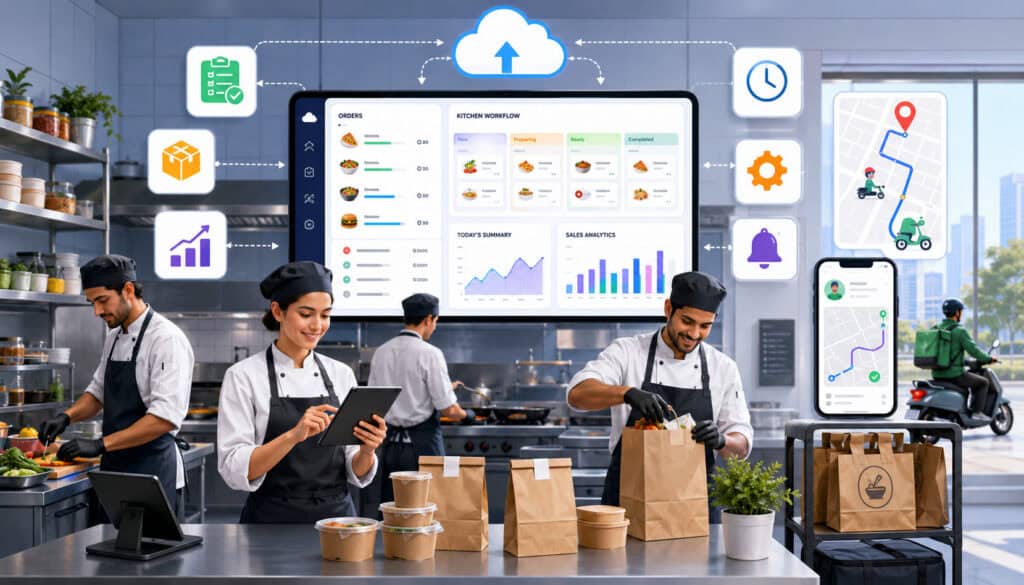
Cloud kitchens often operate several menus or virtual brands from the same facility. This creates additional complexity because ingredients, equipment, labor, packaging, and storage may be shared while sales and reporting remain brand-specific.
Important food service software features for cloud kitchens include multi-brand menus, centralized order visibility, recipe-level inventory depletion, shared ingredient tracking, production planning, capacity management, and channel reporting.
This guide to cloud kitchen software for multi-brand inventory management provides additional context for shared inventory workflows.
Multi-Brand Kitchen Management
Multi-brand functionality should allow operators to connect each menu item to the correct brand, recipe, order channel, and preparation station.
Shared ingredients should be managed as one physical stock pool where appropriate. Usage can then be allocated to each brand through recipe mapping and sales data.
This approach reduces duplicate inventory records. For example, several brands may use the same chicken, onions, cooking oil, or packaging. Creating separate physical balances for each brand can make counts unnecessarily difficult unless the stock is actually separated.
Managers should still be able to compare brand-level food costs, sales mix, waste, order accuracy, and item availability. This provides operational visibility without losing control of shared inventory.
Order Volume and Prep Forecasting
Cloud kitchens may receive demand from several online ordering and delivery channels at once. Order volume can shift quickly by brand, daypart, promotion, and customer location.
Forecasting features can combine historical orders with current reservations, scheduled promotions, and recent patterns to estimate prep requirements.
Production plans can then translate predicted menu demand into batch quantities and ingredient needs. Managers can see whether available inventory and kitchen capacity are likely to support expected orders.
Forecasts should be treated as planning estimates. Teams need a way to adjust them when unexpected events, platform promotions, weather, or equipment problems change demand.
Catering Management Features
Catering operations manage orders that may be placed days or weeks before production. Each event may involve a different menu, headcount, delivery location, setup requirement, production schedule, and customer note.
Catering management software can bring these details together. Useful features include event orders, menu packages, quantity calculations, batch recipes, production sheets, delivery schedules, staffing notes, customer instructions, and order timelines.
The objective is to convert the customer order into clear work for purchasing, production, packing, and delivery teams.
Event Order Planning
An event order should provide a reliable operational record from confirmation through completion. Teams need to know what is being prepared, how much is required, when it must be ready, and where it is going.
Important fields may include:
- Event date and service time
- Guest count
- Menu and package selections
- Portions and serving units
- Dietary or allergen notes
- Equipment and packaging needs
- Delivery and setup instructions
- Internal deadlines
- Assigned responsibilities
Changes should be documented with timestamps or version history. This prevents staff from working from an outdated headcount or menu.
Contract, payment, tax, staffing, and regulatory questions should be reviewed by appropriate professionals rather than resolved solely through software settings.
Production Sheets for Catering Teams
Production sheets translate event orders into kitchen quantities and tasks. Instead of requiring cooks to interpret several customer records, the system can consolidate demand by recipe, station, date, or event.
A production sheet may show:
- Recipe or component
- Required batch quantity
- Expected yield
- Prep deadline
- Assigned station
- Packaging instructions
- Event allocation
- Completion status
Consolidation is particularly useful when several events need the same product. The kitchen may produce one large batch and then allocate portions to individual orders.
Final quantities should still be reviewed for buffers, breakage, special requests, and operational judgment. Automated calculations are valuable, but they cannot account for every event condition.
Waste and Spoilage Tracking Features
Waste tracking helps food service teams document ingredients and prepared products that were purchased or produced but not sold or used as intended.
Waste may result from spoilage, expiration, overproduction, incorrect preparation, trimming, damaged packaging, returned orders, dropped items, or inaccurate forecasting.
A structured waste process makes these losses visible. It also provides context for inventory variance and actual food cost.
Waste Logs
A waste log should record the item, quantity, unit, reason, location, date, employee or station, and estimated cost when appropriate.
Consistent reason categories make reports more useful. Categories might include:
- Expired
- Spoiled
- Overproduced
- Preparation error
- Quality rejection
- Customer return
- Damaged in storage
- Incorrect order
- Trim or yield loss
The purpose of a waste log should be improvement, not automatic blame. If employees believe every entry will result in punishment, they may avoid reporting problems and the data will become unreliable.
Managers can use recurring patterns to improve training, storage, ordering, recipe instructions, equipment maintenance, and portion control.
Reducing Waste With Better Forecasting
Waste reports become more powerful when combined with inventory, sales, and production data. A kitchen may discover that a particular item is repeatedly overproduced on certain days or that one ingredient expires before the next delivery cycle.
Managers can respond by adjusting:
- Order quantities
- Delivery frequency
- Batch size
- Prep timing
- Menu availability
- Par levels
- Storage procedures
- Portion controls
Demand forecasting can reduce overproduction, but it should not be used without operational review. A forecast may reflect past sales without recognizing a new menu, local event, temporary closure, or unusual reservation pattern.
Teams should test small changes and monitor whether they improve waste without increasing stockouts.
Food Safety and Compliance Record Features
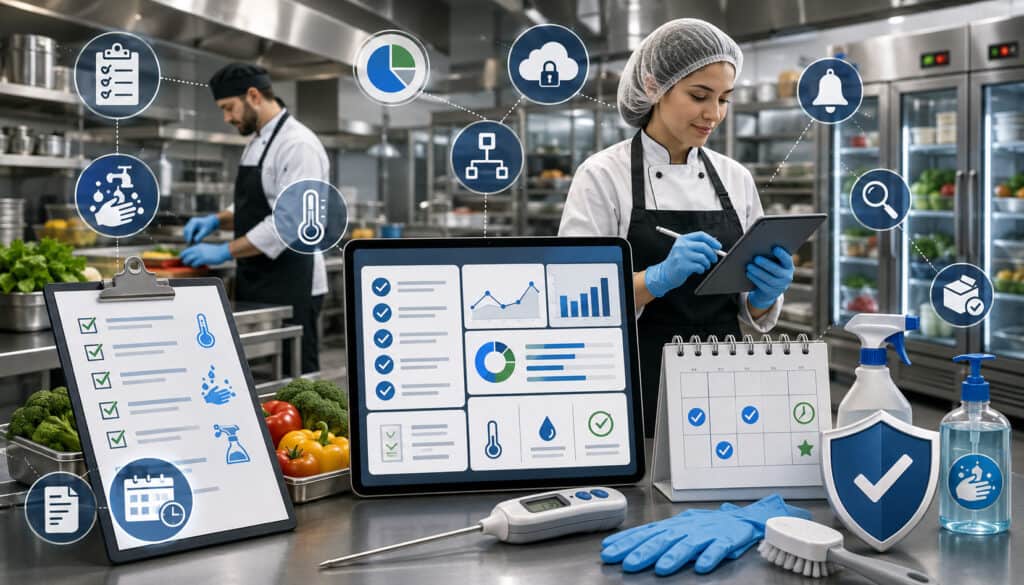
Food safety compliance software features may help organize routine records such as temperature logs, cleaning checklists, expiration dates, lot information, allergen notes, corrective-action records, and assigned tasks.
These tools support documentation and consistency, but software does not determine whether an operation complies with every applicable requirement.
Food service rules can vary by jurisdiction and operation type. The retail food protection information provided by the FDA offers educational resources, but operators should obtain professional guidance for their specific obligations.
Temperature Logs and Checklists
Digital temperature logs can prompt employees to complete checks at defined times and identify missing entries. Some systems allow readings to be entered manually, while others connect with compatible sensors.
A useful record may include:
- Item or equipment
- Required check time
- Recorded temperature
- Employee
- Corrective action
- Manager verification
- Notes or attachments
Checklists can support opening, closing, cleaning, receiving, cooling, holding, and equipment-inspection routines.
The software should make incomplete tasks visible without encouraging employees to enter values merely to clear an alert. Training must emphasize accurate observation and appropriate action.
Specific limits, procedures, and documentation requirements should be established with qualified food safety professionals.
Allergen and Ingredient Information
Accurate ingredient records can help employees respond more consistently to questions about menu items. Recipe cards may identify ingredient sources, approved substitutions, and recorded allergen information.
Updates are essential. A supplier substitution or reformulated packaged ingredient may change the information associated with a recipe.
Access should also be practical. Front-line staff need a reliable method to find current information without searching through several systems or relying on memory.
Software records do not eliminate cross-contact risk or replace employee training. Operators should use appropriate professional guidance to establish allergen communication, preparation, storage, labeling, and emergency procedures.
Production Planning and Kitchen Workflow Features
Production planning connects expected demand with ingredients, recipes, labor, equipment, and deadlines. It answers three operational questions: what needs to be prepared, how much is required, and when must it be ready?
Kitchen management software may generate prep lists from sales forecasts, catering orders, standing production requirements, current inventory, or manager-entered targets.
The best system supports kitchen judgment. Staff should be able to adjust quantities, record completion, and document production problems.
Prep Lists and Task Assignments
A digital prep list organizes production by station, employee, recipe, priority, or deadline. It can replace handwritten lists that are difficult to update or share.
Each task may include:
- Product or recipe
- Required quantity
- Batch size
- Due time
- Assigned station
- Preparation instructions
- Storage location
- Completion status
Tasks should be specific enough to guide work but not so detailed that employees spend more time updating software than preparing food.
Managers can use completion records to identify recurring bottlenecks. If the same station routinely misses deadlines, the issue may involve forecasting, staffing, equipment, recipe complexity, or task sequencing.
Forecast-Based Production Planning
Forecast-based planning estimates production needs from expected sales or orders. Recipe mapping then converts menu demand into component and ingredient quantities.
For example, predicted sandwich sales can translate into required bread, protein, vegetables, sauces, packaging, and prepared components.
The plan should consider current stock and prepared inventory so the kitchen does not produce items that are already available.
Forecast accuracy should be measured by comparing planned quantities with actual sales, stockouts, and waste. Managers can then refine assumptions for different days, meal periods, seasons, and sales channels.
Forecasting improves preparation, but it does not remove the need for a manager to review unusual conditions before approving the plan.
Reporting and Analytics Features
Food service reporting software converts operational records into summaries that managers can review. Common reports cover inventory, purchasing, vendor pricing, food costs, waste, production, sales, recipes, and menu performance.
A reporting dashboard should highlight meaningful exceptions rather than display every available number. Managers need to know where attention is required.
Real-time analytics are useful only when the underlying information is timely and accurate. Clear definitions are equally important so employees understand how each metric is calculated.
Reports Managers Should Review
The most useful reporting schedule depends on the operation, but common reports include:
- Current stock and low-stock items
- Inventory variance
- Inventory valuation
- Purchase history
- Vendor price changes
- Waste by reason
- Recipe cost changes
- Menu food cost percentage
- Actual and theoretical food cost
- Production versus sales
- Location comparisons
Frequent operational reports can be reviewed daily, while broader cost and trend reports may be reviewed weekly or by accounting period.
Managers should start with a small group of reports tied to clear actions. Producing dozens of reports without assigned owners can create information overload.
Turning Reports Into Decisions
Every recurring report should answer a management question. A waste report may identify products needing smaller batch sizes. A vendor price report may prompt a specification or supplier review.
An inventory variance report may lead managers to examine receiving, recipes, portioning, waste entry, or counting procedures. A menu cost report may identify items requiring recipe review or pricing analysis.
A simple action log can document:
- What the report showed
- What the team believes caused it
- What action will be tested
- Who owns the action
- When results will be reviewed
This turns reporting into an operational process rather than a passive recordkeeping exercise.
Multi-Location Food Service Features
Multi-location food service software provides central visibility while preserving location-level control. It may support shared ingredient catalogs, standardized recipes, central purchasing, transfers, permissions, local inventory, and comparative reporting.
The system should recognize that locations may share standards while facing different demand, pricing, storage, suppliers, and operating conditions.
Centralization should reduce duplicate work without preventing appropriate local decisions.
Standardizing Recipes Across Locations
Standardized recipes allow managers to compare food costs and usage across locations using the same definitions. Units, yields, portions, and ingredient mappings should be consistent wherever the same menu item is offered.
Locations may still require approved variations. One site may use a different supplier pack size or equipment configuration.
Version control helps document these differences without allowing unofficial recipes to spread. Corporate or central managers can publish approved updates while location teams receive clear instructions.
Consistent recipe records also support training and quality control. When performance differs, managers can examine execution, local pricing, waste, and demand instead of first resolving conflicting recipe documents.
Location-Level Reporting
Location reports help owners compare inventory usage, food cost percentage, vendor prices, waste, stockouts, and operational activity.
Comparisons should account for context. A high-volume downtown kitchen may have different delivery fees, menu mix, storage capacity, and labor patterns than a smaller suburban location.
Useful reporting allows managers to move from summary to detail. If one location shows high waste, the manager should be able to identify the affected products, reasons, dates, and stations.
Location-level visibility supports targeted improvement. It is more useful than requiring every site to follow the same action plan regardless of its actual results.
Integration Features
Integrations allow food service software to exchange data with other operational systems. Common connections include POS systems, accounting platforms, online ordering channels, delivery platforms, payment reports, and scheduling tools.
Integration reduces repeated data entry, but it also creates dependencies. Operators should review data mapping, update frequency, error handling, ownership, security, and support responsibilities.
A connection is valuable when it improves a specific workflow, not merely because integration is available.
POS and Inventory Integration
POS integration can send item and modifier sales into the inventory system. When menu items are connected to recipes, the software can estimate ingredient usage.
This supports theoretical inventory and food cost analysis. It may also improve production forecasting and menu reporting.
Accuracy depends on clean mapping. Every relevant menu item, size, modifier, combo, and void treatment must be assigned correctly.
Managers should test the complete flow before relying on reports. Sell a controlled group of items, confirm the imported sales, and check whether the expected ingredient quantities were deducted.
POS integration estimates recipe-based usage. Physical inventory counts remain necessary to identify waste, portion differences, substitutions, and other variance.
Accounting and Reporting Connections
Accounting integrations or exports can organize purchase, invoice, inventory, and sales information for bookkeeping review. Useful functions may include account mapping, vendor records, tax fields, invoice dates, and location or department codes.
The software should provide an audit trail showing where information came from and whether it was edited.
Food service managers should coordinate with qualified accounting professionals before deciding how inventory, invoices, COGS, payments, or other transactions should be recorded.
Clean exports can reduce manual work, but they do not guarantee appropriate accounting treatment. Payroll, tax, financial reporting, and payment questions should also receive professional review.
Role-Based Access and User Permissions
Role-based access controls what each user can view, create, approve, change, or delete. Permissions are important because food service software may contain pricing, purchasing, cost, employee, operational, and administrative information.
Common roles include owner, administrator, general manager, location manager, purchasing employee, receiver, kitchen employee, accountant, and viewer.
Permissions should follow job responsibilities rather than titles alone.
Protecting Sensitive Business Data
Not every employee needs access to vendor contracts, cost reports, administrative settings, payroll-related exports, or complete financial information.
Limiting access reduces accidental changes and unnecessary exposure. It also creates clearer accountability by showing which user completed or approved an action.
Important administrative functions may include:
- Adding users
- Changing integrations
- Editing vendor prices
- Approving large purchases
- Modifying recipes
- Exporting sensitive reports
- Deleting records
- Changing location settings
Critical changes should be logged. Audit history helps managers review what changed, when it changed, and who made the change.
Giving Staff the Right Access
Permissions should not be so restrictive that employees cannot complete their assigned work. Receivers may need to record delivery differences without viewing all financial reports. Kitchen employees may need recipes and prep lists without access to vendor contracts.
Managers should test each role by signing in with representative permissions. This can reveal missing access or unnecessary menu options before training begins.
User access should also be reviewed when employees change responsibilities or leave the organization.
A well-designed permission structure reduces confusion because each employee sees the tools relevant to the job. It also simplifies training and lowers the risk of accidental changes.
Mobile and Cloud-Based Access Features
Cloud-based software stores and synchronizes information so authorized users can access it from supported devices and locations.
Mobile access is particularly useful in walk-ins, storage rooms, receiving areas, production spaces, and off-site events. Employees can record information where the work occurs rather than carrying notes back to an office.
Operators should review connectivity requirements, offline capabilities, device compatibility, security, and update procedures before depending on mobile workflows.
Mobile Inventory Counts
Mobile inventory counting allows employees to enter quantities while moving through storage locations. Items can be arranged in shelf or count-sheet order to reduce unnecessary movement.
Helpful functions may include:
- Barcode scanning
- Saved count sequences
- Unit selection
- Multiple storage locations
- Notes and photos
- Count review
- Variance alerts
- Offline entry
The interface should be fast and easy to read in a working kitchen. Too many required fields can slow the process and encourage rushed entries.
Teams should establish counting rules, including whether open containers are weighed, estimated, or counted by standard fraction.
Remote Manager Visibility
Remote dashboards can help owners and managers review alerts, orders, inventory status, production progress, and reports outside the kitchen.
This is useful for multi-location operators and managers who divide time between sites. They can identify exceptions before arriving and prepare more focused questions.
Remote access should support local leadership rather than replace it. Dashboard information may not fully explain an equipment failure, delayed delivery, staffing problem, or unexpected demand change.
Security controls such as strong authentication, device policies, session management, and appropriate permissions should be reviewed with qualified technology professionals.
Common Mistakes When Choosing Food Service Software Features
A common mistake is selecting software based on a demonstration rather than a realistic workflow. Demonstrations often use clean sample data and experienced presenters, while daily operations involve interruptions, substitutions, rushed receiving, and employees with different skill levels.
Other mistakes include choosing too many features, underestimating setup, ignoring integrations, failing to assign ownership, and assuming reports will be accurate automatically.
Software should be evaluated as an operating process, not merely a technology purchase.
Choosing Complexity Over Usability
A complex platform may provide extensive configuration, but that value disappears when staff avoid routine entries.
Usability should be tested through real tasks:
- Counting an open inventory item
- Receiving a partial delivery
- Recording waste
- Updating a vendor price
- Creating a purchase order
- Finding a recipe
- Completing a prep task
- Reviewing an exception report
Count the number of steps and observe where users become uncertain. Small delays repeated across hundreds of daily entries can create substantial friction.
The best system balances control with speed. It should guide employees without forcing every role to navigate information they do not need.
Skipping Setup and Training
Incomplete setup is one of the fastest ways to undermine software results. Missing yields, inconsistent units, duplicate ingredients, incorrect vendor packs, and unmapped menu items can affect inventory and cost reports.
Training should be role-specific. A receiver needs different instruction from a recipe administrator or owner.
Before launch, verify:
- Ingredient catalog
- Units and conversions
- Storage locations
- Vendor products
- Recipes and yields
- Menu mapping
- User permissions
- Approval rules
- Report definitions
After launch, review errors and questions during actual use. Training is an ongoing process, particularly when workflows, menus, or staff change.
Food Service Management Software Feature Checklist
Use this checklist to compare systems and prepare for demonstrations.
| Feature Area | What to Review | Why It Matters |
| Inventory | Counts, stock levels, storage locations, and pars | Supports ordering control |
| Recipes | Ingredients, yields, portions, and versions | Improves consistency |
| Food costs | Ingredient, recipe, and menu costs | Supports cost visibility |
| Purchasing | Orders, approvals, and receiving | Organizes buying |
| Vendors | Prices, products, and delivery records | Tracks supplier performance |
| Waste | Spoilage, mistakes, and reasons | Reveals hidden losses |
| Compliance records | Logs, tasks, and checklists | Supports safer workflows |
| Production | Prep lists, batches, and deadlines | Improves kitchen planning |
| Reports | Costs, usage, waste, and trends | Guides decisions |
| Permissions | Role-based viewing and editing | Protects information |
How to Use the Checklist
Mark each feature as essential, useful, unnecessary, or needed later. This prevents secondary preferences from receiving the same weight as critical operational requirements.
During demonstrations, ask vendors to complete a realistic scenario for each essential area. Do not accept a verbal statement that a function is supported when the workflow can be shown.
Include the people who will use the system. Managers can evaluate reporting and controls, while kitchen and receiving teams can evaluate speed and practicality.
Also document questions about implementation, data import, training, support, integrations, pricing, updates, permissions, and contract terms. Contractual and financial details should be reviewed by appropriate professionals.
Records to Keep in Food Service Software
Well-organized records create continuity when staff responsibilities change. Common records include:
- Ingredient specifications
- Recipe cards and versions
- Vendor profiles
- Purchase orders
- Receiving records
- Invoices
- Inventory counts
- Transfers and adjustments
- Waste logs
- Production sheets
- Temperature and task logs
- Menu cost reports
Retention requirements may differ by record type and jurisdiction. Operators should obtain professional guidance for legal, accounting, payroll, employment, tax, safety, and regulatory recordkeeping.
Within the software, use consistent naming and avoid deleting history merely to simplify the screen. Archived records can preserve context without cluttering active workflows.
Best Practices for Using Food Service Management Software Features
Software works best when it supports a repeatable operating routine. Teams should understand what must be entered, who is responsible, when it is due, and how managers will review it.
Useful practices include:
- Start with accurate inventory setup.
- Standardize units of measure.
- Build complete recipe records.
- Update vendor prices regularly.
- Use purchase orders consistently.
- Count inventory on a schedule.
- Track waste and spoilage.
- Set realistic par levels.
- Review food cost reports regularly.
- Train employees by role.
- Use permissions carefully.
- Keep reporting focused at first.
- Review menu profitability periodically.
- Connect POS and inventory where useful.
- Seek professional guidance for regulated or specialized questions.
Creating a Repeatable Food Service Workflow
A repeatable workflow connects routine activities in the correct sequence. Purchasing creates an expected order, receiving confirms what arrived, inventory records are updated, recipes estimate usage, counts verify the balance, and reports highlight variance.
Document each process with a clear owner and deadline. For example:
- Department leads submit order needs.
- A manager reviews suggested quantities.
- An authorized buyer approves the purchase order.
- Receiving staff document deliveries and differences.
- Invoices are matched and reviewed.
- Inventory is counted on schedule.
- Managers review cost, waste, and variance reports.
Consistency improves data quality more than occasional intensive cleanup. A simple process followed every day is usually more useful than an advanced process followed only when problems appear.
Training Teams for Better Adoption
Training should explain both how to perform a task and why the information matters. Employees are more likely to record waste accurately when they understand that the purpose is better ordering and production, not punishment.
Use real ingredients, recipes, suppliers, and scenarios during training. Generic examples may not reveal confusion about the operation’s actual units or procedures.
Managers should observe employees completing tasks rather than relying only on verbal confirmation.
Provide short reference guides for recurring activities, and update them when the software changes. Identify one or more internal specialists who can answer routine questions and escalate technical problems.
How to Choose the Best Food Service Management Software Features
The best food service management software features are those that fit the operation’s menu, volume, locations, staff capabilities, purchasing process, production style, and reporting needs.
Begin with operational requirements rather than product names. Document current problems, desired outcomes, responsible roles, integrations, and essential reports.
Then evaluate inventory, recipes, food cost tracking, vendor management, purchase orders, waste, production, compliance records, dashboards, cloud access, permissions, support, pricing, and ease of use.
Questions to Ask Before Choosing Software Features
Use questions such as these during evaluation:
- Can inventory be tracked by ingredient and storage location?
- Does the system support purchasing and usage unit conversions?
- Can recipes include yields, portions, batches, and versions?
- How are vendor price changes recorded?
- Can purchase orders be approved and partially received?
- How are substitutions and invoice differences handled?
- Can waste be recorded by item, reason, and location?
- Does production planning use forecasts and confirmed orders?
- Can cloud kitchen brands share inventory while retaining separate reports?
- Can catering orders generate production sheets?
- Can locations transfer stock?
- How does POS integration treat modifiers, voids, and refunds?
- What accounting exports are available?
- Can access be limited by role and location?
- What implementation and training support is included?
- What is the total cost of setup, integrations, support, and additional users?
Ask for clear answers and workflow demonstrations. Professional advisers should review questions involving contracts, accounting, tax, payroll, employment, food safety, data security, or regulatory obligations.
Comparing Workflow Fit Over Feature Lists
Compare each system against several real scenarios. Include a normal day, a busy service, a partial delivery, an ingredient substitution, a catering order, a stock transfer, and an inventory variance.
Observe whether the software helps employees complete the work or merely creates another recordkeeping layer.
Also evaluate reporting clarity. Managers should be able to understand where a number came from and move from a summary to the underlying transactions.
Long-term value comes from accurate setup, consistent use, usable reports, and support for growth. A smaller set of well-designed features can be more effective than an extensive platform that employees find difficult to maintain.
Frequently Asked Questions
What are the key features of food service management software?
Key features typically include inventory tracking, recipe management, food cost tracking, vendor management, purchase orders, receiving, menu management, waste tracking, production planning, safety records, reporting, integrations, and user permissions.
The right combination depends on the operation. Restaurants may prioritize inventory and menu costs, while catering and commissary kitchens may require stronger batch production and scheduling tools.
What food service management software features are most important for beginners?
Beginners should generally focus on ingredient records, inventory counts, par levels, recipe costing, vendor prices, purchase orders, waste logs, and simple reports.
These functions establish the data foundation needed for more advanced forecasting, variance analysis, automation, and integrations. Starting with too many features can make implementation harder.
Which food service software features help cloud kitchens?
Useful cloud food management software features include multi-brand menus, shared ingredient inventory, recipe-level usage, centralized order visibility, channel reporting, production planning, forecasting, and kitchen-capacity monitoring.
The system should distinguish brand performance while recognizing that several brands may use the same physical ingredients, equipment, and employees.
How does food service software help with inventory management?
Food service inventory tracking organizes ingredients, units, locations, counts, pars, receiving, waste, and transfers. When connected to purchasing, recipes, and sales, the software can estimate current stock and theoretical usage. Physical counts remain necessary to verify quantities and identify variance.
Can food service management software help track food costs?
Yes. Software can calculate ingredient, recipe, portion, batch, and menu costs using vendor prices and recipe quantities.
It may also compare theoretical cost with actual COGS calculated from inventory and purchasing records. Results depend on accurate prices, recipes, yields, receiving, waste, and inventory counts.
What features support vendor and purchase order management?
Helpful features include supplier profiles, product catalogs, pricing history, delivery schedules, order templates, approval workflows, receiving, substitutions, partial deliveries, invoice matching, and purchase history. These functions create a clearer record from the initial order through delivery and invoice review.
What reporting features should food service operators look for?
Useful reports include current stock, low-stock items, inventory variance, purchase history, vendor price changes, waste trends, recipe costs, menu food cost percentage, actual versus theoretical cost, and location comparisons.
Operators should prioritize reports linked to specific decisions rather than selecting software based on the total number of reports.
How should operators choose the best food service management software features?
Operators should begin by identifying operational problems and mapping current workflows. They should then test whether the system supports real purchasing, receiving, inventory, production, waste, and reporting scenarios.
Staff usability, data accuracy, integration quality, training, support, permissions, and long-term fit should receive as much attention as the feature list.
Conclusion
The right Features of Food Service Management Software can help food service operators organize inventory, recipes, purchasing, vendor pricing, food costs, menus, waste, production, safety records, and reporting in a connected workflow.
Inventory tracking improves visibility into stock levels and ordering needs. Recipe and food cost tools connect ingredients with portions and menu performance. Purchase order and vendor functions create clearer buying records, while waste and production features reveal opportunities to improve kitchen efficiency.
Cloud kitchens, catering businesses, commissary kitchens, and multi-location operations may also need multi-brand controls, batch production, transfers, forecasting, location reporting, and flexible permissions.
Software alone does not create accurate operations. Reliable results require complete setup, standardized units, current vendor prices, tested recipes, scheduled inventory counts, role-specific training, and consistent management review.
Food service businesses should therefore choose features based on real kitchen needs rather than feature count alone. A focused system that employees use correctly and managers understand will usually provide more long-term operational value than a complicated platform filled with unused functions.
Questions involving legal, tax, accounting, payroll, employment, food safety, financial, contractual, or regulatory matters should always be reviewed by appropriately qualified professionals.