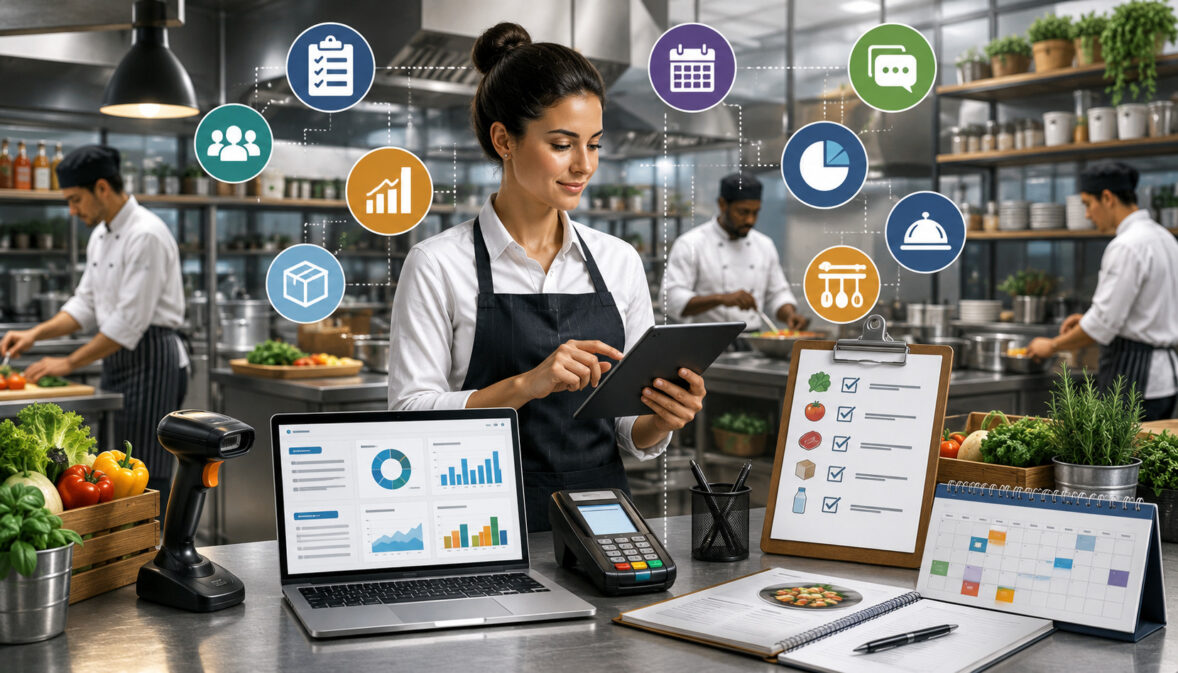
Food service operations depend on hundreds of small decisions made throughout the day. Teams receive ingredients, check stock, prepare recipes, serve customers, record waste, place orders, organize staff tasks, and review costs—often while responding to changing demand.
When these activities are managed through separate notebooks, memory, text messages, and disconnected spreadsheets, information can easily become outdated or incomplete. A missing delivery note can affect inventory. An outdated ingredient price can distort menu costing. An inaccurate prep estimate can cause shortages or unnecessary waste.
Essential food service management tools help organize these connected activities. They give restaurant owners, café operators, cloud kitchen managers, catering teams, commissary kitchen operators, food service directors, purchasing teams, and kitchen managers a more consistent way to record information and coordinate daily work.
These tools may include inventory systems, recipe databases, purchase order workflows, vendor records, food cost calculators, waste logs, production planners, task checklists, safety documentation, reporting dashboards, and integrations. Some businesses use separate tools for each function, while others use a connected food service software platform.
The goal is not to adopt as many applications as possible. The goal is to choose food service management tools that match real operating procedures, are practical for staff, and produce reliable information that managers can use.
This guide explains how the main tools work, why they matter, and how to select a practical combination for different food service environments.
What Are Food Service Management Tools?
Food service management tools are digital or operational systems used to organize the activities involved in purchasing, storing, preparing, producing, and serving food. They help convert everyday kitchen activities into structured workflows and usable records.
A tool may be as simple as a printed receiving checklist or as advanced as a cloud-based platform that connects sales, recipes, inventory, purchasing, waste, and reporting. The right level of technology depends on the size, complexity, and needs of the operation.
Most food service operations use tools to answer practical questions:
- What ingredients are currently available?
- Which products are below their par levels?
- How much should be ordered?
- What does each recipe cost?
- Which supplier recently changed a price?
- How much food was wasted?
- What should the kitchen prepare today?
- Which tasks have been completed?
- How are food costs and purchasing trends changing?
A connected system can make these answers easier to find. However, even the most advanced food service software tools depend on consistent setup, accurate data entry, staff training, and regular management review.
What Food Service Management Tools Help Manage
Food service management tools support both routine tasks and longer-term planning. Inventory tools record stock levels, ingredient quantities, storage locations, units of measure, par levels, and count history.
Recipe management tools organize ingredients, preparation instructions, yields, portions, substitutions, and batch quantities. When recipe data is connected to current vendor pricing, food cost tracking tools can calculate recipe costs and estimate menu margins.
Purchasing tools support purchase orders, approvals, receiving, partial deliveries, invoice matching, and order history. Vendor management tools store supplier profiles, product catalogs, delivery schedules, minimum order requirements, price history, and performance notes.
Other food service operations tools may help teams maintain:
- Waste and spoilage records
- Prep lists and production plans
- Catering order details
- Commissary transfer records
- Temperature logs
- Cleaning checklists
- Allergen records
- Expiration-date information
- Staff assignments
- Management reports
- Multi-location dashboards
Together, these records provide a more complete view of what is happening across the operation.
Digital Tools vs. Manual Tools
Manual tools include paper forms, clipboards, printed recipe cards, wall calendars, handwritten inventory sheets, and basic spreadsheets. They can work well for small operations with limited menu items, a stable team, and straightforward purchasing procedures.
Manual systems are inexpensive and familiar. A printed opening checklist may be easier for a small team than a complex task application. A simple spreadsheet may also be enough to track a limited ingredient list or a few recurring vendors.
However, manual tools become harder to maintain as order volume, menu complexity, locations, suppliers, and staff increase. Multiple spreadsheet versions may circulate. Recipe updates may not reach every station. Inventory records may be delayed. Managers may spend significant time combining information for reports.
Digital tools can centralize data, automate calculations, create alerts, maintain histories, and support mobile access. They are particularly useful when teams need real-time information, multiple users, location-level visibility, purchasing approvals, or integrations.
Why Food Service Management Tools Matter

Food service teams work with perishable inventory, changing supplier prices, limited storage space, variable customer demand, and narrow operating timelines. Small errors can affect several parts of the business at once.
For example, inaccurate inventory records can lead to an unnecessary order. That order may cause overstocking, spoilage, and higher food costs. It may also hide a recipe-portioning problem because the recorded stock no longer reflects actual ingredient usage.
The right restaurant management tools help create repeatable procedures. They establish a standard method for counting inventory, updating recipes, approving purchases, checking deliveries, logging waste, planning production, and reviewing reports.
Consistency is especially important when several people perform the same task. Without a shared process, one manager may count ingredients by the case while another records individual units. One kitchen may log trimming loss as waste while another does not. These differences make comparisons unreliable.
Tools do not eliminate the need for management judgment. Instead, they organize the information managers need to make more informed operational decisions.
Better Operational Visibility
Operational visibility means being able to understand what is happening without relying entirely on verbal updates or end-of-month summaries.
Connected kitchen management tools can show recent inventory counts, outstanding purchase orders, deliveries, prep requirements, waste entries, and cost trends. Managers can identify potential issues earlier instead of discovering them after a shortage or unexpected cost increase.
For instance, a low-stock alert may show that a high-use ingredient is approaching its reorder point. A waste report may reveal repeated spoilage in one storage area. A vendor-price history may show that an ingredient cost has increased across several deliveries.
Visibility is also valuable for multi-location operators. Consolidated dashboards can help owners compare purchasing, waste, inventory usage, and production across locations while still allowing local managers to review their own details.
Good visibility depends on timely data. A dashboard cannot reflect current conditions when receiving records, counts, recipes, or waste logs are incomplete.
Better Decisions With Organized Records
Organized records help managers identify patterns that may not be obvious during a busy shift.
Purchase history can show whether order quantities are steadily increasing. Recipe-cost records can identify menu items affected by vendor price changes. Waste logs can reveal whether overproduction occurs on particular days. Sales and production records can help kitchens prepare for recurring periods of high demand.
These records can support decisions such as:
- Adjusting order quantities
- Changing par levels
- Reviewing portion procedures
- Updating a recipe
- Comparing suppliers
- Revising prep quantities
- Changing menu availability
- Planning staffing needs
- Investigating inventory variance
Historical records also help managers distinguish between an isolated incident and a recurring problem.
Essential Food Service Management Tools Compared
The following table summarizes the main tool categories used in food service operations.
| Tool Type | What It Helps Manage | Why It Matters | Best Use Case |
| Inventory management tool | Stock levels, counts, storage locations and par levels | Helps prevent shortages and unnecessary over-ordering | Daily kitchen control |
| Recipe management tool | Ingredients, yields, portions and preparation instructions | Supports product consistency | Menu standardization |
| Food cost tracking tool | Ingredient costs, recipe costs and menu costs | Improves cost visibility | Cost and margin review |
| Purchase order tool | Ordering, approvals, receiving and order history | Organizes purchasing | Structured vendor ordering |
| Vendor management tool | Supplier pricing, catalogs, schedules and records | Tracks supplier changes | Purchasing decisions |
| Waste tracking tool | Spoilage, mistakes, spills and overproduction | Identifies hidden losses | Kitchen efficiency |
| Production planning tool | Prep lists, batch needs and station tasks | Improves preparation flow | Catering and commissary production |
| Food safety record tool | Logs, checklists, dates and task completion | Supports organized documentation | Routine recordkeeping |
| Reporting dashboard | Costs, inventory, purchasing and operational trends | Helps managers identify patterns | Owner and manager review |
| Integration tool | POS, accounting, ordering and inventory data | Reduces repeated data entry | Connected operations |
How to Use the Table
Begin by identifying the operational problems that create the most risk or repeated work.
A restaurant that frequently runs out of ingredients may need inventory tracking and purchase order tools first. A catering company struggling with event quantities may prioritize production planning and recipe scaling. A commissary kitchen serving several locations may need transfer tracking, batch production, and central purchasing.
Classify each tool as:
- Must-have: Needed to address a current operational problem.
- Useful later: Valuable after core records are stable.
- Optional: Helpful, but not currently essential.
This approach keeps the selection process focused. It also prevents teams from adopting advanced modules before basic ingredient, recipe, vendor, and inventory records are accurate.
Food service management tools for beginners should make frequent tasks easier to complete. They should not require staff to understand every advanced feature before performing a count, logging waste, or checking a delivery.
Why Tool Fit Matters More Than Tool Count
The best food service management tools for restaurants are not necessarily those with the longest feature lists. They are the tools that staff can use correctly during real shifts.
A system may offer advanced forecasting, detailed analytics, and numerous integrations. However, those features provide limited value when inventory counts are difficult to enter or recipe updates are confusing.
Workflow fit means the tool supports the way ingredients move through the operation—from ordering and receiving to storage, preparation, sale, waste, and reporting.
Before selecting a system, observe how employees currently work. Note where information is recorded, where delays occur, which steps are repeated, and where errors commonly appear.
A practical system should simplify these steps without removing necessary controls.
Inventory Management Tools
Food inventory management tools create a structured record of ingredients, beverages, packaging, supplies, and other stock used by the operation.
A basic inventory item usually includes a name, category, storage location, unit of measure, current quantity, vendor, purchase unit, and cost. More advanced systems may include expiration dates, lot numbers, conversion factors, count frequency, reorder points, and location-level availability.
Cloud-based food inventory management tools can make inventory information accessible across mobile devices and management dashboards. The value, however, still depends on accurate item setup and consistent counting.
Inventory tools can help operations monitor:
- Beginning and ending inventory
- Purchases
- Transfers
- Ingredient usage
- Adjustments
- Waste
- Inventory variance
- Cost of goods sold
- Stock turnover
- Slow-moving products
These records support purchasing, cost review, waste reduction, and production planning.
Stock Levels and Inventory Counts
Inventory counts show what is physically available at a specific time. Counts may be completed daily for high-value or fast-moving ingredients, weekly for core inventory, and less frequently for low-use supplies.
A consistent count process is essential. Staff should follow the same storage sequence, units of measure, item names, and counting method each time.
For example, one employee should not record a partially used container as “half a case” while another records it in pounds. Standard conversion rules help maintain comparable records.
Mobile counting tools allow employees to enter quantities while moving through walk-ins, freezers, dry storage, beverage areas, and prep stations. This can reduce later transcription, although counts should still be reviewed for unusual values.
Inventory variance compares expected stock with actual stock. Large differences may result from incorrect portions, waste that was not recorded, receiving errors, recipe mapping problems, transfers, or counting mistakes.
Par Levels and Reorder Alerts
A par level is the target amount of an item that an operation aims to have available. It may reflect normal usage, delivery frequency, storage capacity, lead time, and a reasonable buffer.
Reorder tools compare available inventory with the par level and suggest an order quantity. For example, if the par is 30 units and the usable stock is 12, the suggested quantity may be 18 units, subject to package sizes and upcoming demand.
Par levels should not remain unchanged indefinitely. Seasonal demand, menu changes, catering orders, vendor schedules, and storage limitations can affect the appropriate amount.
Low-stock alerts are useful when they identify genuine exceptions. Too many alerts can cause staff to ignore them.
Recipe Management Tools
Recipe management tools store standardized information for each dish, component, beverage, sauce, batch, or prepared ingredient.
A complete recipe record may contain:
- Ingredient quantities
- Units of measure
- Yield
- Portion size
- Preparation instructions
- Cooking or processing loss
- Trim factors
- Sub-recipes
- Substitutions
- Allergen notes
- Storage instructions
- Version history
Recipe information supports training, production, inventory usage, menu costing, and multi-location consistency.
When recipes are linked to inventory items, the system can estimate ingredient depletion based on recorded sales or production. When recipes are linked to vendor prices, the system can update recipe costs as ingredient costs change.
Recipe tools should be controlled carefully. Unreviewed edits can affect preparation, inventory calculations, and costing.
Standardized Recipes
A standardized recipe defines how an item should be prepared and portioned. It reduces variation between employees, shifts, and locations.
Without standard recipes, two cooks may use different ingredient quantities for the same menu item. The product may taste different, and its actual cost may vary from the expected cost.
Standardization is particularly important for sauces, dressings, baked products, beverages, high-cost proteins, and dishes with multiple components.
Useful recipe records should be specific enough to guide employees but concise enough to use during production. Photos, yield notes, portion tools, and station instructions can improve usability.
Managers should review recipes whenever ingredients, portion sizes, preparation methods, suppliers, or menu presentations change. Old versions should be archived rather than silently overwritten when a clear history is important.
Batch Recipes and Prep Recipes
Batch recipes are used for products prepared in larger quantities, such as sauces, soups, doughs, marinades, fillings, desserts, and beverage bases.
They are especially useful in catering, commissary kitchens, bakeries, multi-brand kitchens, and operations that distribute prepared components to several locations.
A batch recipe should show the total yield and the unit in which the finished product will be stored or transferred. For example, a sauce recipe may yield 20 quarts, while a downstream menu recipe uses six ounces per serving.
This relationship allows inventory systems to convert raw ingredients into prepared components and then connect those components to menu items.
Batch tools can also scale recipes for different production quantities. Staff should still verify whether equipment capacity, cooking times, cooling procedures, and product quality remain appropriate at the larger scale.
Food Cost Tracking Tools
Food cost tracking tools connect ingredient prices, purchase history, recipes, inventory usage, and sales information.
Their purpose is to show how much food is expected to cost and how much it appears to cost in practice. They can support recipe costing, menu costing, cost-of-goods-sold review, price-change monitoring, and variance analysis.
Useful food cost tracking tools usually depend on four data sets:
- Accurate ingredient prices
- Standardized recipes
- Reliable inventory records
- Complete sales or production data
When one of these inputs is missing, calculated food costs may be misleading.
Food cost percentage is commonly calculated by dividing food cost by the related sales value and multiplying by 100. Managers should interpret percentages in context because product mix, service model, waste, discounts, and accounting practices can affect results.
Specific accounting and financial treatment should be reviewed with a qualified professional.
Recipe Costing and Menu Costing
Recipe costing calculates the ingredient cost of preparing a recipe. It converts vendor purchase units into recipe-use units and adds the cost of each ingredient quantity.
Suppose an ingredient is purchased by the case but used by the ounce. The system needs accurate package quantities and unit conversions to determine the cost per ounce.
Menu costing extends this process to complete menu items. It may combine several recipes, garnishes, sides, packaging, and modifiers.
Accurate menu costing helps managers see which items are most sensitive to price increases. It can also identify recipes that have not been reviewed recently or products with unexpected portion costs.
Cost should not be the only factor in menu decisions. Preparation time, labor requirements, popularity, waste risk, equipment capacity, and strategic importance also matter.
Actual vs. Theoretical Food Cost
Theoretical food cost estimates what food should have cost based on recorded sales, standard recipes, and current ingredient prices.
Actual food cost estimates what the operation used based on beginning inventory, purchases, transfers, and ending inventory. A simplified approach is:
Beginning inventory + purchases − ending inventory = food used
The difference between theoretical and actual cost is often called a variance. A variance does not automatically identify its cause.
Possible causes include:
- Overportioning
- Unrecorded waste
- Receiving shortages
- Incorrect recipe quantities
- Missing sales data
- Employee meals
- Transfers
- Substitutions
- Counting errors
- Incorrect unit conversions
A useful food cost system allows managers to investigate these causes rather than treating the variance as a single unexplained number.
Purchase Order Tools
Purchase order tools create a consistent process for requesting, approving, ordering, receiving, and reviewing purchases.
A purchase order normally lists the supplier, products, quantities, agreed prices, delivery date, location, and special instructions. It creates a reference that managers can compare with the delivery and invoice.
Digital purchase order tools may support approval limits, vendor catalogs, order templates, recurring orders, suggested quantities, mobile approvals, and purchase history.
They are particularly useful when multiple employees place orders or when purchases require manager authorization.
A structured purchase order process can improve communication between kitchen managers, purchasing teams, receiving staff, and suppliers. It also provides a clearer record of what was expected.
Digital Purchase Orders
Digital purchase orders reduce reliance on handwritten notes, informal messages, and verbal instructions.
A manager can review current inventory, suggested order quantities, open orders, and vendor schedules before submitting an order. The system may also flag items that are already on another purchase order.
Standardized item names are important. A product should not appear under several slightly different descriptions, as this can fragment purchase history and price comparisons.
Approval workflows can be configured according to operational needs. For example, routine orders may require one approval, while unusually large purchases require additional review.
Templates can save time for recurring orders, but quantities should be checked rather than automatically repeated.
Receiving and Invoice Matching
Receiving is the point at which ordered products become physical inventory. Errors at this stage can affect stock records, food costs, and vendor payments.
Receiving tools can help employees compare:
- Ordered quantity
- Delivered quantity
- Accepted quantity
- Rejected quantity
- Agreed price
- Invoiced price
- Substitutions
- Backordered products
Partial deliveries should remain visible so staff know what is still expected. Substitutions should be recorded because different package sizes, yields, or costs may affect recipes and inventory.
Invoice matching compares the purchase order, receiving record, and supplier invoice. Differences should be investigated according to the operation’s procedures.
Accounting treatment and invoice approval requirements should be reviewed with the appropriate accounting professional.
Vendor Management Tools
Vendor management tools centralize supplier information and purchasing history.
A vendor profile may include contacts, delivery days, order deadlines, minimum quantities, payment terms, product catalogs, agreed pricing, service areas, and notes about product quality or reliability.
These tools are useful when several suppliers provide similar ingredients or when a business operates multiple locations with different delivery schedules.
Vendor management is not only about finding the lowest price. Product consistency, available pack sizes, fill rates, lead times, substitutions, communication, and delivery accuracy can affect overall value.
Tracking Vendor Pricing
Ingredient prices can change frequently. A vendor-price history helps managers see when a cost changed, how much it changed, and which recipes are affected.
When vendor prices are connected to recipe records, updated costs can flow into recipe and menu costing. Managers can then review significant changes rather than recalculating every recipe manually.
Price tracking can also identify inconsistent invoice pricing or differences between locations.
However, comparisons must use equivalent units. One supplier may quote a case price for six packages, while another quotes a case containing eight. Comparing only the case price can produce the wrong conclusion.
Useful tools normalize costs into a comparable unit, such as cost per pound, ounce, gallon, or individual item.
Comparing Supplier Performance
Supplier performance should be reviewed across several factors:
- Price consistency
- Product quality
- Delivery timing
- Order accuracy
- Fill rate
- Substitution frequency
- Communication
- Product availability
- Credit or issue resolution
- Packaging condition
A low-priced supplier may create additional work when deliveries are regularly incomplete or products vary in quality.
Performance notes should be factual and consistently recorded. Managers can use them during supplier reviews or when deciding whether to split purchases between vendors.
Vendor comparisons are most useful when the operation has clear product specifications. Without specifications, staff may compare items that are not truly equivalent.
Menu Management Tools
Menu management tools organize items, categories, prices, modifiers, availability, descriptions, and links to recipes.
They can support dine-in menus, online ordering, delivery channels, catering packages, seasonal menus, and multiple virtual brands.
A menu item should connect to the correct recipe or group of recipes whenever possible. This connection supports ingredient depletion, cost calculations, reporting, and availability controls.
Menu tools may also allow managers to schedule seasonal items, pause unavailable products, update modifiers, and maintain different menus by location or service period.
Menu Organization
Clear menu categories improve both operational reporting and customer navigation.
Categories may reflect meal periods, production stations, product families, brands, revenue groups, or reporting needs. The structure should be consistent enough to support comparisons over time.
Modifiers require special attention. Added ingredients, removed components, substitutions, portion choices, and packaging options can affect inventory and cost.
For example, a modifier that adds protein should be connected to the related ingredient quantity. Otherwise, sales increase while the estimated ingredient usage remains unchanged.
Menu organization should also match kitchen workflows. Items routed to the wrong station or production category can create preparation delays and reporting confusion.
Menu Profitability Review
Menu profitability review combines item popularity, selling price, recipe cost, waste risk, and operational effort.
A high-selling item may still need review if its ingredient cost has increased significantly. A high-margin item may not be valuable if it sells rarely or disrupts production.
Menu management tools connected to recipe and sales data can help managers identify:
- Frequently sold items
- Low-volume items
- Cost increases
- High-waste products
- Modifier trends
- Items with outdated recipes
- Location-level performance differences
Pricing decisions involve operational and financial considerations. Businesses should obtain appropriate professional review for accounting, tax, or other specialized questions.
Waste and Spoilage Tracking Tools
Waste tracking tools record food or supplies that were purchased or prepared but not sold or otherwise used as intended.
Common waste categories include:
- Spoilage
- Expired products
- Overproduction
- Preparation mistakes
- Incorrect orders
- Returned items
- Trimming loss
- Spills
- Quality rejection
- Storage damage
A good waste log records the item, quantity, cost, reason, location, employee or station, and date. Photos or notes may be useful for unusual incidents.
The purpose of recording waste is not simply to assign blame. It is to identify patterns and improve purchasing, storage, production, training, and menu procedures.
Waste Logs
Waste logs reveal losses that may not be visible in sales reports.
For example, repeated disposal of the same prepared ingredient may show that its batch size is too large. Frequent trimming loss may indicate inconsistent product quality, unclear specifications, or inadequate training.
Waste reasons should be standardized. If one employee selects “spoilage” while another selects “overproduction” for the same situation, trend reports become less reliable.
Managers should review waste by category, item, station, day, shift, and cost. A small number of high-cost incidents may matter more than many low-cost entries.
Waste logging should be quick enough to perform during operations. A process that takes too long is likely to be skipped.
Reducing Waste With Better Planning
Waste reduction usually requires several connected tools.
Inventory data shows what is available. Expiration records show what should be used first. Production planning estimates how much to prepare. Sales history and catering orders help forecast demand. Waste logs show where the estimates were inaccurate.
Together, these records can support:
- Smaller batch sizes
- More frequent preparation
- Adjusted par levels
- First-in, first-out rotation
- Menu availability changes
- Better purchasing quantities
- Improved storage
- Staff retraining
Demand forecasting should guide judgment rather than replace it. Weather, local events, promotions, reservations, equipment issues, and unexpected order patterns can change demand.
Production Planning Tools
Production planning tools translate expected demand into kitchen work.
They help teams determine what needs to be prepared, how much is required, which ingredients are available, who is responsible, and when the product must be ready.
These tools may generate prep lists from sales forecasts, catering orders, current inventory, par levels, recipes, and open production requirements.
Production planning is especially important for operations with long preparation times, large batches, shared ingredients, multiple service periods, or several locations.
Prep Lists and Task Assignments
A prep list should identify:
- The item to prepare
- Required quantity
- Current usable quantity
- Target completion time
- Assigned station or employee
- Recipe or production instructions
- Storage destination
- Completion status
Dynamic prep lists can adjust requirements based on inventory and forecast demand. However, managers should review suggestions for unusual events or recent menu changes.
Task assignments make accountability clearer. Staff know what they are expected to complete and managers can see which items remain open.
Prep lists should be ordered in a practical sequence. Tasks with long cooking, cooling, proofing, or marinating times may need to appear before quick assembly tasks.
Forecast-Based Production Planning
Forecast-based planning uses historical sales, current orders, event bookings, day-of-week patterns, and recent demand to estimate production needs.
Catering orders should be included because they can significantly change ingredient and labor requirements. Cloud kitchens may also need to consider demand by brand and ordering channel.
A forecast is most useful when managers compare it with actual results. This helps identify where the model consistently overestimates or underestimates demand.
Operations can start with simple averages and gradually add more inputs as records improve.
Cloud Kitchen Management Tools
Cloud kitchen management tools support delivery-focused operations that may run several brands from one production facility.
These kitchens often share ingredients, staff, equipment, storage, and prep components across different menus. Without clear systems, managers may struggle to understand which brand is using inventory or creating waste.
Useful cloud kitchen management tools can connect:
- Multi-brand menus
- Shared recipes
- Order channels
- Ingredient usage
- Production capacity
- Station routing
- Menu availability
- Prep timing
- Packaging
- Delivery workflows
- Brand-level reporting
A guide to multi-brand cloud kitchen workflows can help operators understand how shared inventory, unit conversions, recipes, and forecasting work together.
Multi-Brand Kitchen Workflows
A multi-brand kitchen may use the same chicken, sauce, packaging, or prep component across several menus. The system should recognize this shared usage without creating unnecessary duplicate inventory items.
Each brand still needs separate menu mapping and reporting. Managers may want to review sales, food cost, waste, preparation time, and order accuracy by brand.
Recipe-level depletion is valuable because a sale from any brand can reduce the correct shared ingredient quantities.
Clear naming conventions are essential. Duplicate ingredients or inconsistent units can make consolidated inventory unreliable.
Role-based access may also be useful. A brand manager may need access to menu and sales reports but not supplier agreements or organization-wide costs.
Delivery-Focused Operations
Delivery-focused kitchens must manage order volume, prep timing, packaging, menu availability, and handoff coordination.
Order integrations can reduce manual re-entry, but the kitchen still needs procedures for handling cancellations, refunds, unavailable items, modifiers, and delayed orders.
Production dashboards may group orders by promised time, station, channel, or brand. This helps staff prioritize work while managers monitor capacity.
Menu availability should connect to inventory where practical. If a key ingredient is unavailable, affected menu items may need to be paused across relevant channels.
Packaging should also be included in inventory and costing because it is a recurring part of every delivery order.
Catering Management Tools
Catering management tools organize events, customer requirements, menu packages, quantities, production, staffing, delivery, and timelines.
Unlike regular restaurant orders, catering orders may be booked weeks in advance and changed several times before the event. Important details must remain attached to the current order version.
A catering record may include the event date, service time, guest count, menu, dietary notes, delivery location, setup requirements, contact details, equipment, staffing, and payment status.
Specialized legal, tax, payment, or contract questions should be reviewed by qualified professionals.
Event Order Management
Event order tools create a central record of what has been agreed and what the operation must deliver.
Managers should be able to see recent changes, approval status, production deadlines, and responsible employees. Version history is helpful when quantities or menu selections change.
Event timelines may include:
- Final menu confirmation
- Ingredient ordering deadline
- Production start
- Equipment preparation
- Packing
- Vehicle loading
- Delivery
- Setup
- Service
- Return or cleanup
Automated reminders can reduce missed steps, but the timeline should still be reviewed by an experienced manager.
Production Sheets for Catering
Production sheets convert event orders into kitchen quantities.
If several events use the same recipe, the system may combine their requirements into one batch while preserving separate packing and delivery instructions.
A production sheet should identify total quantities, recipe yields, batch counts, packaging requirements, completion deadlines, and event allocation.
Accurate guest counts and portions are essential. Changes should update both the event order and production requirements.
Catering management tools can also help compare planned quantities with actual leftovers or shortages. Over time, this information supports more accurate planning.
Commissary Kitchen Tools
Commissary kitchens produce ingredients, components, or finished products for other locations, brands, or service units.
Their tools must support central purchasing, batch production, location requests, inventory allocation, transfers, delivery schedules, and receiving confirmation.
A commissary does not merely sell products. It transforms raw ingredients into intermediate or finished goods and distributes them internally. The system should preserve this movement.
Useful commissary kitchen tools may include production orders, batch records, transfer documents, location requisitions, route schedules, lot information, and yield tracking.
Batch Production Management
Batch production tools calculate raw ingredient requirements based on finished-product demand.
For example, several locations may request containers of soup. The commissary system combines the requests, checks finished inventory, calculates the remaining production need, and creates a batch plan.
The batch record may include:
- Recipe version
- Planned quantity
- Actual yield
- Ingredient lots
- Production date
- Storage location
- Expiration or use-by information
- Destination locations
Actual yield should be compared with expected yield. Repeated differences may indicate measurement, processing, equipment, or recipe issues.
Transfer and Distribution Tracking
Transfers move inventory between the commissary and receiving locations.
A transfer record should show what was sent, the quantity, sending location, destination, dispatch time, receiving status, and any differences.
Without transfer tracking, the commissary may show inventory that has already left while the destination has stock that was never recorded.
Receiving locations should confirm the quantity and condition of transferred products. Differences, damaged products, or rejected items should be documented.
Route planning and delivery schedules can also help coordinate production completion with dispatch times.
Food Safety Management Tools
Food safety management tools organize routine records such as temperature checks, cleaning tasks, allergen information, expiration dates, lot information, and corrective-action notes.
These tools support recordkeeping and staff communication, but they do not replace appropriate procedures, training, professional advice, or applicable requirements.
The FDA Food Code provides model recommendations related to food offered at retail and in food service, while requirements and adoption may vary by jurisdiction.
Operators should consult the appropriate agencies and qualified food safety professionals for their specific responsibilities. FDA retail food protection resources provide educational references for food service establishments.
Temperature Logs and Cleaning Checklists
Digital temperature logs can organize readings by equipment, product, task, shift, or location. Some tools can connect to sensors, while others require manual entries.
A useful log includes the time, reading, responsible employee, expected range, and any action taken when a result is outside the operation’s procedure.
Cleaning checklists may cover food-contact surfaces, equipment, storage areas, receiving areas, and scheduled deep-cleaning tasks.
Completion tracking can show which tasks are open, overdue, or repeatedly missed. However, a checked box is meaningful only when the task was completed correctly.
Temperature requirements and corrective actions depend on the food, process, equipment, and applicable guidance. Specific questions should be reviewed with qualified professionals. FDA educational materials emphasize the role of appropriate temperature control and thermometers in safe food handling.
Allergen and Expiration Tracking
Ingredient records may include allergen notes, supplier documents, product specifications, expiration dates, and lot numbers.
Allergen information should be kept current when suppliers, ingredients, recipes, or substitutions change. FDA provides guidance and information regarding food allergens and related labeling requirements. Businesses should obtain professional guidance for their specific products and obligations.
Expiration tracking can support stock rotation by identifying products that should be used or reviewed first. Alerts should be configured carefully so that staff can respond before items become unusable.
Lot tracking and traceability records can help businesses identify where products were received, stored, used, produced, or transferred. Traceability requirements can vary by product and operation, so operators should review applicable guidance and seek professional support.
Staff Task and Labor Planning Tools
Staff task tools organize opening duties, preparation, receiving, cleaning, storage, equipment checks, shift handoffs, and closing procedures.
Labor planning tools help managers compare expected workload with available staffing. They may connect sales trends, reservations, production requirements, catering orders, and staff availability.
These tools can improve communication, but they should not be used as substitutes for appropriate employment, payroll, scheduling, or labor-law guidance.
Task Checklists for Kitchen Teams
Task checklists help teams complete recurring duties in a consistent sequence.
A checklist item should be specific. “Check storage” is less useful than “Verify dry-storage products are labeled, organized, and recorded according to the operation’s procedure.”
Tasks may be grouped by:
- Role
- Station
- Shift
- Location
- Opening or closing period
- Frequency
- Priority
- Due time
Managers should avoid creating excessively long checklists. When every task is marked urgent, employees may stop distinguishing between critical and routine work.
Completed checklists can support coaching and process improvement. Repeatedly missed tasks may indicate unclear responsibilities, unrealistic timing, or insufficient training.
Labor Planning and Scheduling Connections
Labor planning tools use anticipated workload to help managers estimate staffing needs.
A busy service period may require additional line staff, while a large commissary production run may require more prep labor earlier in the day. Catering events may create separate production, packing, delivery, and service requirements.
Sales forecasts can provide a starting point, but managers should also consider:
- Menu complexity
- Training levels
- Equipment capacity
- Delivery volume
- Production requirements
- Special events
- Recent demand changes
Scheduling and payroll practices involve specialized requirements. Operators should seek appropriate professional guidance for employment, payroll, and regulatory questions.
Reporting and Analytics Tools
Food service reporting tools convert daily records into summaries, comparisons, and trends.
Common reports include:
- Inventory valuation
- Inventory variance
- Stock levels
- Food cost percentage
- Purchase history
- Vendor-price changes
- Waste by reason
- Production yield
- Menu-item cost
- Location comparison
- Transfer history
- Task completion
A reporting dashboard should make important exceptions visible without overwhelming managers with unnecessary detail.
Reports Managers Should Review
The most useful reports depend on the operation, but several are broadly valuable.
An inventory variance report compares expected and actual stock. A food cost report shows changes in ingredient, recipe, or overall costs. A purchasing report shows spending by vendor, category, or location.
Waste reports identify frequently discarded items and high-cost losses. Stock-level reports identify low, excess, or slow-moving inventory. Menu-cost reports show which items have been affected by supplier changes.
Reports should include clear date ranges and consistent definitions. A “food cost” figure calculated differently across two reports can create confusion.
Managers should also be able to move from a summary to the underlying transactions. A dashboard that shows a problem but does not reveal its source is difficult to act upon.
Turning Reports Into Decisions
Reports become valuable when they lead to specific actions.
A manager may use a waste trend to reduce a batch size. A price-change report may trigger a recipe review. An inventory variance may lead to retraining on portions or receiving. A purchase history may show that emergency orders are increasing.
A simple review process can include:
- Identify an unusual result.
- Check the underlying records.
- Determine possible causes.
- Assign an action.
- Review the result again later.
Not every variation requires immediate change. Managers should look for material differences and recurring patterns.
Integration Tools for Food Service Operations
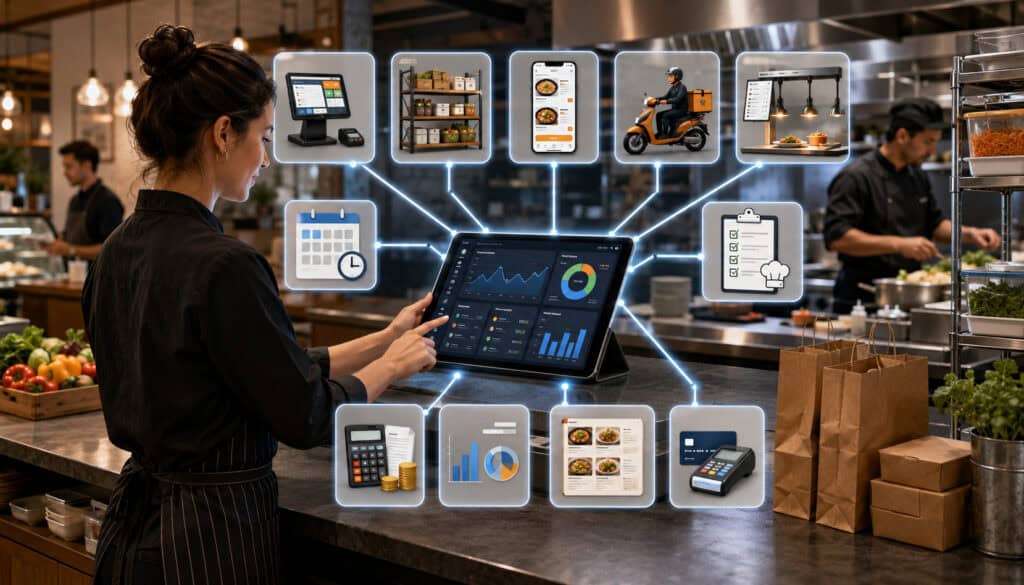
Integration tools transfer information between systems so that employees do not repeatedly enter the same data.
Common connections include:
- POS and inventory
- Online ordering and kitchen production
- Purchasing and inventory
- Inventory and accounting exports
- Catering orders and production plans
- Timekeeping and scheduling
- Delivery channels and reporting
Integrations should be evaluated based on the specific data transferred, update frequency, error handling, and ownership of corrections.
POS and Inventory Integration
A POS integration can connect recorded menu sales with recipe quantities to estimate ingredient usage.
For example, when an item is sold, the inventory system may reduce the expected quantities of its ingredients. Modifiers, substitutions, voids, refunds, and bundled items must be mapped correctly.
This creates theoretical usage, not a physical count. Actual inventory may differ because of waste, portion variation, receiving issues, transfers, or data errors.
POS-linked data can improve recipe-level analysis and food cost review when menu and recipe mappings are maintained. A detailed overview of integrating food cost tracking with POS systems explains how sales, recipes, and ingredient-use estimates may be connected.
Accounting and Reporting Exports
Accounting exports can organize purchasing, invoice, vendor, category, tax, and payment information for bookkeeping review.
The export should use consistent account mappings and date ranges. Duplicate invoices, credits, partial deliveries, and corrections need clear handling.
An integration does not guarantee that accounting treatment is correct. Financial statements, tax treatment, payroll, and account classifications should be reviewed by qualified professionals.
Data exports should also be tested before full rollout. Managers should confirm that totals, vendors, dates, and categories match the source records.
Mobile and Cloud-Based Food Service Tools

Mobile and cloud-based tools allow authorized users to access information through connected devices rather than a single local computer.
They are useful for inventory counts, receiving, approvals, task completion, remote reporting, and multi-location visibility.
Cloud-based tools may update information across devices in near real time. Their suitability depends on internet reliability, offline capabilities, access controls, data handling, vendor support, and business-continuity planning.
Mobile Inventory and Receiving
Mobile inventory tools allow staff to enter counts directly in storage areas, walk-ins, freezers, and prep stations.
The count screen should follow the physical storage sequence. Employees should not need to search through a long unsorted item list at every shelf.
Mobile receiving can help staff record delivered quantities, substitutions, rejected products, and invoice images at the delivery point.
Useful mobile features may include:
- Barcode scanning
- Large entry fields
- Offline entry
- Photo attachments
- Voice notes
- Unit conversions
- Saved count progress
- Variance warnings
Devices should be protected appropriately for the kitchen environment and managed according to the organization’s security procedures.
Remote Management Visibility
Cloud-based dashboards allow owners and managers to review reports, alerts, purchase orders, and task status away from the kitchen.
Remote access is useful for multi-location operations, but it should not encourage managers to make decisions without context. An unusual waste entry or inventory variance may require a conversation with the local team.
Role-based access can limit users to the information and actions required for their responsibilities.
Security considerations include strong authentication, appropriate permissions, access removal when roles change, reliable backups, and clear procedures for lost devices. Businesses should evaluate data security with qualified technical support.
Multi-Location Food Service Tools
Multi-location food service tools combine organization-wide standards with location-specific records.
They may support central item catalogs, shared recipes, negotiated vendor pricing, location purchase orders, transfers, role-based permissions, and consolidated reporting.
The challenge is balancing consistency with local differences. Locations may have different menus, suppliers, storage capacities, demand patterns, or delivery schedules.
Standardizing Operations Across Locations
Standardization begins with shared definitions.
Locations should use consistent:
- Ingredient names
- Units of measure
- Recipe versions
- Menu categories
- Waste reasons
- Vendor-product mappings
- Reporting periods
- Cost definitions
Without these standards, a consolidated dashboard may combine records that mean different things.
Central recipe management allows approved changes to reach all relevant locations. Central purchasing can support negotiated products and order controls, while still allowing location-level quantities.
Permissions should reflect responsibilities. Local managers may manage counts and orders, while administrators control shared item definitions and recipe versions.
Comparing Location Performance
Consolidated reports can compare inventory usage, purchasing, waste, food costs, production, and sales across locations.
Comparisons should account for differences in menu mix, volume, location size, customer demand, and operating model.
Rather than ranking locations only by total waste, managers may compare waste as a percentage of usage or sales. Purchasing may be compared by category or unit cost rather than total amount.
The purpose of comparison should be improvement, not oversimplified judgment. A location with higher waste may be training new staff, producing a different menu, or handling more complex events.
Common Mistakes When Choosing Food Service Management Tools
Many tool implementations struggle because the selection process begins with features rather than operational needs.
A system may be technically capable but unsuitable for the employees, locations, devices, processes, or data available.
Common mistakes include:
- Buying too many tools at once
- Ignoring employee usability
- Skipping ingredient cleanup
- Using inconsistent units
- Failing to update vendor prices
- Not connecting recipes to inventory
- Providing limited training
- Leaving reports unreviewed
- Adding integrations without testing
- Treating software as a replacement for management
Choosing Tools Without Mapping Workflows
Workflow mapping follows a process from beginning to end.
For purchasing, the map may include reviewing stock, creating an order, approving it, sending it, receiving products, recording differences, matching the invoice, and updating inventory.
Managers should identify who performs each step, what information is required, where delays occur, and what exceptions are common.
A tool may fail when it requires information that staff do not have at the point of entry. It may also fail when it adds approvals that slow urgent work or removes controls that managers need.
Testing with real examples is more useful than relying only on a standard demonstration.
Overcomplicating the Tool Stack
Using separate applications for inventory, recipes, purchasing, waste, tasks, production, and reporting can create duplicate records.
Employees may need to enter the same ingredient or vendor several times. Changes may be updated in one system but not another. Managers may spend time reconciling conflicting reports.
A connected platform is not always necessary, but every tool should have a clear purpose and source of truth.
Before adding another application, ask:
- What problem does it solve?
- Which system owns the data?
- Who will maintain it?
- Does it replace an existing step?
- Does it integrate reliably?
- Which report will be reviewed?
Food Service Management Tools Checklist
Use the following checklist to compare tools and prioritize implementation.
| Tool Category | What to Review | Why It Matters | Priority |
| Inventory | Counts, units, par levels, storage locations and alerts | Supports stock control and ordering | High |
| Recipes | Ingredients, yields, portions, substitutions and versions | Improves consistency | High |
| Food costs | Ingredient, recipe and menu costs | Supports cost visibility | High |
| Purchasing | Purchase orders, approvals and receiving | Organizes buying | High |
| Vendors | Price history, catalogs and delivery records | Tracks supplier performance | Medium/High |
| Waste | Spoilage, mistakes and overproduction logs | Identifies losses | Medium/High |
| Production | Prep lists, batch plans and task assignments | Improves workflow | Medium/High |
| Safety records | Logs, dates, checklists and corrective notes | Supports routine documentation | Medium/High |
| Reports | Dashboards, trends and exports | Guides management review | High |
| Integrations | POS, accounting, online ordering and other systems | Reduces duplicate entry | Medium/High |
| Access | Mobile use, permissions and remote visibility | Supports practical adoption | Medium/High |
| Security | Authentication, backups and account controls | Protects operational data | High |
| Training | Role-based instruction and support materials | Improves consistent use | High |
How to Use the Checklist
Convert the checklist into a scorecard for demonstrations and trials.
Ask managers, kitchen employees, purchasing staff, and reporting users to evaluate the workflows they will actually perform. A purchasing manager may focus on catalogs and approvals, while a kitchen manager may focus on counts, recipes, prep lists, and waste entry.
Use real scenarios:
- Count a partially used case.
- Receive a substituted product.
- Update a vendor price.
- Scale a batch recipe.
- Log spoilage.
- Create a catering production plan.
- Transfer stock to another location.
- Investigate an inventory variance.
Separate current requirements from future preferences. This helps prevent unnecessary complexity during the first rollout.
Records to Keep in Food Service Tools
Useful records commonly include:
- Ingredient master records
- Units and conversions
- Recipe cards
- Recipe versions
- Vendor catalogs
- Purchase orders
- Receiving records
- Invoices
- Inventory counts
- Adjustments
- Waste logs
- Production sheets
- Transfers
- Temperature logs
- Cleaning checklists
- Allergen notes
- Expiration and lot information
- Management reports
Retention, access, and compliance requirements vary. Businesses should seek appropriate legal, accounting, food safety, and regulatory guidance for specific recordkeeping obligations.
Best Practices for Choosing Food Service Management Tools
A successful selection process begins with operational priorities rather than software categories.
Use the following practices:
- Start with real operational problems.
- Involve the employees who perform the work.
- Prioritize inventory, recipes, food costs, and purchasing.
- Test usability in real kitchen conditions.
- Confirm units of measure and conversion handling.
- Review vendor-price and purchase-order workflows.
- Test dashboards with sample records.
- Confirm POS and accounting integration requirements.
- Review mobile counting and receiving.
- Use role-based permissions.
- Ask about implementation, training, and support.
- Avoid choosing tools only by feature count.
- Keep the first rollout manageable.
- Review total cost and implementation effort.
- Seek professional guidance for specialized compliance questions.
Building a Practical Tool Stack
A practical tool stack can be developed in stages.
The first stage often focuses on foundational records: ingredients, units, vendors, recipes, inventory counts, and purchasing.
The second stage may add food cost analysis, waste tracking, production planning, and management reporting.
The third stage may add advanced integrations, forecasting, multi-location controls, automated data exchange, and deeper analytics.
Each stage should be stable before the next is added. A forecasting tool cannot produce dependable suggestions when inventory, sales, or recipe data is incomplete.
Businesses exploring food service management tools for beginners should focus first on the workflows employees perform most frequently.
Training Teams for Long-Term Success
Training should be based on roles.
Inventory employees need to understand item names, count units, storage sequence, and adjustments. Purchasing staff need to understand suggested orders, approvals, supplier catalogs, and receiving differences.
Kitchen teams need to know how to access recipes, complete prep tasks, and log waste. Managers need to interpret dashboards and investigate exceptions.
Training should include real examples and common errors. Employees should know what to do when:
- A product is substituted
- A delivery is short
- A recipe changes
- A count seems incorrect
- A device loses connectivity
- An ingredient is moved
- A batch yield differs
- A task cannot be completed
Refresher training is important after staff changes, process updates, or new modules.
How to Choose Food Service Management Tools
To choose food service management tools, begin by documenting the operation’s needs, workflows, users, and existing systems.
Then compare options based on practical criteria:
- Workflow fit
- Staff usability
- Inventory accuracy
- Recipe capabilities
- Purchasing controls
- Reporting clarity
- Integration reliability
- Mobile access
- Role-based permissions
- Data security
- Scalability
- Training
- Support
- Pricing
- Implementation effort
- Long-term value
A tool should help staff perform essential work with fewer avoidable steps. It should also give managers information they can understand and act upon.
Questions to Ask Before Choosing Tools
Ask vendors or internal project teams questions such as:
- Can inventory be counted by location and storage area?
- How are partial packages recorded?
- Does the system support multiple units of measure?
- Can par levels vary by location?
- How are recipe yields and substitutions handled?
- Do vendor-price changes update recipe costs?
- Can purchase orders be approved digitally?
- How are partial deliveries and backorders managed?
- Can invoices be compared with orders and receiving?
- How are waste reasons standardized?
- Can production plans include catering orders?
- Does the system support multi-brand cloud kitchen workflows?
- Can commissary transfers be tracked?
- Can safety records include notes and corrective actions?
- Which reports can be customized?
- Can users investigate the transactions behind a dashboard?
- How does the POS integration handle modifiers and refunds?
- What accounting export formats are available?
- Does mobile entry work with limited connectivity?
- How are permissions controlled?
- What training is included?
- How is support provided?
- How is operational data protected and backed up?
- What is the total implementation and ongoing cost?
Comparing Workflow Fit Over Feature Lists
Feature lists show what a tool may be capable of doing. Workflow testing shows whether it can support the operation effectively.
During a trial, ask employees to complete realistic tasks rather than watching only a prepared presentation. Measure how long the task takes, where users hesitate, and whether the resulting records are clear.
Review how the system handles exceptions. Normal orders are usually easy. The more revealing tests involve substitutions, partial deliveries, incorrect counts, recipe changes, transferred stock, refunds, and last-minute catering updates.
The best long-term choice is often the tool that provides reliable core workflows, clear reporting, manageable maintenance, and consistent staff adoption—not the tool with the largest number of features.
Frequently Asked Questions
What are essential food service management tools?
Essential food service management tools are systems that help operators manage inventory, recipes, purchasing, food costs, vendors, waste, production, routine records, staff tasks, integrations, and reporting.
They may include paper processes, spreadsheets, specialized applications, or connected cloud-based software. The essential combination depends on the operation’s size, menu, service model, locations, and current problems.
What food service management tools do beginners need first?
Beginners should usually begin with inventory, recipes, food costing, purchasing, vendor records, and basic reporting.
These tools create the foundation for many later capabilities. Production forecasts, advanced analytics, and automation are less reliable when ingredient names, units, recipes, and purchasing records are incomplete.
What are the best food service management tools for restaurants?
The best food service management tools for restaurants are those that match the restaurant’s actual ordering, receiving, storage, preparation, sales, waste, and reporting workflows.
A small café may need a simple inventory and recipe-cost system. A high-volume restaurant may also need mobile receiving, POS integration, prep planning, and detailed reporting. Usability and record quality matter more than feature count.
How do food inventory management tools help control costs?
Inventory tools record stock, purchases, transfers, adjustments, and counts. These records help managers identify shortages, excess inventory, waste, slow-moving products, and unexplained variance.
When inventory data is connected with recipes and sales, managers can compare expected ingredient usage with physical counts. This helps identify areas that need investigation.
Which tools are useful for cloud kitchens and catering businesses?
Cloud kitchens benefit from multi-brand menu management, shared inventory, order integration, recipe mapping, production dashboards, packaging inventory, and brand-level reporting.
Catering businesses benefit from event orders, recipe scaling, production sheets, timelines, staffing tasks, packing lists, and delivery schedules. Operations combining both models may need shared inventory and separate production workflows.
How do reporting tools support food service operations?
Reporting tools summarize inventory, food costs, purchasing, vendor prices, waste, production, and menu performance.
Managers can use these reports to investigate unusual results, adjust orders, change par levels, revise prep quantities, review recipes, compare suppliers, and identify training needs.
What mistakes should operators avoid when choosing food service tools?
Common mistakes include selecting tools without mapping workflows, adding too many systems, ignoring employee usability, using inconsistent units, skipping recipe setup, failing to train staff, and not reviewing reports.
Operators should also avoid assuming that an integration or automated calculation is accurate without testing the underlying data.
Conclusion
Essential food service management tools help operators organize the many connected activities required to run a food service operation.
Inventory tools show what is available. Recipe tools standardize ingredients, portions, and yields. Food cost tools connect prices with recipes and menu items. Purchase order and vendor tools organize buying, receiving, and supplier records.
Waste logs reveal avoidable losses. Production planning tools turn demand into prep requirements. Catering and commissary tools organize larger orders, batches, transfers, and distribution. Safety record tools support routine documentation, while task and labor planning tools improve daily coordination.
Reporting dashboards bring this information together so managers can identify patterns and make practical decisions. Integrations can reduce duplicate entry, and cloud-based access can improve visibility across devices and locations.
The most effective tool stack is not the one with the most applications or features. It is the one that matches real workflows, is understandable to staff, maintains accurate data, provides clear reports, and can be supported over time.
Start with the most important operational problems. Build reliable ingredient, recipe, vendor, purchasing, and inventory records. Train each team for its responsibilities, review reports consistently, and add advanced capabilities only when the underlying processes are stable.
For legal, tax, accounting, payroll, employment, food safety, or regulatory questions, obtain guidance from qualified professionals and the appropriate authorities. Technology can organize information and support procedures, but experienced professional review remains essential for specialized requirements.