
Choosing food service software is not simply a matter of comparing prices or counting features. The system may influence how a business tracks ingredients, calculates recipe costs, places purchase orders, receives deliveries, records waste, prepares production plans, manages suppliers, stores operational records, and reviews performance.
For restaurants, cafés, catering businesses, cloud kitchens, commissary kitchens, cafeterias, and multi-location operations, the wrong system can create additional work instead of reducing it. Staff may continue using spreadsheets because inventory counts are difficult.
Managers may struggle to trust reports because units were configured incorrectly. Purchasing teams may lose visibility when purchase orders, deliveries, and invoices are not connected.
A food service software requirements checklist helps prevent these problems. It turns operational needs into clear questions that can be used during product research, software demonstrations, trials, implementation planning, and final comparisons.
The checklist should reflect the way the business actually operates. It should cover inventory tracking, ingredient management, recipes, food costs, purchasing, vendors, receiving, waste, production, food safety records, reporting, integrations, permissions, mobile access, security, training, support, and scalability.
This guide explains how to build and use a practical checklist before selecting food service operations software. It is intended for educational purposes. Specific legal, tax, accounting, payroll, employment, food safety, and regulatory questions should be reviewed with qualified professionals and the appropriate authorities.
What Is a Food Service Software Requirements Checklist?
A food service software requirements checklist is a structured list of the operational, technical, reporting, integration, security, and usability needs that software must satisfy.
It helps a business define what the system needs to accomplish before comparing products. Rather than asking whether a platform has “inventory features,” the checklist asks more useful questions:
- Can employees count ingredients from a mobile device?
- Can the system handle cases, pounds, ounces, gallons, and portions?
- Can recipe costs update when supplier prices change?
- Can managers compare expected inventory with actual counts?
- Can purchasing require approval before an order is submitted?
- Can reports be filtered by location, category, vendor, or period?
- Can users be restricted according to their responsibilities?
A strong requirements checklist for food service management software connects each software capability to a real workflow. It explains not only what the system should do, but also who will use it, when it will be used, what data it requires, and what result the business expects.
Operators beginning their research may find it helpful to first review an overview of food service management software and then translate the relevant capabilities into business-specific requirements.
Why Requirements Matter Before Choosing Software
Food service businesses often begin software research after a visible problem appears. Inventory costs may be rising, purchase records may be scattered, recipes may be inconsistent, or managers may lack reliable location-level reporting.
Buying software before defining the problem can lead to another disconnected tool. A system may offer impressive dashboards while failing to support the units, recipes, receiving practices, or approval processes used by the business.
Requirements give decision-makers a practical standard. They allow operators to test whether the software can support recurring activities such as receiving deliveries, counting stock, updating recipes, logging spoilage, preparing batches, transferring products, and reviewing cost reports.
They also help teams identify dependencies. Accurate recipe costing, for example, depends on accurate ingredient records, purchase prices, units of measure, yields, and portion sizes. A recipe report cannot be trusted when the underlying data is incomplete.
Requirements vs Features
Features describe what software is capable of doing. Requirements describe what the business needs the software to do reliably.
A product may list purchase orders as a feature. The business requirement may be more specific: location managers must create purchase orders, regional managers must approve orders above a set amount, and receiving staff must record partial deliveries without closing the remaining order.
Similarly, “recipe management” is a feature. Requirements may include:
- Store ingredients, preparation instructions, yields, and portions.
- Support sub-recipes and batch recipes.
- Convert between purchasing and recipe units.
- Update recipe costs when ingredient prices change.
- Maintain a history of recipe revisions.
- Restrict recipe editing to authorized users.
This distinction is central to a useful food service management software checklist. A long feature list can appear comprehensive while still leaving important workflow gaps. Requirements make the comparison specific to the operation.
Why Food Service Software Requirements Matter
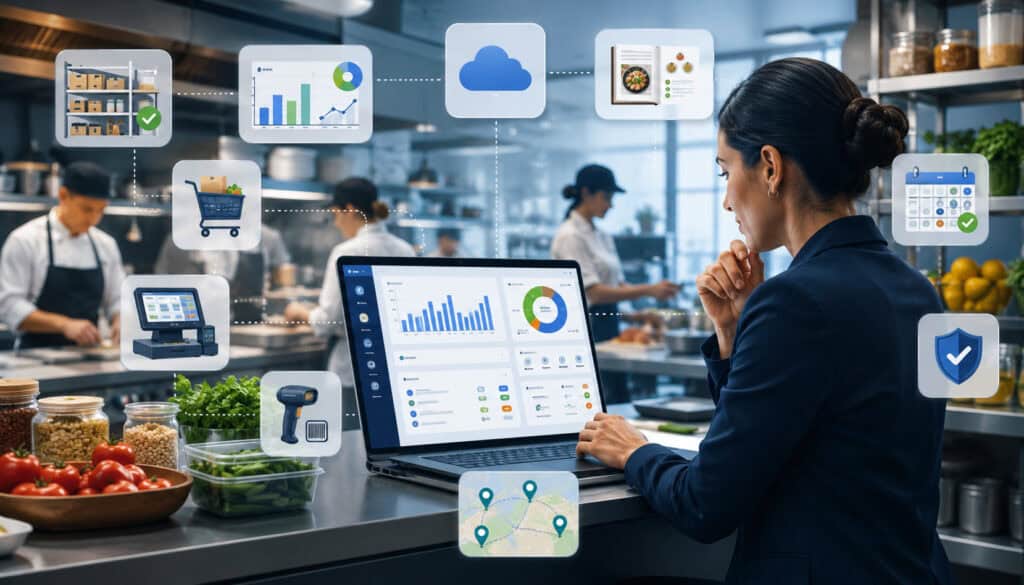
Clear food service software requirements improve both the selection process and the eventual implementation.
Inventory, purchasing, recipes, production, and reporting are connected. A weak setup in one area can affect every other area. Incorrect case conversions may distort stock quantities. Missing invoice prices may produce unreliable recipe costs. Incomplete waste records may hide the reason actual food cost is higher than theoretical food cost.
A requirements process forces the organization to examine these relationships before implementation. It also helps different departments agree on what success should look like.
Managers may prioritize reports and approvals. Kitchen staff may focus on count speed, prep lists, and recipe access. Purchasing teams may need vendor comparisons and order history. Administrative users may need exports, permissions, backups, and reliable integrations.
Bringing these needs together reduces the risk that software will be selected around one department while creating problems for another.
Better Software Decisions
Software demonstrations are designed to show a product in a favorable setting. The data is usually organized, workflows are prepared in advance, and the presenter knows the fastest route through the system.
A food service software evaluation checklist changes the conversation. Instead of watching a general presentation, the evaluation team can ask the presenter to complete specific tasks:
- Receive a partial delivery.
- Change the price of an ingredient.
- Show how the change affects three recipes.
- Count the same item in two storage locations.
- Record spoilage and explain where it appears in reports.
- Transfer prepared inventory between locations.
- Restrict a kitchen employee from viewing financial reports.
- Export a location-level purchasing report.
This approach makes comparisons more objective. Each product can be evaluated against the same food service system requirements rather than general impressions.
Better Implementation and Staff Adoption
Requirements also support implementation. They identify which ingredients, recipes, vendors, users, locations, integrations, and historical records must be prepared.
Without this preparation, implementation may become a rushed data-entry exercise. Duplicate ingredients, inconsistent units, inactive vendors, outdated recipes, and poorly defined permissions can enter the new system.
Clear requirements allow training to be organized by role. Receiving employees can learn receiving and variance procedures. Kitchen managers can focus on recipes, production, and waste. Purchasing teams can learn ordering and approvals. Administrators can be trained on users, permissions, exports, and configuration.
Staff adoption improves when the software matches recurring tasks and reduces unnecessary steps. Employees are less likely to return to paper or spreadsheets when the system supports the way work is performed.
Food Service Management Software Requirements Compared
The following table provides a starting point for comparing common food service management software requirements. Priority levels should be adjusted according to the type, size, and complexity of the operation.
| Requirement Area | What to Review | Why It Matters | Priority Level |
| Inventory tracking | Counts, stock levels, locations, units, par levels | Supports ordering, valuation, and cost control | High |
| Recipe management | Ingredients, yields, portions, sub-recipes, revisions | Improves consistency and costing accuracy | High |
| Food cost tracking | Ingredient costs, menu costs, actual and theoretical usage | Helps identify cost changes and unexplained variance | High |
| Purchasing | Purchase orders, approvals, suggested orders, receiving | Organizes buying and reduces uncontrolled ordering | High |
| Vendor management | Supplier records, price history, schedules, substitutions | Supports vendor comparison and purchasing visibility | Medium/High |
| Waste tracking | Spoilage, mistakes, overproduction, expiration, reasons | Reveals preventable losses | Medium/High |
| Production planning | Prep lists, batches, event production, demand estimates | Supports efficient kitchen preparation | Medium/High |
| Reporting | Dashboards, trends, filters, exports, scheduled reports | Helps managers make informed decisions | High |
| Integrations | POS, accounting, online ordering, imports and exports | Reduces duplicate entry and disconnected data | Medium/High |
| Permissions | Role-based access, approvals, audit history | Protects sensitive records and controls changes | High |
| Mobile access | Inventory counts, receiving, waste logs, approvals | Supports work where it occurs | Medium/High |
| Security and reliability | Authentication, backups, uptime, data ownership | Protects access and operational continuity | High |
How to Use the Checklist Table
Begin by classifying each requirement as must-have, important, optional, or not needed.
A must-have requirement is essential for a core workflow. If the software cannot meet it, the product should normally be removed from consideration. An important requirement adds meaningful value but may have a temporary workaround. An optional requirement is useful but not necessary for the initial rollout.
The evaluation team should then assign an owner to each category. Kitchen managers may own recipe and production requirements, while purchasing staff review suppliers, purchase orders, receiving, and invoice matching.
Every requirement should include a validation method. The team may validate it through a live demonstration, trial account, customer documentation, integration specification, export sample, or written response.
Why Requirements Differ by Business Type
A café with a small menu may need fast counts, simple ordering, recipe costing, and low-stock alerts. A full-service restaurant may require modifier tracking, prep recipes, daily waste records, POS integration, and menu profitability reports.
Cloud kitchen software requirements often emphasize multi-brand menus, shared ingredients, online ordering channels, production capacity, and brand-level reporting. Catering software requirements may prioritize event orders, package menus, production sheets, delivery schedules, customer notes, and last-minute quantity changes.
A commissary kitchen may require batch production, yield tracking, internal transfers, central purchasing, production scheduling, lot records, and distribution across locations. Multi-location food service software may need standardized recipes, central controls, location-specific pricing, consolidated reporting, and transfer management.
The checklist should therefore be adapted rather than copied unchanged.
Business Workflow Requirements
Food service software should support the business’s current workflows while enabling carefully planned improvements.
A workflow is the sequence of actions used to complete a task. For purchasing, the sequence may include checking stock, reviewing par levels, creating a suggested order, obtaining approval, sending the purchase order, receiving products, recording discrepancies, and reviewing the invoice.
Software requirements should document each major workflow:
- Ordering and purchasing
- Receiving and invoice verification
- Inventory counting
- Ingredient and recipe updates
- Waste and spoilage recording
- Production planning
- Inter-location transfers
- Food safety recordkeeping
- Manager reporting
- User approvals
The goal is not to preserve every inefficient habit. It is to understand which steps are necessary, which steps create control, and which steps can be simplified.
Mapping Current Workflows
Operators can map a workflow by interviewing the people who perform it and observing the process during actual service or preparation periods.
For each workflow, document:
- Who starts the process?
- What information is required?
- Which forms, spreadsheets, or systems are used?
- Who reviews or approves the work?
- Where do delays or errors occur?
- What record should be produced?
- Which report uses the resulting data?
An inventory count may appear simple until the team examines it closely. Employees may count different storage areas, record quantities on paper, convert open containers into estimates, combine sheets, and enter totals into a spreadsheet.
The resulting kitchen management software checklist should address each of those steps, including location assignments, units, partial package quantities, mobile entry, review, and variance approval.
Identifying Workflow Gaps
Workflow mapping often reveals problems that were previously treated as normal.
Examples include over-ordering because par levels are outdated, missing invoices because receiving is disconnected from purchasing, inconsistent food costs because ingredient units are wrong, and scattered reports because locations use different categories.
Other common gaps include:
- Recipe changes that are not communicated to every location.
- Supplier substitutions that are not reflected in costing.
- Waste recorded without a reason.
- Deliveries accepted without comparison to purchase orders.
- Inventory counts submitted without review.
- Prep quantities based entirely on intuition.
- Reports that require hours of spreadsheet consolidation.
Requirements should be written to correct these gaps. The goal is not merely to digitize an inconsistent workflow, but to create a more reliable one.
Inventory Management Requirements
Inventory is a foundational area of the food service software requirements checklist. Purchasing, recipe costing, cost of goods sold, waste analysis, production planning, and low-stock alerts all depend on accurate inventory data.
Food inventory management software requirements should cover ingredient records, storage locations, stock levels, count methods, units of measure, par levels, reorder points, valuation, transfers, expiration dates, and inventory variance.
The system should also make routine counting practical. A technically powerful inventory module provides little value when employees find it too slow to use consistently.
Operators evaluating food inventory management software should test the complete process from initial ingredient setup through mobile counting, review, adjustment, and reporting.
Ingredient and Unit Requirements
Every ingredient needs a consistent record. It may include a name, category, storage location, preferred vendor, purchasing unit, recipe unit, conversion factor, pack size, price, par level, and shelf-life information.
Units require particular attention. A product may be purchased by the case, stored as individual containers, measured by the pound, and used in recipes by the ounce. The software must convert between these units accurately.
Requirements should cover:
- Cases, packs, containers, pounds, ounces, gallons, cups, portions, and eaches.
- Variable-weight products.
- Partial packages and open-container estimates.
- Edible yield after trimming or preparation.
- Vendor-specific pack sizes.
- Equivalent products from different suppliers.
- Changes in package size over time.
Count and Variance Requirements
The software should support count sheets organized according to the physical layout of storage areas. Employees should not need to walk repeatedly between a dry-storage shelf and a walk-in cooler because the list is sorted alphabetically.
Useful count requirements may include:
- Count by location, category, or assigned employee.
- Mobile, tablet, or browser-based entry.
- Saved count sequences.
- Partial package quantities.
- Blind counts when appropriate.
- Review and approval before posting.
- Time and user stamps.
- Comparison with the previous count.
- Expected-versus-actual variance.
- Explanations for large adjustments.
Variance reporting should show where actual stock differs from expected stock based on purchases, sales, recipes, transfers, waste, and previous counts. It should help managers investigate problems rather than merely display a difference.
Recipe and Menu Management Requirements
Recipe and menu records connect ingredients to the food being prepared and sold. They support consistency, purchasing, production planning, allergen records, nutrition information, and menu costing.
Food service management software features for recipes should support recipe cards, ingredients, quantities, preparation steps, yields, portions, sub-recipes, batch recipes, menu items, modifiers, categories, and revision history.
The system should distinguish between a purchased ingredient, a prepared ingredient, and a sellable menu item. A sauce may be created as a batch recipe, used in several menu items, transferred between locations, and included in production plans.
Recipe Costing Requirements
Recipe costing software should calculate the cost of each recipe using current ingredient prices and accurate conversions.
The evaluation should confirm how the software handles:
- Purchase-to-recipe unit conversions.
- Yield loss from trimming or cooking.
- Batch quantities.
- Portion sizes.
- Sub-recipes.
- Optional ingredients and modifiers.
- Vendor price changes.
- Product substitutions.
- Packaging and disposable items.
- Location-specific ingredient costs.
A change in supplier price should flow into the relevant ingredient, recipe, sub-recipe, menu item, and profitability report without unnecessary manual updates.
The team should also determine whether costs are based on the latest price, average cost, weighted average, contracted price, or another method. The appropriate approach may depend on internal reporting and professional accounting guidance.
Menu Profitability Requirements
Menu profitability requires more than a recipe cost. Operators may want to compare item cost, selling price, estimated margin, sales volume, popularity, and contribution.
Requirements may include:
- Cost and food cost percentage by menu item.
- Margin per item.
- Sales mix information.
- Category comparisons.
- Location-level price and cost differences.
- Historical cost changes.
- Items affected by major ingredient price increases.
- Reports for modifiers and add-ons.
These reports should be treated as operational tools rather than automatic pricing advice. Pricing decisions may also involve labor, overhead, competition, demand, taxes, service models, and other considerations that require broader professional review.
Food Cost Tracking Requirements
Food cost tracking software requirements should define how the business wants to measure ingredient costs, recipe costs, actual usage, theoretical usage, purchases, inventory changes, waste, and cost trends.
Common measures include food cost percentage, cost of goods sold, recipe cost, menu item cost, actual food cost, and theoretical food cost. The system should clearly explain how each metric is calculated.
The requirements should also identify the source of every number. A report is difficult to trust when managers cannot determine which purchases, counts, dates, or sales records were included.
Actual vs Theoretical Food Cost Tracking
Theoretical food cost estimates what ingredients should have been used based on sales and recipe quantities. Actual food cost reflects inventory and purchasing activity over the reporting period.
Comparing the two can help identify unexplained variance related to:
- Overportioning
- Unrecorded waste
- Recipe inaccuracies
- Receiving errors
- Theft or unauthorized use
- Incorrect inventory counts
- Product substitutions
- Missing sales or purchase data
Requirements should specify whether the software can calculate both measures by item, category, location, menu group, and reporting period.
The tool should also allow managers to investigate the difference. A single variance percentage is less useful than a report showing the ingredients, recipes, purchases, waste entries, and counts contributing to it.
Cost Trend Reporting
Food costs change continuously as supplier prices, package sizes, recipes, purchasing patterns, and menu mixes change.
A useful system should show trends rather than only current values. Managers may need weekly, monthly, or custom-period comparisons for:
- Ingredient prices
- Recipe costs
- Menu costs
- Category costs
- Vendor prices
- Actual food cost
- Theoretical food cost
- Inventory variance
- Waste cost
Trend reporting helps teams distinguish between a temporary fluctuation and a recurring pattern. It also makes it easier to identify which ingredients are responsible for a larger cost increase.
Purchasing and Purchase Order Requirements
Purchase order software requirements should cover the full purchasing cycle rather than the creation of a basic order document.
The system may need to support suggested ordering, reorder points, par levels, vendor catalogs, approvals, order transmission, partial deliveries, substitutions, backorders, receiving, invoice matching, credits, and purchase history.
A useful purchasing workflow connects inventory needs with supplier information. It should help employees identify what to order without automatically replacing managerial judgment.
Purchase Approval Requirements
Approval requirements vary by operation. A single-location café may allow one manager to place orders directly. A multi-location business may require approval according to location, category, vendor, order amount, or employee role.
Questions to review include:
- Can approval limits be configured?
- Can an order have more than one approval stage?
- Can urgent orders follow a documented exception process?
- Can users see whether an order is pending, approved, rejected, or sent?
- Are approval actions time-stamped?
- Can comments be added?
- Can approved orders be changed without additional review?
The objective is to create appropriate control without delaying routine purchases.
Receiving and Invoice Matching Requirements
Receiving should connect the purchase order, physical delivery, packing document, and supplier invoice.
The system should support:
- Full and partial deliveries.
- Backordered products.
- Rejected or damaged items.
- Substitutions.
- Quantity differences.
- Price differences.
- Credits and returns.
- Delivery notes and photographs.
- Invoice attachment or import.
- Approval of discrepancies.
Invoice matching requirements help identify differences between what was ordered, what was received, and what was billed. This can improve cost data and supplier accountability.
Accounting treatment and payment decisions should still be reviewed according to the organization’s policies and professional guidance.
Vendor and Supplier Management Requirements
Vendor management software requirements should define how supplier profiles, catalogs, prices, ordering rules, delivery performance, and communication records will be maintained.
A supplier profile may include contact details, delivery days, order deadlines, minimum order quantities, payment terms, product lists, lead times, substitutions, and service notes.
The system should make it easy to compare equivalent products without creating uncontrolled duplicate ingredient records.
Vendor Price Tracking Requirements
Supplier price history is important because ingredient increases can affect multiple recipes and menu items.
Requirements should address whether the software can:
- Record price changes automatically or manually.
- Preserve historical prices.
- Compare the same product across suppliers.
- Identify package-size differences.
- Flag unusual increases.
- Show contracted and current prices.
- Connect invoice prices to ingredient costs.
- Report changes by vendor, item, category, or period.
The system should not treat two differently sized packages as directly comparable unless quantities are converted to a consistent unit.
Supplier Performance Requirements
Supplier performance includes more than price. Operators may also review delivery accuracy, product quality, timeliness, substitution frequency, shortage frequency, and response to credits.
A supplier management requirement may ask the system to record:
- On-time delivery status.
- Ordered-versus-delivered quantity.
- Rejected products.
- Unapproved substitutions.
- Missing items.
- Price discrepancies.
- Quality notes.
- Credit resolution.
- Location-specific experiences.
Not every business needs a formal supplier scorecard. However, even a basic history can help purchasing teams identify recurring issues and support informed vendor discussions.
Waste, Spoilage, and Loss Tracking Requirements
Waste tracking requirements should cover spoilage, expiration, preparation errors, overproduction, spills, returns, trimming loss, damaged deliveries, and other forms of loss.
Waste records should be quick to enter. When the process is slow or unclear, employees may skip it, leaving managers with incomplete information.
The system should distinguish controllable waste from routine yield loss and other expected usage. This allows reports to focus on meaningful improvement opportunities.
Waste Log Requirements
A useful waste log should capture:
- Item or recipe
- Quantity and unit
- Estimated cost
- Waste reason
- Date and time
- Location
- Employee or department
- Related batch or order
- Notes or photograph
- Manager review when required
Waste reasons should be standardized enough to support reporting but not so numerous that staff cannot choose consistently.
Examples may include expired product, overproduction, preparation error, quality rejection, spill, incorrect order, customer return, equipment problem, and damaged delivery.
Loss Analysis Requirements
Waste reports should help managers identify patterns.
Useful views may include:
- Most frequently wasted items.
- Highest waste cost.
- Waste by reason.
- Waste by location.
- Waste by day or shift.
- Waste connected to specific recipes.
- Repeated overproduction.
- Expiration-related losses.
- Supplier-related damage.
A report that only shows total waste does not explain why the loss occurred. The requirements should emphasize actionable categorization, trends, and drill-down details.
Production Planning Requirements
Production planning connects expected demand with recipes, inventory, labor activities, and available kitchen capacity.
Kitchen management software checklist items may include prep lists, batch production, par production, catering quantities, commissary schedules, task assignments, expected sales, and demand forecasting.
Production tools should help kitchens prepare the right quantity at the right time without creating excessive complexity.
Prep List Requirements
Prep lists should connect to recipes, current stock, expected sales, event orders, and production pars where possible.
Requirements may include:
- Automatic or manager-approved prep suggestions.
- Ingredient quantities based on recipe yields.
- Existing prepared stock.
- Assigned employee or station.
- Due time.
- Task status.
- Notes and preparation instructions.
- Batch labels.
- Actual quantity produced.
- Waste or yield variance.
Prep lists should be readable and practical in the kitchen. Staff may need printed, tablet-based, or mobile formats depending on the environment.
Batch and Commissary Requirements
Businesses producing food in batches or distributing prepared products across locations need additional controls.
Requirements may include:
- Batch recipes and scaling.
- Planned and actual yield.
- Lot or batch identifiers.
- Ingredient consumption.
- Production dates.
- Expiration or use-by records.
- Destination location.
- Internal transfer documents.
- Central production scheduling.
- Brand or location allocation.
- Variance between planned and produced quantities.
Commissary kitchen operations may also require consolidated demand from several locations and a clear record of what was produced, transferred, received, and remaining.
Cloud Kitchen Software Requirements
Cloud kitchens often operate several delivery-focused brands from a shared facility. Their requirements may combine inventory, recipes, online ordering, menu availability, production planning, and brand-level analysis.
Shared ingredients create efficiency, but they also make tracking more complicated. One ingredient may be used by several brands, recipes, and order channels.
A detailed guide to multi-brand cloud kitchen inventory workflows can help operators identify requirements related to shared stock and demand planning.
Multi-Brand Requirements
Cloud kitchen software requirements may include:
- Separate menus and recipes for each brand.
- Shared ingredient inventory.
- Brand-specific packaging.
- Brand-level food cost reports.
- Shared sub-recipes.
- Menu availability by brand and channel.
- Production capacity limits.
- Consolidated purchasing.
- Brand-specific user permissions.
- Profitability reporting by brand.
The system should prevent duplicated inventory merely because the same ingredient appears in several brand menus.
At the same time, managers should be able to see how each brand consumes shared stock and contributes to overall demand.
Delivery and Order Channel Requirements
Cloud kitchens may receive orders through several online ordering and delivery channels. Requirements should clarify how those orders enter the system and how menu availability is updated.
Questions may include:
- Can orders be consolidated?
- Can sales be separated by brand and channel?
- Can sold-out items be updated across connected channels?
- Can recipe usage be estimated from order data?
- Can refunds, cancellations, and modifiers be handled?
- Can reports identify channel-specific menu performance?
- Can packaging requirements be included?
Integration availability can vary by platform, location, and service agreement. Operators should obtain current technical documentation before relying on a connection.
Catering Software Requirements
Catering operations manage orders that may be placed days or weeks before production. Quantities, menus, customer notes, delivery times, setup requirements, and preparation schedules may change repeatedly.
Catering software requirements should support the complete event lifecycle from initial order through production, delivery, and reporting.
Event Order Requirements
A catering order record may need to include:
- Customer and contact information.
- Event date and service time.
- Delivery, pickup, or on-site details.
- Guest count.
- Menu packages and individual items.
- Dietary or allergen notes.
- Equipment and disposable items.
- Service instructions.
- Order revisions.
- Deposits or payment status references.
- Internal production deadlines.
Customer and payment information should be handled according to appropriate privacy and payment-security practices. The software evaluation should clarify which sensitive details are stored and which are managed through separate systems.
Production Sheet Requirements
Production sheets convert event orders into kitchen tasks and quantities.
The software should be able to consolidate requirements across events while preserving event-specific instructions. A kitchen may prepare the same item for several orders but package, label, or deliver it differently.
Requirements may include recipe scaling, total quantities, prep deadlines, station assignments, packaging quantities, delivery labels, loading checklists, and last-minute change tracking.
The system should show both the original order and the latest approved version so staff are not working from outdated information.
Food Safety Record and Compliance Workflow Requirements
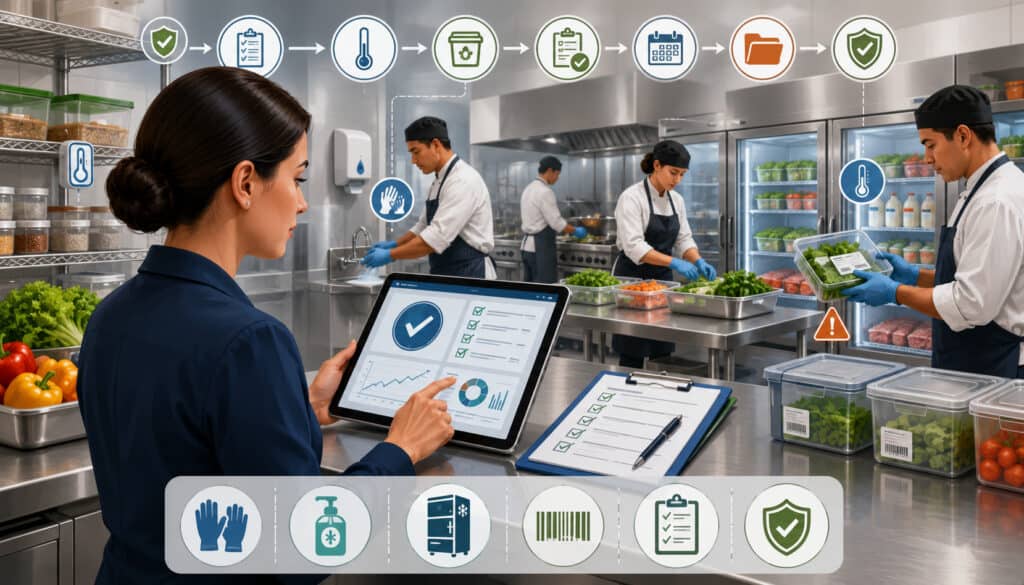
Food safety record software may help organize temperature logs, cleaning checklists, allergen records, expiration dates, lot information, traceability records, and task completion.
These tools can make records easier to complete, review, retrieve, and export. However, installing software does not automatically make an operation compliant with every applicable food safety requirement. Businesses should review their procedures with qualified food safety professionals and the relevant regulatory authorities.
For operations that handle foods requiring detailed supply-chain records, the FDA’s food traceability resources provide useful background on tracking ingredients and food products through different stages of the supply chain. The FDA also publishes information about additional traceability record requirements for certain foods.
Software requirements should therefore focus on whether the system can capture, preserve, connect, and retrieve the records the operation has determined it needs.
Temperature Log and Checklist Requirements
Digital temperature logs and operational checklists may include:
- Product or equipment being checked.
- Required or expected range.
- Recorded value.
- Date and time.
- Employee identity.
- Corrective-action notes.
- Manager verification.
- Missed-check alerts.
- Record retention and export.
- Sensor integration where available.
Operators should determine whether entries can be edited, whether changes are preserved, and whether missed tasks remain visible.
The checklist should also confirm that devices can be used in actual work areas and that staff can complete records without interrupting service.
Allergen and Traceability Requirements
Some operations may require detailed ingredient, allergen, lot, supplier, receiving, production, and expiration information.
The software may need to connect:
- Ingredient records to supplier products.
- Supplier products to deliveries.
- Deliveries to lots or batches.
- Ingredients to recipes.
- Recipes to menu items.
- Produced batches to destination locations.
- Expiration information to stock records.
The FDA’s food allergy information provides educational guidance about major allergens and allergen-related food information. Operators should use professional guidance when deciding how allergens must be documented, communicated, or managed within their specific operation.
Reporting and Analytics Requirements
Food service reporting software should make operational data understandable and usable.
Requirements may include inventory reports, food cost reports, purchase reports, vendor reports, waste reports, recipe reports, production reports, menu reports, user activity reports, location comparisons, and data exports.
Reports should not require extensive manual cleanup every time they are used. Filters, dates, units, categories, and calculation methods should be clear.
Manager Dashboard Requirements
A manager dashboard should focus attention on information that may require action.
Depending on the operation, it may show:
- Low-stock items.
- Upcoming purchase needs.
- Food cost trends.
- Inventory variance.
- High-cost ingredient changes.
- Waste totals and reasons.
- Pending purchase approvals.
- Delivery discrepancies.
- Incomplete temperature logs.
- Production tasks.
- Location comparisons.
Dashboards should allow users to open the underlying records. A warning without supporting detail may create more questions than answers.
Different roles may need different dashboards. A kitchen manager, purchasing manager, owner, and location supervisor should not necessarily see the same information.
Export and Recordkeeping Requirements
Businesses may need downloadable reports for management review, bookkeeping, audits, planning, or internal recordkeeping.
Export requirements may include:
- Spreadsheet and PDF formats.
- Custom date ranges.
- Location filters.
- Consistent column names.
- Detailed and summarized versions.
- Scheduled delivery.
- Accessible historical reports.
- Attached source documents.
- User and time stamps.
- Application programming interface access where appropriate.
Accounting exports should be reviewed with the organization’s accounting professional. The software should organize and transfer information without being treated as a substitute for accounting judgment.
Integration Requirements
Integration requirements describe how food service software exchanges information with POS systems, accounting tools, online ordering platforms, delivery channels, payment reporting systems, payroll-related exports, or other operational software.
An integration should be evaluated according to the specific data exchanged, the direction of the exchange, update frequency, error handling, and ongoing responsibility for support.
The word “integration” alone does not reveal whether the connection imports daily totals, detailed menu items, modifiers, vendor invoices, or real-time transactions.
POS Integration Requirements
A POS integration may connect sales records with recipes and inventory usage.
Requirements should clarify:
- Which menu items are imported.
- Whether modifiers are included.
- How refunds and voids are handled.
- How often data updates.
- How menu items are mapped to recipes.
- Whether multiple revenue centers are supported.
- How missing or unmapped items are reported.
- Whether historical sales can be imported.
- Who resolves synchronization errors.
Accurate mapping is essential. Sales data cannot generate useful theoretical usage when menu items are disconnected from recipes or modifier quantities are ignored.
Accounting and Bookkeeping Export Requirements
Accounting-related requirements may include exports for purchases, invoices, vendor totals, inventory values, credits, and location-level summaries.
The team should ask:
- Which file formats are available?
- Can account or category mappings be configured?
- Are taxes, fees, credits, and delivery charges separated?
- Can records be exported by location or reporting period?
- Can source invoices be attached?
- Are duplicate exports detected?
- Is there an audit record of previous transfers?
These tools can support organized review, but account classification, tax treatment, reconciliation, and financial reporting should be handled with qualified professional guidance.
User Access and Permission Requirements
Food service systems may contain recipes, vendor pricing, purchase history, financial reports, customer-related records, staff information, and administrative settings.
Access should be based on responsibilities. Owners, managers, kitchen staff, purchasing employees, location supervisors, accounting users, and system administrators may require different permissions.
Role-Based Access Requirements
Role-based access allows administrators to define what each type of user can view, create, edit, approve, export, or delete.
Requirements may cover:
- Inventory count access.
- Recipe viewing and editing.
- Vendor price visibility.
- Purchase creation and approval.
- Waste entry.
- Financial report access.
- User administration.
- Location restrictions.
- Export permissions.
- Integration settings.
The system should allow permissions to be practical without requiring a separate custom role for every employee.
Access should also be reviewed when employees change roles or leave the organization.
Approval and Audit Trail Requirements
Some operations need records of important changes.
An audit trail may record:
- User identity.
- Date and time.
- Original value.
- Updated value.
- Approval status.
- Comments or reason.
- Location or device information.
- Related document.
Important changes may include recipe edits, price updates, inventory adjustments, purchase approvals, vendor changes, user access changes, and deleted records.
The team should confirm how long history is retained and whether authorized users can export it.
Cloud, Mobile, and Device Requirements
Cloud-based software may allow users to access information through browsers and mobile devices without maintaining a local server.
However, operators should still review device compatibility, internet requirements, offline behavior, synchronization, update processes, and supported browsers.
The best access model depends on where tasks occur. Inventory is counted in storage areas. Deliveries are received near loading or receiving areas. Prep tasks occur in the kitchen. Approvals may happen away from the location.
Mobile Inventory Requirements
Mobile inventory tools should be tested in the actual environment.
Requirements may include:
- Responsive phone and tablet screens.
- Fast item search.
- Barcode scanning.
- Saved storage-location order.
- Large, readable entry fields.
- Partial package quantities.
- Voice or camera support where available.
- Automatic saving.
- Offline entry and later synchronization.
- Protection against duplicate submissions.
A mobile interface that works well in an office may still be difficult to use in a walk-in cooler, crowded storeroom, or receiving area.
Remote Access Requirements
Owners and managers may need remote access to dashboards, approvals, reports, and alerts.
Remote requirements should include secure authentication, role restrictions, device controls, session management, and clear notification settings.
The system should also distinguish remote visibility from remote editing. An owner may need to view reports without changing operational records.
Multi-Location Requirements
Multi-location food service software must provide both standardization and local flexibility.
Requirements may include location-level inventory, standardized ingredients, shared recipes, transfers, central purchasing, location-specific vendors, permissions, consolidated dashboards, and comparative reports.
The system should prevent unnecessary duplication while recognizing legitimate differences between locations.
Standardization Across Locations
Standardization may cover:
- Ingredient names and identification codes.
- Units of measure.
- Recipe structure.
- Categories.
- Reporting periods.
- Waste reasons.
- Vendor records.
- Approval rules.
- User roles.
- Inventory-count procedures.
Central administrators may need to publish a standard recipe while allowing authorized local adjustments for price, availability, or permitted substitutions.
The system should clearly show which records are centrally controlled and which can be changed locally.
Location-Level Visibility
Owners and regional managers may need to compare:
- Food cost percentage.
- Inventory variance.
- Waste.
- Supplier pricing.
- Purchase quantities.
- Stock levels.
- Production.
- Menu costs.
- Count completion.
- Delivery discrepancies.
Comparisons should use consistent definitions. A location should not appear more efficient merely because it uses different categories, count timing, or waste reasons.
Drill-down access is also important. Consolidated reporting should allow managers to investigate the transactions behind a location’s result.
Data Migration and Setup Requirements
Implementation begins with data. Ingredients, vendors, recipes, menus, users, opening inventory, purchasing records, and historical reports may need to be entered or imported.
The requirements checklist should define which records must be migrated, who will prepare them, which formats are accepted, and how accuracy will be validated.
Data Cleanup Before Migration
Old systems and spreadsheets often contain duplicates, inconsistent naming, inactive vendors, incorrect units, and outdated users.
Before migration, the team should review:
- Duplicate ingredients.
- Similar items with different spellings.
- Inactive menu items.
- Old supplier products.
- Incorrect pack sizes.
- Missing conversions.
- Outdated recipes.
- Former employees.
- Obsolete locations.
- Inconsistent categories.
Cleaning data before import is usually easier than repairing it after recipes, purchases, and reports have been built around incorrect records.
Starting Inventory Requirements
An accurate opening inventory creates the starting point for stock levels and food cost reporting.
The implementation plan should specify:
- Count date and cutoff time.
- Included locations.
- Responsible employees.
- Count units.
- Open-package methods.
- Review procedures.
- Treatment of in-transit products.
- Unreceived deliveries.
- Posted waste and transfers.
- Approval of final quantities.
Launching with estimated or incomplete opening inventory may create confusing variances that continue into future reports.
Training and Support Requirements
Training and support belong in the food service software evaluation checklist because even well-designed software requires consistent use.
Operators should review onboarding assistance, documentation, live training, role-specific resources, response channels, support hours, escalation procedures, and ongoing product education.
Role-Specific Training Requirements
Different employees use different parts of the system.
Training may be organized for:
- Inventory counters.
- Receiving employees.
- Kitchen managers.
- Purchasing teams.
- Recipe administrators.
- Location managers.
- Accounting reviewers.
- System administrators.
Training should use the business’s configured ingredients, recipes, vendors, and workflows whenever possible.
Employees should understand not only which buttons to select, but also why accurate units, waste reasons, receiving quantities, and approvals matter to later reports.
Support Availability Requirements
Support requirements should address:
- Available channels.
- Support hours.
- Expected response times.
- Emergency escalation.
- Help documentation.
- Video or guided training.
- Implementation assistance.
- Integration support.
- Data-import assistance.
- Product update communication.
The evaluation team should clarify whether support is included, limited by plan, or subject to additional fees.
It should also identify who supports integrations when two providers are involved.
Security and Data Protection Requirements
Food service software may store sensitive operational and commercial information. Security requirements should cover authentication, permissions, encryption, backups, system monitoring, device access, data ownership, and incident communication.
When a system connects with payment-related tools, operators should understand the boundaries between food service software and the payment environment. The PCI Security Standards Council provides resources explaining that payment security depends on people, processes, and technology.
Sensitive Data Requirements
Potentially sensitive records include:
- Vendor pricing.
- Purchase history.
- Financial and food cost reports.
- Customer or catering details.
- Employee-related information.
- Administrative settings.
- Integration credentials.
- Payment-related references.
- Recipes and proprietary processes.
Requirements should specify who may view, export, edit, and delete these records.
Strong passwords, multi-factor authentication, role-based access, account deactivation, and controlled exports may be relevant depending on the system and risk profile.
Backup and Reliability Requirements
Operational continuity depends on reliable access.
Questions should cover:
- Backup frequency.
- Data recovery procedures.
- Service availability commitments.
- Maintenance communication.
- Historical record retention.
- Data export upon termination.
- Offline options.
- Regional hosting or storage considerations.
- Incident notification.
- Disaster recovery testing.
No system can guarantee uninterrupted availability. The operation should maintain practical contingency procedures for critical tasks such as receiving, production, and food safety recordkeeping.
Common Mistakes When Building a Food Service Software Requirements Checklist
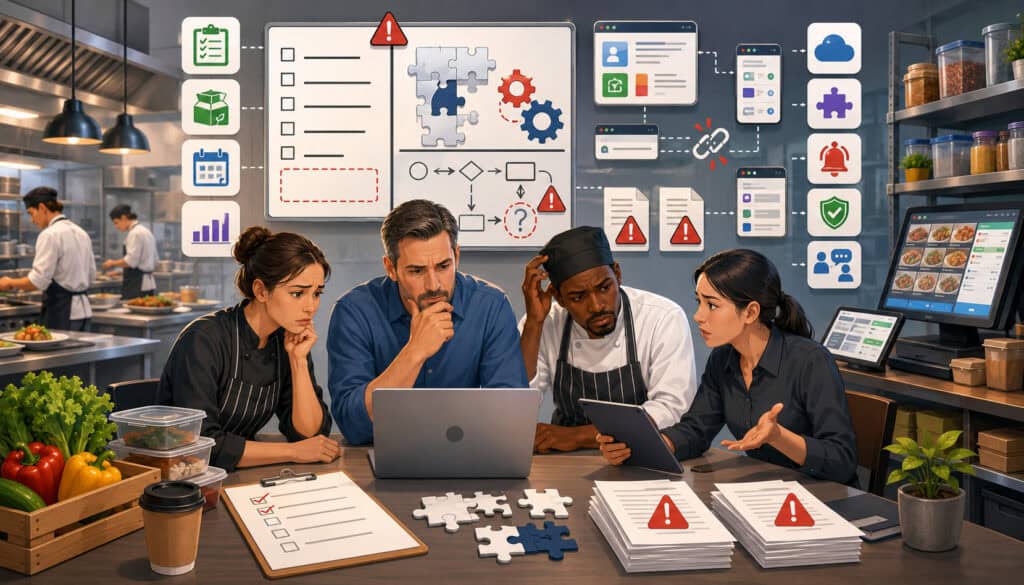
A checklist can still lead to a poor decision when it is built around vague priorities or unrealistic expectations.
Common mistakes include focusing only on subscription price, requesting every available feature, excluding frontline employees, ignoring integrations, failing to test reporting, and underestimating implementation effort.
Ignoring Daily Kitchen Workflows
Software may look efficient during a presentation but fail under real operating conditions.
A waste form may require too many steps during a busy shift. Inventory counts may not follow physical storage order. Receiving may not handle substitutions. Prep lists may not account for existing production.
Kitchen managers and employees should participate in the evaluation because they understand where the software will be used.
A useful demo should reproduce daily tasks rather than only show dashboards.
Not Prioritizing Requirements
Treating every requirement as equally important creates an unmanageable comparison.
A business may reject a suitable product because it lacks an optional feature while overlooking a serious weakness in inventory conversions or reporting.
Requirements should be ranked according to operational impact, frequency, risk, and availability of a reasonable workaround.
Must-have requirements should remain limited to capabilities the operation genuinely cannot function without.
Food Service Software Requirements Checklist
The following food service software checklist for restaurants and kitchens can be adapted to a single location, catering operation, cloud kitchen, commissary, cafeteria, or multi-location organization.
| Requirement Category | Questions to Ask | Priority | Notes |
| Inventory | Can it track ingredients, storage locations, counts, units, and par levels? | High | Review count speed and unit conversions |
| Recipes | Can it manage ingredients, yields, portions, sub-recipes, and versions? | High | Test a complex recipe |
| Recipe costing | Do costs update when ingredient prices change? | High | Confirm pricing method |
| Food cost | Can it compare actual and theoretical food cost? | High | Review calculation details |
| Purchasing | Can it create, approve, send, and track purchase orders? | High | Test partial delivery handling |
| Receiving | Can employees record shortages, substitutions, damage, and price differences? | High | Review mobile workflow |
| Vendors | Can it store supplier records, catalogs, schedules, and price history? | Medium/High | Compare cost per usable unit |
| Invoice matching | Can it compare orders, receipts, and invoices? | Medium/High | Review discrepancy approval |
| Waste | Can it log spoilage, mistakes, expiration, and overproduction? | Medium/High | Standardize waste reasons |
| Production | Can it create prep lists, batches, and production plans? | Medium/High | Important for volume operations |
| Cloud kitchen | Can it manage multiple brands using shared inventory? | As needed | Review channel and brand reporting |
| Catering | Can it manage event orders, changes, production sheets, and delivery timing? | As needed | Test a revised event |
| Compliance records | Can it store logs, checklists, lot data, and completion records? | Medium/High | Obtain professional compliance review |
| Reporting | Can it show food cost, inventory, waste, purchasing, and trends? | High | Check filters and drill-downs |
| Integrations | Does it connect with required POS, accounting, or ordering tools? | Medium/High | Confirm exact data exchanged |
| Permissions | Can roles limit viewing, editing, approving, and exporting? | High | Review location restrictions |
| Audit trail | Does it retain a history of important changes? | Medium/High | Check retention period |
| Mobile access | Can staff count, receive, and log waste from mobile devices? | Medium/High | Test in work areas |
| Multi-location | Can it standardize recipes and consolidate location reporting? | As needed | Review transfers and local control |
| Data migration | Can ingredients, vendors, recipes, users, and history be imported? | High | Request sample templates |
| Training | Is training available for different roles? | High | Use configured workflows |
| Support | What channels, hours, and response expectations are available? | High | Clarify integration ownership |
| Security | Does it support secure authentication, permissions, and backups? | High | Review security documentation |
| Reliability | What continuity, recovery, and data-export options exist? | High | Create internal backup procedures |
| Scalability | Can the system support more users, brands, locations, and records? | Medium/High | Consider long-term needs |
| Total cost | What implementation, integration, training, device, and support costs apply? | High | Compare total effort, not only subscription |
How to Use the Checklist During Software Demos
Send the checklist before the demonstration so the presenter can prepare relevant workflows.
During the session:
- Ask for live examples rather than slides.
- Use real ingredient and recipe scenarios.
- Request both employee and manager views.
- Ask how exceptions are handled.
- Record unanswered questions.
- Request documentation for integrations and security.
- Review sample exports.
- Note any workaround requiring another spreadsheet or system.
After the demo, score the product before discussing general impressions. This reduces the influence of presentation style or attractive interfaces.
How to Score Software Requirements
A simple scoring model can use four categories:
- Must-have: Essential; failure removes the product from consideration.
- Important: Strong preference; a temporary workaround may be acceptable.
- Optional: Helpful but not necessary.
- Not needed: Irrelevant to the current operation.
The team can also rate how well each product satisfies a requirement:
- 0: Not supported
- 1: Requires an impractical workaround
- 2: Partially supported
- 3: Fully supported
- 4: Fully supported and easy to use
Scores should be accompanied by notes. A number alone does not explain limitations, conditions, integration costs, or implementation effort.
Best Practices for Evaluating Food Service Software Requirements
A structured evaluation should begin with operational problems rather than software categories.
Useful practices include:
- Involve managers, kitchen employees, purchasing teams, and accounting reviewers.
- Prioritize must-have requirements.
- Review inventory and recipe setup carefully.
- Confirm all important units and conversions.
- Test purchasing, receiving, and price history.
- Examine dashboards and detailed reports.
- Confirm POS and accounting integration requirements.
- Test mobile inventory workflows.
- Review role-based permissions.
- Ask about data migration and cleanup.
- Confirm training and support.
- Start with a manageable rollout.
- Review total implementation effort and ongoing cost.
- Obtain professional guidance for legal, tax, accounting, payroll, employment, food safety, and regulatory questions.
Creating a Practical Evaluation Process
A practical process may include the following stages:
- Document operational problems.
- Map critical workflows.
- Write measurable requirements.
- Prioritize the requirements.
- Research a limited group of products.
- Use identical scenarios during demonstrations.
- Request trial access where available.
- Collect staff feedback.
- Review integrations and security documentation.
- Estimate implementation effort and total cost.
- Select a pilot workflow or location.
- Define success measures before rollout.
Success measures might include inventory-count completion, reduced duplicate entry, faster purchase approval, improved report availability, or better visibility into waste.
The evaluation should consider how data quality and employee behavior will affect those measures.
Avoiding Checklist Overload
A detailed checklist is useful, but an excessively long one can become difficult to manage.
Combine similar requirements and focus attention on workflows with the greatest operational effect. A business may maintain a master list while using a shorter scorecard for final comparisons.
The checklist should also distinguish initial needs from future needs. A feature that may be useful after expansion does not necessarily need to delay the first implementation.
How to Choose Food Service Software Using Requirements
After defining and testing the requirements, compare products according to workflow fit, usability, reporting clarity, implementation support, integrations, security, scalability, and total cost.
The product with the most features is not automatically the best choice. A focused system that employees use correctly may create more operational value than a complex platform that encourages workarounds.
The final decision should consider:
- Whether critical workflows are fully supported.
- Whether employees can use the system consistently.
- Whether reports are understandable and traceable.
- Whether integrations exchange the required information.
- Whether permissions and security controls are appropriate.
- Whether implementation resources are realistic.
- Whether support meets operational needs.
- Whether the system can accommodate planned growth.
- Whether total costs are understood.
Questions to Ask Before Choosing Software
Before making a final decision, ask:
- Can it manage the ingredients, storage areas, and units we use?
- Can employees complete inventory counts efficiently?
- Can it manage recipe yields, sub-recipes, batches, and portions?
- Do recipe costs update from current supplier prices?
- Can it compare actual and theoretical food cost?
- Can it create purchase orders and support our approval rules?
- Can it record partial deliveries, backorders, and substitutions?
- Can it match orders, deliveries, and invoices?
- Can it preserve vendor price history?
- Can it record waste by item, reason, location, and cost?
- Can it create prep lists and batch-production plans?
- Can it support shared inventory across cloud kitchen brands?
- Can it manage catering orders and production sheets?
- Can it organize required operational logs and records?
- Can reports be filtered, exported, and investigated?
- Does it connect with our required POS and accounting systems?
- Can users be limited by role and location?
- Is the mobile workflow practical in storage and receiving areas?
- What data can be migrated?
- What training and support are included?
- How are backups, outages, and data exports handled?
- What is the total cost of implementation and ongoing use?
Comparing Workflow Fit Over Feature Lists
Feature counts are easy to compare but do not reveal how well software will perform in the kitchen.
Workflow fit considers how many steps are required, whether data moves correctly, how exceptions are handled, and whether employees can complete tasks during normal operations.
A suitable system should make accurate work easier. It should reduce duplicate entry, provide understandable records, support appropriate controls, and produce reports that managers trust.
Long-term value comes from dependable workflows and usable data, not from the number of features listed on a product page.
Frequently Asked Questions
What is a food service software requirements checklist?
A food service software requirements checklist is a structured list of the capabilities, workflows, controls, integrations, reports, and support services a food service business needs from software.
It helps operators compare systems according to real operational needs rather than relying only on feature lists or demonstrations.
What are the most important food service software requirements?
The most important requirements usually include accurate inventory tracking, units of measure, recipe management, recipe costing, food cost reporting, purchasing, receiving, vendor management, waste tracking, reporting, permissions, and data security.
The final priorities depend on the business model. A catering operation, cloud kitchen, café, and multi-location restaurant group may rank requirements differently.
What should be included in a food service management software checklist?
The checklist should include inventory, ingredients, recipes, menu costing, purchasing, purchase orders, vendors, receiving, invoice matching, waste, production planning, reports, integrations, mobile access, permissions, data migration, training, support, security, reliability, scalability, and total cost. Each category should contain testable questions rather than vague labels.
What food service software requirements matter most for restaurants and kitchens?
Restaurants and kitchens should focus on requirements that affect recurring work. These include count speed, accurate conversions, recipe yields, supplier pricing, purchase approvals, delivery discrepancies, waste reasons, prep lists, and actionable reports.
Staff usability is also critical. A system cannot provide dependable reports when employees do not use the underlying workflows consistently.
How do cloud kitchens define software requirements?
Cloud kitchens should review multi-brand menus, shared inventory, brand-specific recipes, delivery order channels, menu availability, packaging, demand forecasting, production capacity, and brand-level reporting.
The system should track how several brands consume the same ingredients without requiring duplicate inventory records.
Why are inventory and recipe requirements important?
Inventory and recipes provide the data needed for purchasing, food cost tracking, theoretical usage, production planning, and menu costing. Incorrect ingredient units, package sizes, yields, or portions can affect every connected report. These areas should be configured and tested carefully.
What integration requirements should food service operators review?
Operators should identify which systems must exchange information, which records are transferred, how often updates occur, and how errors are resolved.
POS integrations may need menu items, modifiers, voids, and sales quantities. Accounting exports may need invoices, vendor totals, credits, categories, and location details. Specific accounting decisions should be reviewed professionally.
Conclusion
A food service software requirements checklist gives operators a structured way to evaluate technology before committing time, money, and operational data to a system.
The checklist should reflect real kitchen and management workflows. It should examine inventory, recipes, food costs, purchasing, vendors, receiving, waste, production, cloud kitchen activity, catering orders, food safety records, reporting, integrations, permissions, mobile access, migration, training, support, security, reliability, and scalability.
The most useful requirements are specific and testable. They explain who performs the task, what information is needed, which controls apply, and what result the system should produce.
Food service businesses should also recognize that software cannot repair poor data or inconsistent procedures by itself. Accurate units, maintained recipes, disciplined receiving, complete waste records, trained employees, and regular management review remain essential.
By prioritizing workflow fit, staff usability, dependable data, and long-term operational needs, operators can compare food service systems more confidently and reduce the risk of costly gaps after implementation.