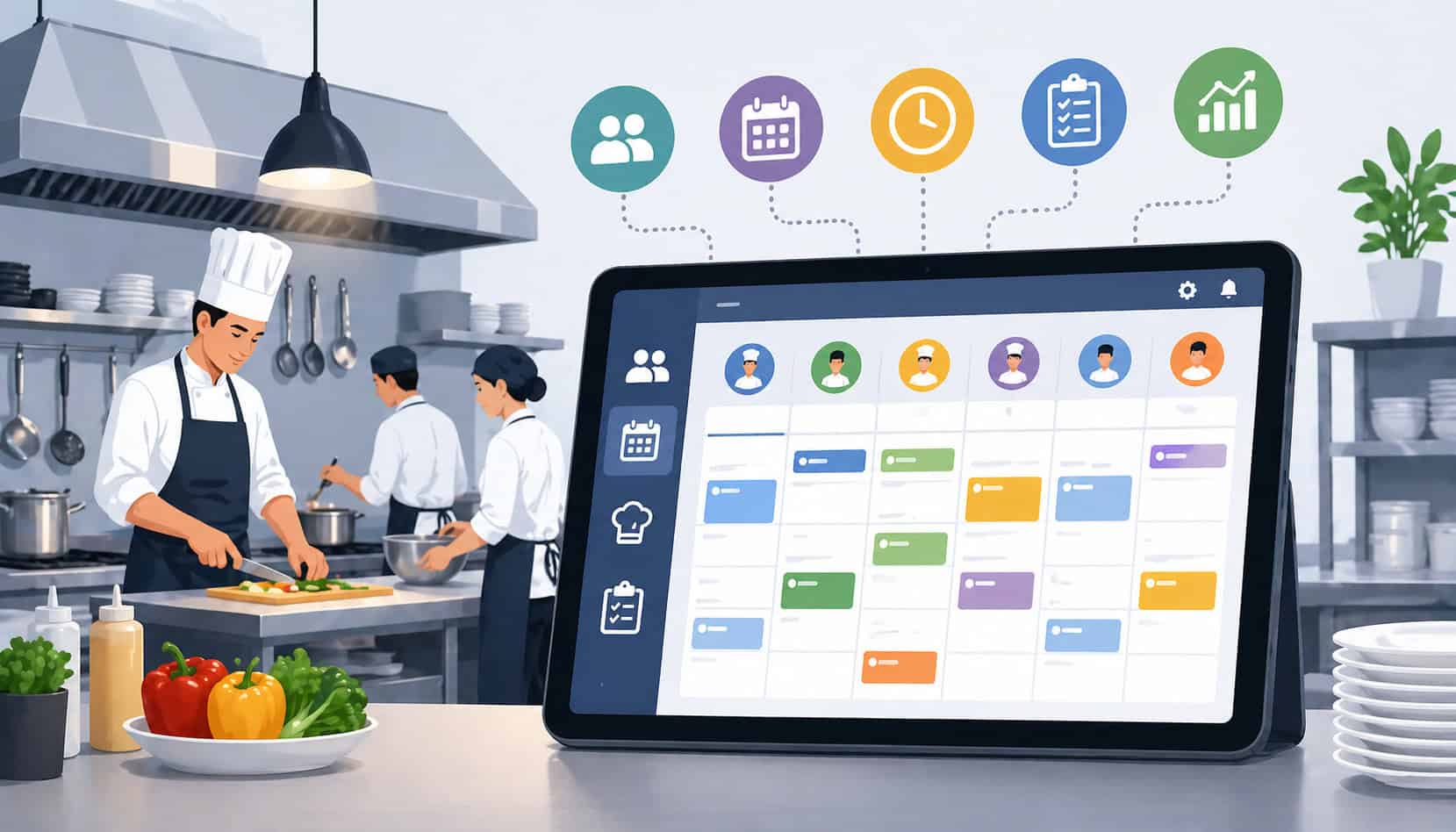
Kitchen scheduling can make or break daily restaurant operations. A well-planned schedule helps managers control labor costs, cover every station, organize prep timing, reduce overtime, and keep service moving when orders start piling up.
For chefs, kitchen managers, general managers, catering teams, and food service operators, scheduling is not just about putting names on a calendar. It is about matching the right people, roles, skills, prep tasks, cleaning duties, deliveries, catering timelines, and service rushes at the right time.
Kitchen scheduling tools for restaurants help replace guesswork, handwritten notes, group chats, and disconnected spreadsheets with a more organized system. The right tool can help teams manage employee availability, time-off requests, labor coverage, station assignments, task planning, and kitchen communication from one place.
When scheduling works well, the kitchen feels calmer. Prep gets done earlier. Cooks know their stations. Dish teams are not surprised by volume. Managers can spot overtime before it becomes a problem. Staff know when they work, what they are responsible for, and who to contact if something changes.
When scheduling is weak, the opposite happens. A missing prep cook delays production. A line cook gets double-booked. A dish shift is left short. Opening tasks are forgotten. Closing duties are rushed. Managers spend too much time fixing schedule problems instead of leading service.
That is why restaurant kitchen scheduling software, kitchen staff scheduling software, and broader restaurant scheduling software have become important tools for modern food service teams.
Used correctly, they support better labor planning, smoother back-of-house scheduling, stronger accountability, and more consistent guest experiences.
What Are Kitchen Scheduling Tools for Restaurants?
Kitchen scheduling tools for restaurants are digital systems that help managers plan, publish, adjust, and track kitchen schedules. They can be used for employee scheduling for restaurants, kitchen labor scheduling, station coverage, prep planning, task assignments, and daily kitchen workflow planning.
At the most basic level, these tools help managers build staff schedules. Instead of writing shifts manually or updating spreadsheets, managers can assign employees to specific days, times, roles, and stations. For example, a schedule might include grill, sauté, pantry, prep, dish, expo, catering production, receiver, and closing lead roles.
More advanced restaurant kitchen scheduling software can also manage employee availability, approved time off, shift swaps, labor budgets, overtime warnings, mobile schedule access, and reminders. Some systems allow employees to confirm shifts, request changes, or receive alerts when the schedule is updated.
Kitchen-focused tools go beyond shift timing. They can also support kitchen task scheduling. This means managers can assign opening duties, prep lists, batch cooking, cleaning tasks, inventory counts, delivery checks, catering prep, and closing responsibilities.
For example, a kitchen manager might schedule one prep cook to portion proteins, another to wash and cut vegetables, a lead cook to check par levels, and a dish team member to handle morning sanitation tasks. These assignments can be attached to specific shifts so employees know both when they work and what they need to complete.
This matters because kitchen work is highly time-sensitive. A server schedule may focus mostly on guest coverage, but a kitchen schedule must account for food production, setup, holding times, station readiness, cleaning, and handoff between shifts.
Kitchen scheduling tools may be standalone systems or part of broader food service management platforms. Some teams also connect scheduling with inventory, purchasing, POS data, or cost tracking.
For example, operators reviewing food service management software may consider how labor scheduling fits with inventory, menu, and operational workflows.
The main goal is simple: help managers build better schedules with fewer surprises.
Why Restaurants Need Better Kitchen Scheduling
Poor kitchen scheduling creates problems that show up quickly during service. A kitchen may look fully staffed on paper, but if the wrong roles are scheduled at the wrong times, the team can still fall behind.
One common issue is understaffed peak shifts. If the manager does not schedule enough experienced cooks during busy periods, tickets slow down, food quality suffers, and stress rises. Even one missing person can create a chain reaction across prep, line production, dishwashing, and expo.
Another problem is overtime. Without clear visibility into hours, managers may accidentally overschedule employees or rely too often on the same dependable staff. That can increase labor costs and lead to burnout.
Prep delays are also a major scheduling issue. If prep work is not assigned clearly, teams may discover missing sauces, portioned proteins, garnishes, dough, dressings, or batch-cooked items too close to service. Then line cooks are forced to prep during rush periods, slowing down ticket times and increasing mistakes.
Kitchen scheduling also affects communication. When schedules are shared through screenshots, handwritten notes, or last-minute messages, employees may miss updates. A cook may arrive at the wrong time. A prep employee may not know a catering order was added. A closing team may assume someone else handled cleaning tasks.
Better scheduling helps restaurants avoid:
- Understaffed lunch, dinner, brunch, or catering shifts
- Excess labor on slower periods
- Unplanned overtime
- Missed prep work
- Confusing station assignments
- Informal shift swaps
- Burned-out high-performing employees
- Service bottlenecks
- Inconsistent food quality
- Poor accountability for opening and closing tasks
Key Features of Restaurant Kitchen Scheduling Software
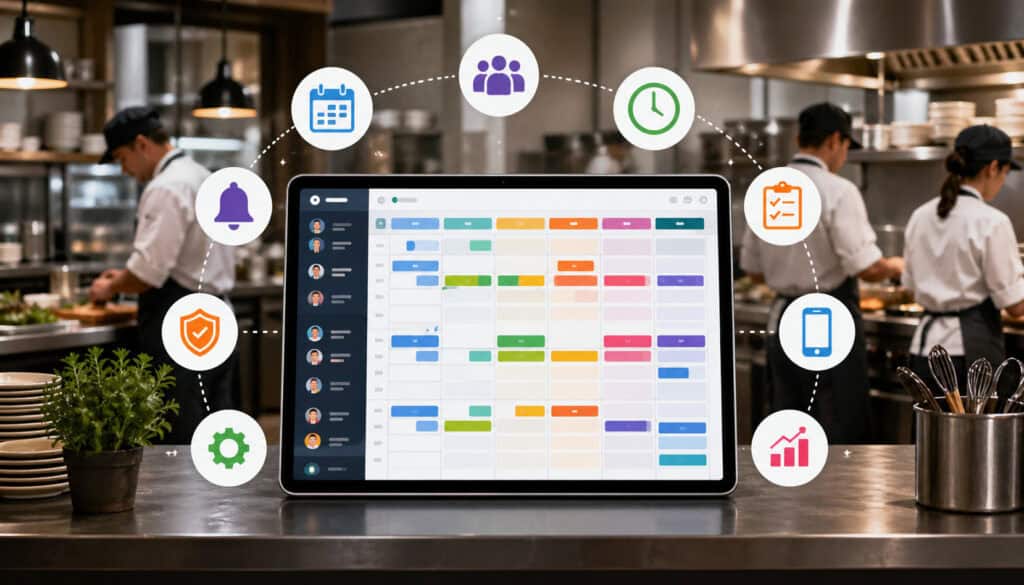
The best restaurant kitchen scheduling software helps managers plan labor, assign responsibilities, communicate changes, and review performance. Different tools offer different features, but the strongest systems support both shift planning and kitchen workflow planning.
A basic restaurant scheduling software platform may let managers create weekly schedules, approve time off, and send updates to staff. A more kitchen-focused platform may also support station assignments, prep lists, task checklists, labor forecasting, overtime alerts, and reporting.
For back-of-house scheduling, the most useful features usually include:
- Shift scheduling by role, station, or department
- Employee availability tracking
- Time-off requests and approvals
- Shift swapping or shift pickup workflows
- Mobile access for managers and employees
- Labor forecasting based on demand
- Overtime alerts
- Prep task scheduling
- Opening and closing checklists
- Station assignment notes
- Role-based staffing templates
- Schedule reminders and confirmations
- Reporting by labor hours, department, or shift
- POS, sales, reservation, or catering order integration
A kitchen shift scheduling system should make schedules easier to build and easier to follow. Managers should be able to see who is available, who is qualified for each role, how many hours are scheduled, and where coverage gaps exist.
| Feature | What It Does | Why It Matters |
| Shift scheduling | Assigns employees to specific days, times, and roles | Helps managers cover every service period |
| Availability tracking | Stores when employees can and cannot work | Reduces conflicts and last-minute changes |
| Time-off requests | Allows staff to request dates off digitally | Keeps scheduling information organized |
| Shift swapping | Lets employees request approved shift changes | Prevents informal swaps and coverage gaps |
| Labor forecasting | Uses demand patterns to estimate staffing needs | Helps control labor costs and avoid understaffing |
| Overtime alerts | Warns managers before employees exceed hour limits | Supports better labor cost control |
| Prep scheduling | Assigns prep tasks to specific shifts or employees | Keeps production ready before service |
| Task checklists | Tracks opening, closing, cleaning, and station duties | Improves accountability |
| Mobile access | Lets staff view schedules from phones or tablets | Reduces missed updates |
| Reporting | Shows labor hours, shift patterns, and schedule trends | Helps managers improve future schedules |
Some scheduling platforms work best when connected with other operational systems. For example, a kitchen that tracks inventory digitally may benefit from connecting labor planning with production needs. Teams exploring cloud food inventory management may also think about how stock levels, prep planning, and labor scheduling affect one another.
Shift Planning and Staff Availability
Shift planning is one of the core functions of kitchen scheduling tools for restaurants. It helps managers match employee availability, skills, roles, and expected demand with the right kitchen coverage.
In a busy kitchen, not every employee can cover every role. One cook may be strong on grill but not trained on sauté. Another may be great at prep but not ready for expo. A dishwasher may also help with receiving, while a lead cook may be responsible for closing checks.
Kitchen staff scheduling software helps managers see these details before publishing the schedule. Instead of simply filling hours, managers can build coverage around skills and responsibilities.
Availability tracking is equally important. Employees may have school schedules, second jobs, family responsibilities, or preferred shifts. When availability is collected informally, it is easy to miss details. A scheduling system keeps that information in one place, making it easier to avoid conflicts.
Good shift planning should consider:
- Employee availability
- Approved time off
- Skill level
- Station experience
- Peak service times
- Prep workload
- Catering or event production
- Opening and closing needs
- Required manager or supervisor coverage
Prep Task Scheduling
Prep task scheduling connects labor planning with production planning. It helps managers assign prep work, opening duties, batch cooking, event preparation, cleaning tasks, and closing responsibilities to the right people at the right time.
This is important because prep work often determines how smooth service feels later. If sauces are not made, proteins are not portioned, vegetables are not cut, or par levels are not checked, the line starts behind before the first rush begins.
Kitchen task scheduling gives structure to this work. A manager can assign specific prep items to employees, attach deadlines, and track completion. For example, morning prep might include slicing produce, preparing proteins, labeling containers, making dressings, checking cooler temperatures, and setting up stations.
For catering operators and food service teams, prep scheduling is even more important. Large orders, off-site service, event timelines, and production batches require careful planning. Missing one prep task can affect the entire event.
Prep scheduling can also improve accountability. Instead of saying “prep was not done,” managers can see which task was assigned, when it was due, and whether it was completed.
Labor Forecasting and Overtime Control
Labor forecasting helps managers schedule based on expected demand rather than guesswork. A scheduling system may use sales trends, reservation counts, catering orders, delivery volume, seasonal patterns, or manager-entered forecasts to estimate how many labor hours are needed.
This helps restaurants avoid two costly problems: too few people during busy periods and too many people during slow ones. Both hurt performance. Understaffing creates stress and service delays. Overstaffing increases labor costs without improving output.
Overtime control is another key benefit. Without scheduling visibility, managers may accidentally schedule employees into overtime or rely too heavily on the same workers. A kitchen labor scheduling tool can alert managers before a schedule creates overtime risk.
This does not mean cutting staff to the minimum. It means using labor more intentionally. A high-volume dinner shift may need extra prep and line coverage, while a slow afternoon may need fewer employees but stronger cross-trained support.
Labor forecasting is especially helpful when paired with sales or POS data. Operators reviewing POS and cost tracking integration can also consider how sales data may support smarter labor decisions.
Benefits of Kitchen Staff Scheduling Software
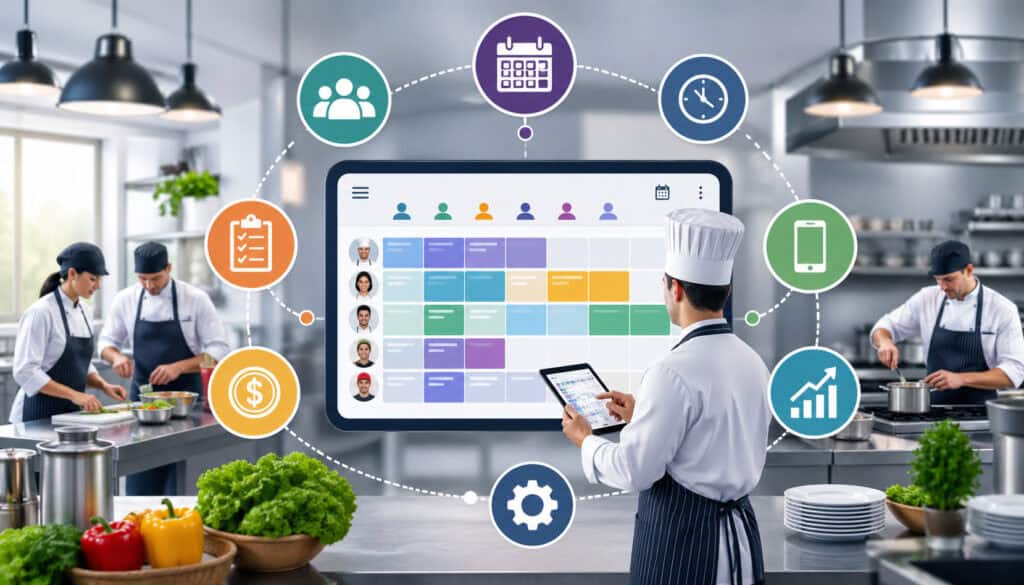
Kitchen staff scheduling software offers practical benefits across daily operations. It helps managers build schedules faster, communicate changes more clearly, reduce conflicts, and align labor with real kitchen demand.
One of the biggest benefits is better coverage. Managers can see who is available, which roles are filled, and where gaps remain. This is especially useful for kitchens with multiple stations, split shifts, catering prep, or rotating staff.
Another benefit is reduced overtime. Scheduling tools can show projected hours before the schedule is published. Managers can adjust assignments early instead of discovering overtime after payroll has already increased.
Kitchen scheduling tools also improve communication. When employees can view schedules from a mobile device, they are less likely to miss updates. Reminders, alerts, and shift confirmations help reduce no-shows and confusion.
Prep consistency is another major advantage. By connecting tasks to shifts, managers can make sure production work is assigned and visible. This supports better food quality, faster service, and cleaner handoffs between teams.
Scheduling software also improves accountability. When roles and tasks are documented, employees know what is expected. Managers can follow up based on clear assignments rather than memory or assumptions.
Key benefits include:
- Stronger shift coverage
- Fewer last-minute scheduling conflicts
- Better communication between managers and staff
- Reduced overtime risk
- More consistent prep completion
- Clearer station assignments
- Improved accountability
- Faster schedule updates
- Better visibility into labor costs
- Smoother service execution
Better Communication Across the Kitchen Team
Kitchen communication can get messy fast. Chefs, line cooks, prep cooks, dish teams, porters, receivers, and managers often work different shifts. Some employees may not be present when schedule changes are announced.
Mobile scheduling tools, shared calendars, alerts, and task updates reduce that confusion. Instead of relying on printed schedules or verbal reminders, staff can access the latest schedule from one place.
This is especially helpful when changes happen quickly. If a catering order is added, a prep shift changes, or a station assignment is updated, managers can notify the right people. Employees can confirm they saw the update, reducing the chance of missed information.
Better communication also improves shift handoffs. A morning prep team can leave notes for the dinner team. A closing lead can document unfinished tasks. A manager can assign follow-up work for the next shift.
Fewer Scheduling Conflicts and Missed Shifts
Scheduling conflicts often happen when availability, time-off requests, and shift changes are handled in too many places. One request may be in a text message. Another may be written on paper. A manager may approve a shift swap verbally but forget to update the schedule.
Kitchen scheduling tools reduce these problems by centralizing requests and approvals. Employees can submit availability changes or time-off requests through the system. Managers can approve or deny them and see the impact on future schedules.
Shift confirmations and reminders can also help prevent missed shifts. Employees receive alerts before they work, and managers can see whether shifts have been acknowledged.
This is useful for teams with part-time employees, students, seasonal workers, or multi-role staff. It also helps reduce the pressure on managers who otherwise spend too much time chasing confirmations.
A clear shift swapping process is especially important. Employees should not trade shifts without manager approval, because the replacement may not have the right skills. A tool-based workflow helps ensure coverage is still appropriate.
Kitchen Scheduling Tools vs General Restaurant Scheduling Software
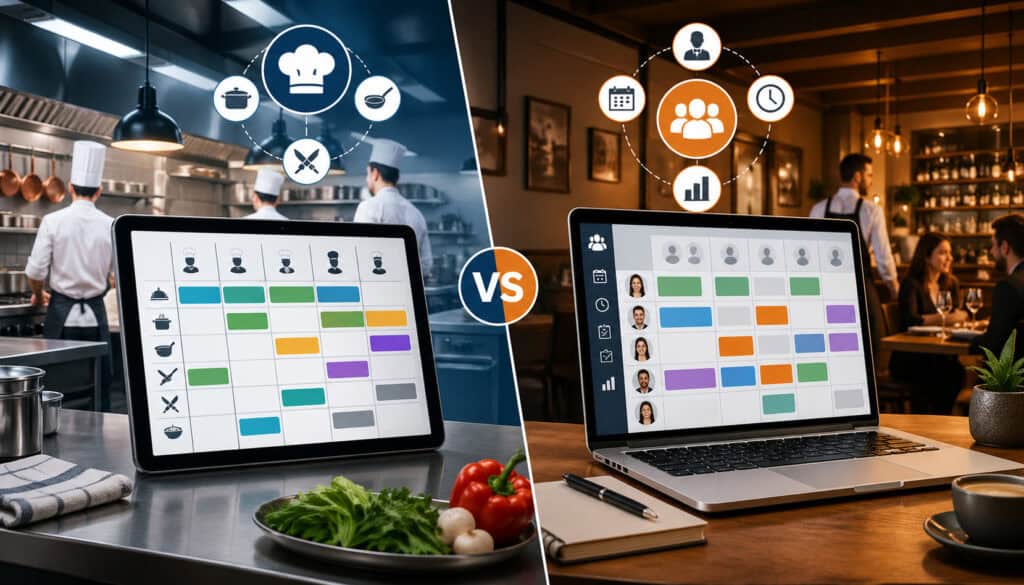
Kitchen scheduling tools and general restaurant scheduling software overlap, but they are not always the same. General restaurant scheduling software usually helps managers schedule employees across the whole operation, including front-of-house, back-of-house, bar, delivery, catering, and management teams.
Kitchen scheduling tools focus more specifically on back-of-house scheduling needs. These may include prep timing, station assignments, production tasks, cleaning routines, food safety checks, delivery receiving, catering prep, and shift handoffs.
A general system may be enough for smaller restaurants with simple menus, a small team, and predictable shifts. If the main challenge is publishing schedules and tracking availability, a broad employee scheduling platform may work well.
However, kitchen-specific scheduling becomes more important when operations are complex. For example, a restaurant with multiple stations, heavy prep, catering orders, rotating menus, batch production, or separate prep and service teams may need more detailed task and role planning.
The difference often comes down to workflow depth.
General restaurant scheduling software may answer:
- Who is working?
- What time do they start and end?
- Who requested time off?
- How many labor hours are scheduled?
Kitchen-focused scheduling may also answer:
- Which station is each person covering?
- What prep tasks must be completed?
- Who is responsible for opening and closing duties?
- What production work is needed for catering?
- Are cleaning and food safety tasks assigned?
- Is labor aligned with prep volume and service demand?
For many restaurants, the best approach is a system that supports both labor scheduling and kitchen workflow planning. A broader platform can manage employee scheduling for restaurants, while kitchen-specific templates or task lists can support daily execution.
Operators comparing systems should look beyond the schedule calendar. The real question is whether the tool helps the kitchen run better during opening, prep, service, closing, and special events.
How to Choose the Right Kitchen Shift Scheduling System
Choosing the right kitchen shift scheduling system starts with understanding your operation. A small café, full-service restaurant, hotel kitchen, commissary, catering business, and multi-location food service team may all need different scheduling features.
Start with restaurant size. A small team may only need basic shift planning, availability tracking, and time-off requests. A larger team may need role-based scheduling, labor forecasting, department-level reports, and manager permissions.
Next, look at kitchen complexity. A simple menu may require less prep scheduling. A scratch kitchen, catering operation, or high-volume restaurant may need detailed prep lists, production planning, and station assignments.
Staff availability also matters. If employees have changing schedules, a digital availability system can save managers hours each week. If your team is mostly full-time with fixed shifts, availability features may be less critical.
Labor budget is another factor. The system should help managers see projected labor hours, overtime risk, and coverage levels before publishing the schedule. Reporting features are useful for reviewing whether scheduled labor matches actual demand.
Mobile access is also important. Kitchen employees may not check email often, but they are more likely to view schedules and alerts from a phone. A good tool should make it easy for staff to see shifts, request changes, and confirm updates.
Consider these selection factors:
- Number of employees
- Number of locations
- Kitchen roles and stations
- Prep workload
- Menu complexity
- Catering or event volume
- Employee availability patterns
- Labor budget controls
- Mobile access needs
- Reporting requirements
- POS, sales, payroll, or inventory integrations
- Manager permissions
- Ease of training
- Support and reliability
When comparing tools, avoid choosing based only on feature lists. A system should be easy enough for managers to use every week and clear enough for employees to adopt quickly. If it is too difficult, staff may return to informal messages and printed notes.
Match Scheduling to Kitchen Workflow
The best scheduling system should reflect real kitchen operations. It should support the way your team prepares food, sets stations, handles service rushes, receives deliveries, cleans equipment, and manages handoffs.
For example, a restaurant with heavy lunch volume may need early prep shifts and strong station setup before midday service. A dinner-focused restaurant may need staggered starts, stronger evening line coverage, and detailed closing assignments. A catering operator may need production schedules tied to event timelines.
Kitchen workflow planning should include prep timing, station readiness, food safety tasks, cleaning routines, inventory checks, and delivery schedules. A scheduling tool that only lists start and end times may not provide enough structure for these needs.
Managers should also consider cross-functional tasks. A prep cook may help with receiving. A line cook may handle closing inventory. A sous chef may review production sheets before service. These responsibilities should be visible in the schedule or attached task lists.
Check Ease of Use for Managers and Staff
A scheduling tool only works if people use it. Managers need to build schedules quickly, make changes without frustration, and understand labor impact before publishing. Staff need to view schedules, confirm shifts, request time off, and understand task assignments without confusion.
Ease of use is especially important in kitchens, where time is limited. Managers may be building schedules between prep checks, vendor calls, interviews, inventory work, and service. A complicated system can become another burden.
Employees also need a simple experience. If staff cannot find their schedule or do not understand how to request changes, managers will still receive texts, calls, and verbal requests. That weakens the system.
Training should be quick and repeatable. New employees should learn how to check schedules and submit requests during onboarding. Managers should have clear rules for approvals, shift swaps, and schedule updates.
Best Practices for Kitchen Scheduling
Good scheduling habits are just as important as good software. Even the best kitchen staff scheduling software will not fix a poor scheduling process if managers do not use it consistently.
Start by building schedules early. Publishing schedules at the last minute creates stress for employees and makes it harder to fix coverage gaps. Early schedules give staff time to plan, request corrections, and confirm availability.
Collect availability in one place. Avoid accepting scheduling information through multiple channels unless it is entered into the system. This reduces missed requests and conflicting notes.
Assign roles based on skill level. A schedule should not only show how many people are working. It should show whether the right people are covering the right stations. Newer employees may need support during peak shifts, while experienced staff may be better placed in high-pressure roles.
Plan prep around demand. Use sales patterns, reservations, catering orders, delivery volume, and menu changes to decide prep coverage. A busy service often needs labor before the rush, not just during it.
Set overtime alerts. Managers should review projected hours before publishing schedules. If one employee is near overtime, the schedule can often be adjusted earlier.
Cross-train employees. Cross-training gives managers more scheduling flexibility and helps cover callouts. It also supports employee growth and reduces dependency on only one or two key people.
Document station assignments. A schedule that says “cook” may not be specific enough. Use labels such as grill, fry, sauté, pantry, prep, dish, expo, or receiver.
Review labor reports. After each week, compare scheduled hours with actual sales, service issues, overtime, and prep completion. This helps managers improve future schedules.
Strong kitchen scheduling habits include:
- Publish schedules early
- Keep availability updated
- Use role-based scheduling
- Assign prep tasks clearly
- Schedule around demand
- Watch overtime before it happens
- Cross-train staff
- Use approved shift swap workflows
- Add notes for special events
- Review labor performance weekly
Kitchen scheduling is not a one-time administrative task. It is a repeating management process. The more consistently it is reviewed and improved, the more useful it becomes.
Common Kitchen Scheduling Mistakes to Avoid
Many kitchen scheduling problems come from habits that seem harmless at first. Over time, they create labor waste, service pressure, and communication breakdowns.
One common mistake is scheduling by habit instead of demand. Managers may copy last week’s schedule without checking reservations, catering orders, weather patterns, events, or menu changes. This can lead to overstaffing slow periods and understaffing busy ones.
Another mistake is ignoring prep time. Some managers focus on service coverage but forget that the kitchen needs enough labor before the rush. If prep is short, line cooks may spend service time catching up on production.
Failing to track availability is also risky. When availability is stored in texts, notebooks, or memory, mistakes happen. Employees get scheduled when they cannot work, and managers spend time fixing avoidable conflicts.
Informal shift swaps create another problem. If employees trade shifts without approval, the schedule may look covered but lack the right skills. A cook who can cover pantry may not be able to handle grill during a rush.
Not cross-training staff can also limit scheduling flexibility. If only one person knows a station or task, every schedule depends on that person’s availability.
Other mistakes include:
- Publishing schedules too late
- Not assigning stations clearly
- Overlooking dish and support roles
- Scheduling too many inexperienced employees together
- Ignoring closing workload
- Forgetting delivery or receiving needs
- Not planning for catering production
- Skipping labor report reviews
- Allowing schedule changes outside the system
How Scheduling Tools Support Labor Cost Control
Labor is one of the most important controllable costs in restaurant operations. Accurate scheduling helps managers align staffing with expected demand while protecting service quality.
Kitchen scheduling tools for restaurants support labor cost control by giving managers visibility before labor is spent. Instead of seeing labor problems after payroll, managers can review projected hours, overtime risk, and role coverage while building the schedule.
This allows managers to make better decisions. If a slow afternoon is overstaffed, they can reduce or shorten shifts. If a busy dinner shift is understaffed, they can add coverage before service suffers. If an employee is close to overtime, they can adjust the schedule before extra costs occur.
Labor cost control is not about cutting people without context. A kitchen that is too lean may lose money through slow service, mistakes, waste, refunds, poor quality, and employee burnout. Smart scheduling balances labor cost with operational needs.
Scheduling tools also improve productivity. When employees know their stations and tasks, less time is wasted figuring out responsibilities. Prep teams can work from assigned lists. Line cooks can arrive to organized stations. Closing teams can follow documented duties.
Better labor planning also helps managers understand patterns. Reports can show which days tend to run high on labor, which shifts need more support, and where overtime happens most often. Over time, managers can adjust templates, staffing levels, and training plans.
Labor scheduling can also connect with other cost controls. For example, restaurants that track inventory, purchasing, and food costs may find that labor and production planning are closely related. A guide on choosing a cloud inventory solution can be useful for operators thinking about how digital tools support broader cost control.
Scheduling tools support better labor control by helping managers:
- Forecast labor needs
- Avoid unnecessary hours
- Reduce overtime
- Match skill levels to demand
- Improve prep productivity
- Track labor patterns
- Plan around catering and events
- Reduce last-minute emergency coverage
- Make schedule decisions earlier
The result is a more controlled operation. Managers can protect margins while still giving the kitchen enough support to perform well.
FAQs
What are kitchen scheduling tools for restaurants?
Kitchen scheduling tools for restaurants are systems that help managers plan staff shifts, assign kitchen roles, organize prep tasks, track availability, manage time-off requests, and communicate schedule changes. They make back-of-house scheduling more organized, reliable, and easier to manage.
How does restaurant kitchen scheduling software work?
Restaurant kitchen scheduling software lets managers create and publish schedules digitally. Managers can assign employees to shifts, roles, stations, or tasks, while employees can view schedules, request time off, confirm shifts, or request approved shift swaps.
What features should kitchen staff scheduling software include?
Kitchen staff scheduling software should include shift scheduling, availability tracking, time-off requests, mobile access, shift reminders, role-based scheduling, overtime alerts, reporting, and task assignment features. For busier kitchens, prep scheduling and station assignments are also helpful.
Can scheduling tools reduce overtime?
Yes. Scheduling tools can help reduce overtime by showing projected employee hours before the schedule is published. Managers can identify employees approaching overtime and adjust shifts before labor costs increase.
Are kitchen scheduling tools useful for small restaurants?
Yes. Kitchen scheduling tools are useful for small restaurants because they help organize availability, publish schedules, manage time-off requests, reduce missed shifts, and improve communication without adding unnecessary complexity.
How do scheduling tools help with prep planning?
Scheduling tools help with prep planning by assigning prep tasks to specific employees, shifts, or time blocks. Managers can schedule opening prep, batch cooking, catering production, cleaning, labeling, portioning, and station setup so work is completed before service begins.
What is the difference between shift scheduling and task scheduling?
Shift scheduling focuses on when employees work, including start times, end times, roles, and coverage. Task scheduling focuses on what employees need to complete during those shifts, such as prep lists, cleaning duties, station setup, and closing responsibilities.
When should a restaurant switch from spreadsheets to scheduling software?
A restaurant should switch from spreadsheets to scheduling software when scheduling becomes time-consuming, confusing, or error-prone. Signs include missed shifts, frequent availability conflicts, unapproved shift swaps, overtime surprises, unclear station assignments, and missed prep tasks.
Conclusion
Kitchen scheduling tools for restaurants help managers organize shifts, prep tasks, labor coverage, communication, and daily workflows more effectively. They turn scheduling from a weekly administrative chore into a practical operating system for the back of house.
The right kitchen shift scheduling system can reduce conflicts, control overtime, improve prep consistency, clarify station assignments, and support smoother service. It can also help managers make better labor decisions by connecting staffing with demand, skills, availability, and kitchen workload.
For restaurant owners, chefs, kitchen managers, general managers, catering operators, and food service teams, scheduling is one of the most important foundations of operational success. When the schedule is clear, the team is better prepared. When prep is assigned, service starts stronger. When labor is planned carefully, costs are easier to control.
A good scheduling tool will not replace strong leadership, training, or communication. But it gives managers the structure they need to lead more effectively.
Used consistently, kitchen scheduling tools for restaurants can help create a more organized kitchen, a more accountable team, and a more reliable service experience.